You can now migrate the authentication type of the Automation accounts to Managed Identities using Azure Site Recovery on the Azure portal.
Authentication of runbooks via Run As Account will retire on September 30, 2023. Prior to this, you must migrate your runbooks to use managed identities.
To migrate your Azure Automation account authentication type from a Run As to a managed identity authentication, navigate to the recovery services vault for which you want to migrate the runbooks. Under Manage > Site Recovery infrastructure > Extension update settings > Migrate.
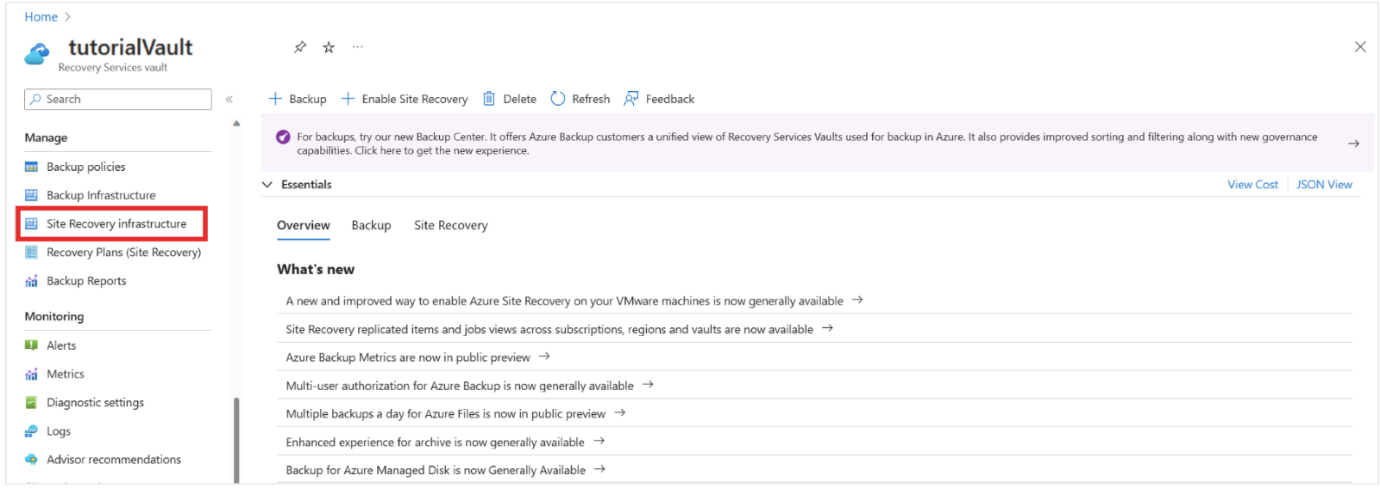

After the successful migration of your automation account, the Migrate option will disappear on the Extension update settings page, and the System assigned identity for the automation account will be turned on.
This functionality is now generally available across all Azure regions.
Learn more about the feature.