MC1288530 - Microsoft Teams: Test microphone and speaker before joining a meeting

Message Center

Summary

Microsoft Teams will add a default feature allowing users to test their microphone and speaker on the pre-join screen before meetings, reducing audio issues. Rollout begins May 2026, completing by August 2026 across all environments. No admin action is required, but internal updates are recommended.

Last Updated

Jul 21, 2026

Published Apr 22, 2026

View version history

Service

Microsoft Teams

Tag

Updated message
New feature
User impact
Admin impact

Platforms

Desktop
Mac

More information
Updated July 20, 2026: We have updated the timeline. Thank you for your patience.

Introduction

Microsoft Teams will introduce the ability for users to test their microphone and speaker before joining a meeting. This improvement helps users confirm that they have selected the correct audio devices, reducing audio issues and helping meetings start on time with fewer disruptions.

This message is associated with Microsoft 365 Roadmap ID 560074.

When this will happen

  1. Targeted Release: Rollout will begin in early May 2026 and is expected to complete by mid-May 2026.
  2. General Availability (Worldwide): Rollout will begin in mid-May 2026 and is expected to complete by late June 2026 (previously late May).
  3. General Availability (GCC, GCC High, and DoD): Rollout will begin in late June 2026 (previously mid-May) and is expected to complete by early August 2026 (previously mid-July).

How this affects your organization

Who is affected

All Microsoft Teams users across Microsoft 365 tenants, including Commercial, GCC, GCC High, and DoD environments.

What will happen

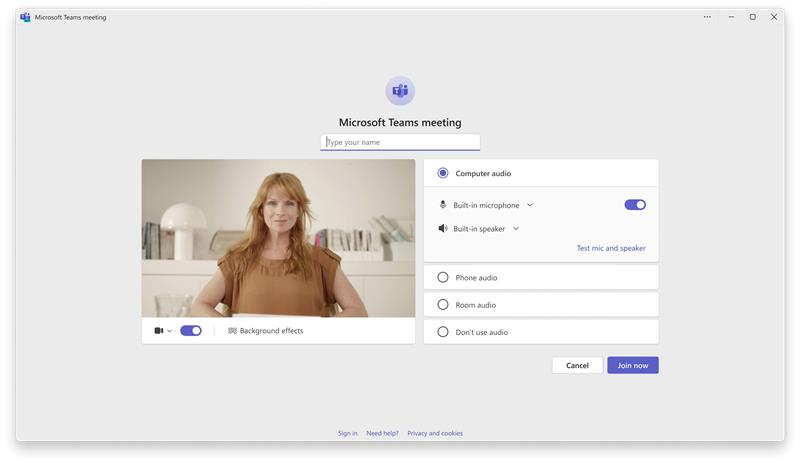
  1. Before joining a meeting, users will see a Test mic and speaker option on the pre‑join screen:
  2. user settings
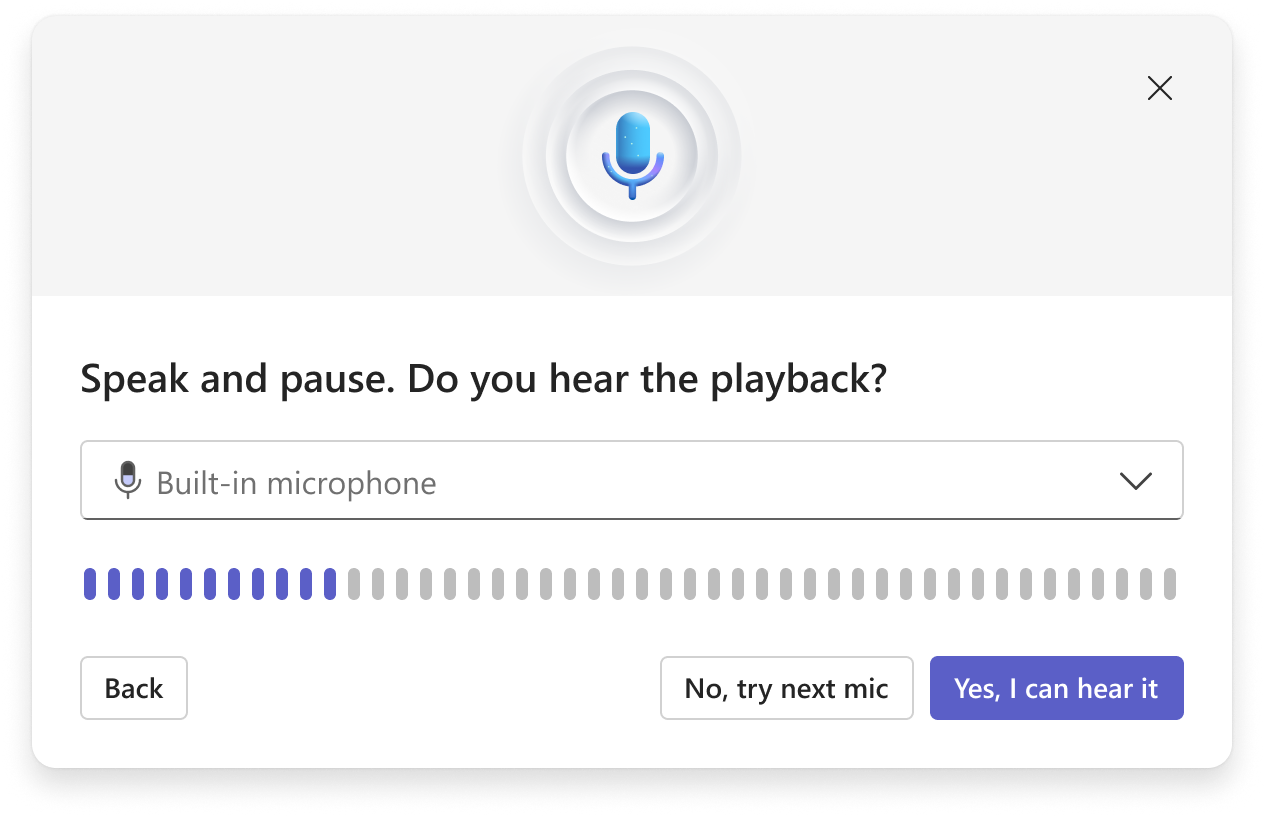
  3. Users will be able to record and play back a short audio clip to confirm that their microphone and speaker work correctly:
  4. user settings
  5. The feature will be enabled by default and won’t require admin configuration.
  6. This change does not modify meeting audio settings or policies.

What you can do to prepare

  1. Admins don’t need to take any action.
  2. Consider updating internal documentation or notifying helpdesk staff about the new pre‑join audio experience.

Compliance considerations

Microsoft identified no compliance considerations. Review this change as appropriate for your organization.

Version history

3 versions tracked

Updated 2 times since Apr 22, 2026. Microsoft Message Center only ever shows the current version; this archive preserves the history.

Compare any two versions

From
To
  1. Jul 21, 2026 · 06:37 PMLatest · v3

    Changed: Body, End date

  2. Jun 5, 2026 · 04:23 PMv2

    Changed: Body, Tags, End date

  3. Apr 22, 2026 · 10:33 PMOriginal · v1

    Changed: Initial version