Metadata at Jul 7, 2026
Published
Service
Tag
MC1419795 - PowerPoint for the web: One‑click “Review Presentation” and “Visualize Slide” Copilot skills in the ribbon
Message Center
What changed since this version
Updated July 20, 2026: We have updated the content. Thank you for your patience.
What and Why:
We are introducing one-click Copilot entry points in PowerPoint for the web through two new ribbon skills: Review Presentation (Review tab) and Visualize Slide (Design tab). These capabilities make it easier for users to quickly access Copilot-powered assistance directly within their workflow—helping improve presentation quality, accelerate content refinement, and enhance visual storytelling. This update supports personal and team productivity by turning intent into results with minimal friction.
Rollout Schedule:
- General Availability (Worldwide): Rollout began in late June 2026 and is expected to complete by early July 2026
Impact on Your Organization:
Who is affected:
- Users with access to Copilot in PowerPoint for the web
- Admins managing Microsoft 365 Apps and Copilot configurations
Platforms/Services: PowerPoint for the web
What will happen:
- Users will see:
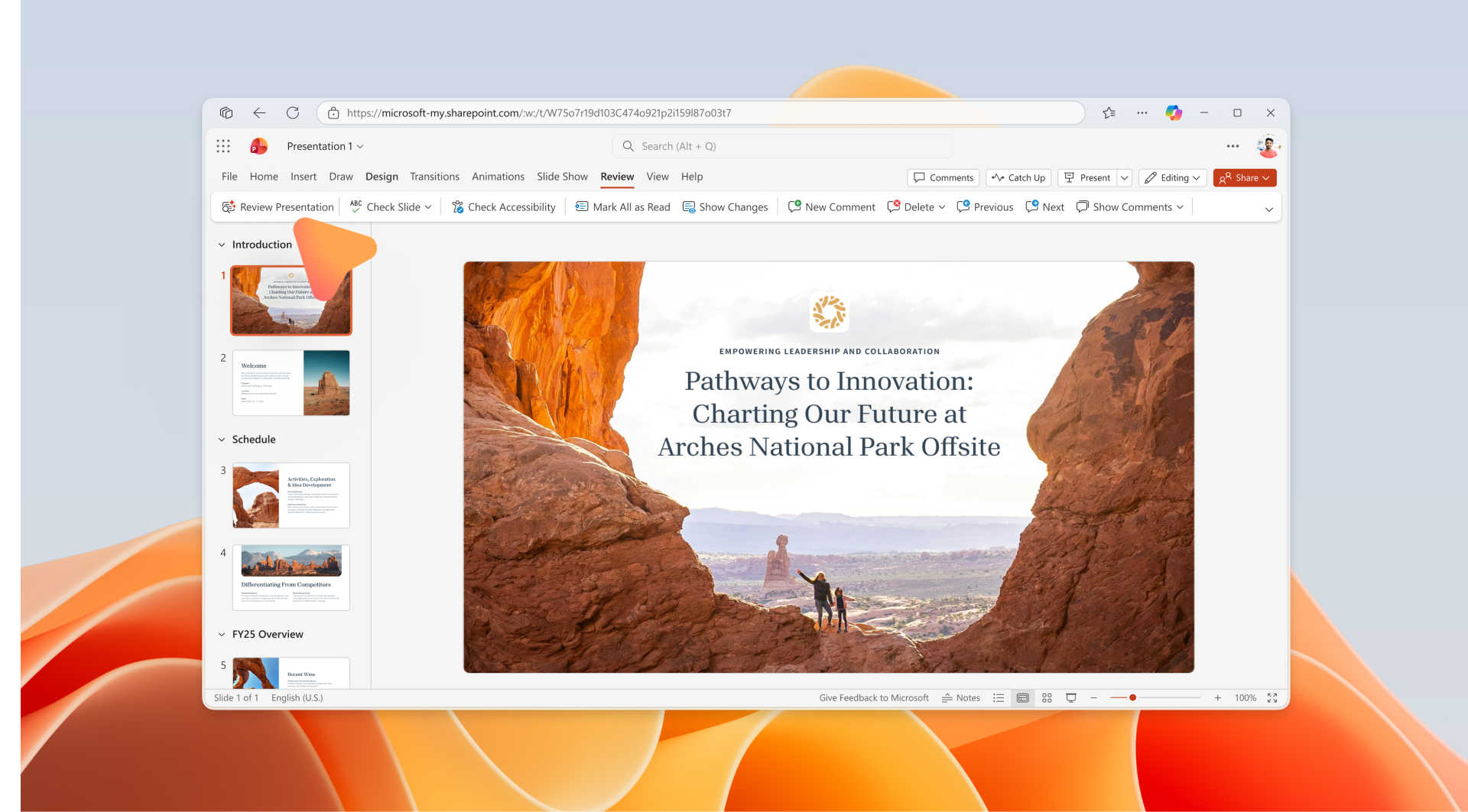
- A new “Review Presentation” button in the Review ribbon tab.
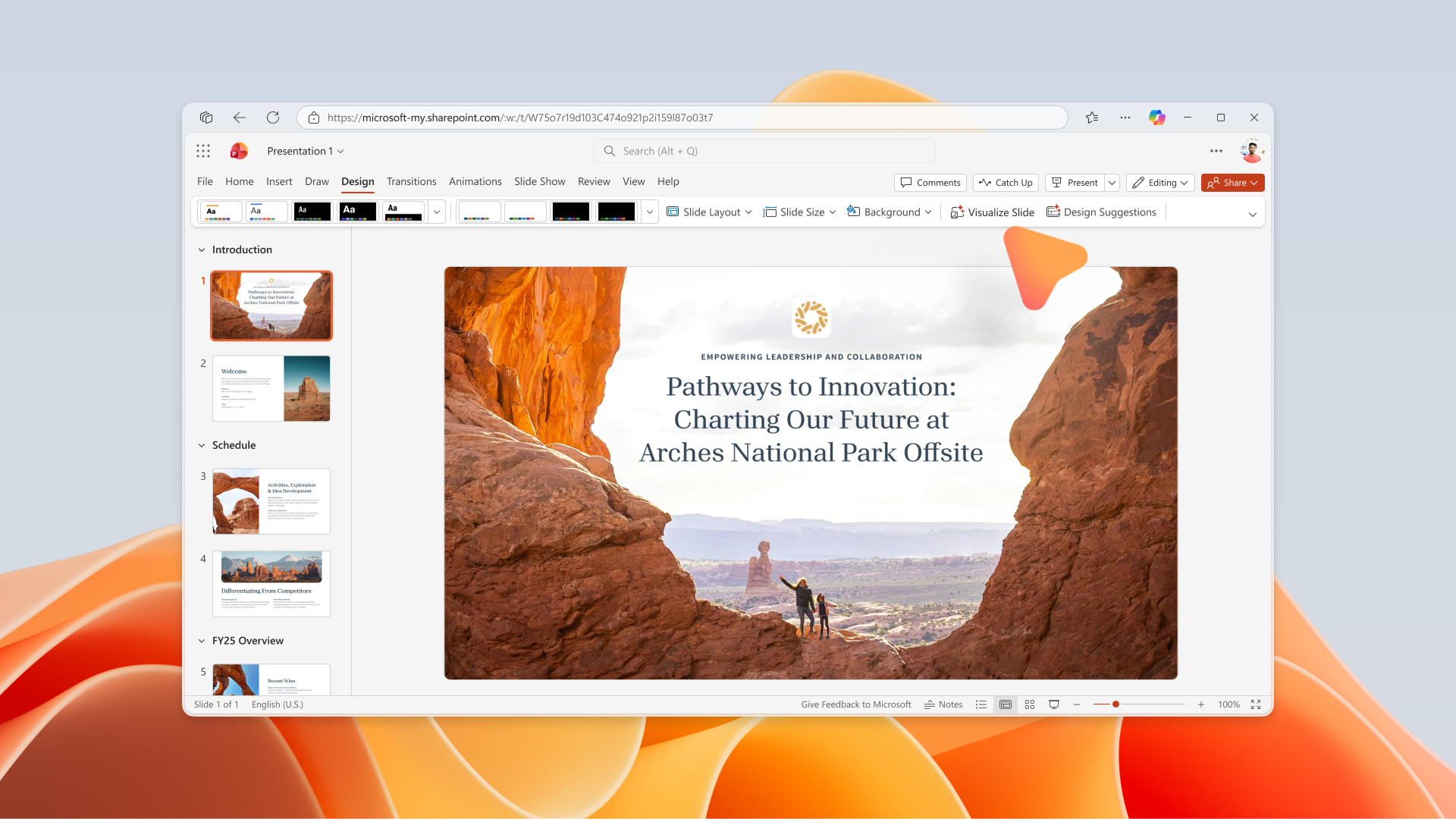
- A new “Visualize Slide” button in the Design ribbon tab.
Screenshot - New Review Presentation button
Screenshot - New Visualize Slide button
- These provides one-click activation to Copilot capabilities.
- Visualize Slide requires image generation capability enabled by admin.
- Feature is available when prerequisites are met; no additional setup required.
Action Required/Recommendations:
No action is required if your organization already uses Copilot and image generation is enabled.
If you want users to fully benefit from this feature:
- Confirm Copilot licensing for intended users.
- Enable image generation in Microsoft 365 Apps admin center.
- Communicate the update to users.
- Update internal documentation and training materials.
Learn more: Edit with Copilot in PowerPoint | Microsoft Support
Compliance considerations:
| Compliance Area | Explanation | ||
| Introduces AI/ML capabilities interacting with customer data | These features are Copilot-powered and analyze slide content to provide feedback and generate visuals, which involves AI processing of customer presentation data. | ||
| New way for users to interact with generative AI | Users can directly trigger Copilot capabilities from the ribbon to review presentations and generate slide visuals with one click. | ||
| Admin control available | Use depends on Copilot licensing and enabling image generation via the Microsoft 365 Apps admin center, indicating partial administrative control. | ||
Snapshot from Jul 7, 2026
What and Why:
We are introducing one-click Copilot entry points in PowerPoint for the web through two new ribbon skills: Review Presentation (Review tab) and Visualize Slide (Design tab). These capabilities make it easier for users to quickly access Copilot-powered assistance directly within their workflow—helping improve presentation quality, accelerate content refinement, and enhance visual storytelling. This update supports personal and team productivity by turning intent into results with minimal friction.
Rollout Schedule:
- General Availability (Worldwide): Rollout began in late June 2026 and is expected to complete by early July 2026
Impact on Your Organization:
Who is affected:
- Users with access to Copilot in PowerPoint for the web
- Admins managing Microsoft 365 Apps and Copilot configurations
Platforms/Services: PowerPoint for the web
What will happen:
- Users will see:
- A new “Review Presentation” button in the Review ribbon tab.
- A new “Visualize Slide” button in the Design ribbon tab.
- These provides one-click activation to Copilot capabilities.
- Visualize Slide requires image generation capability enabled by admin.
- Feature is available when prerequisites are met; no additional setup required.
Action Required/Recommendations:
No action is required if your organization already uses Copilot and image generation is enabled.
If you want users to fully benefit from this feature:
- Confirm Copilot licensing for intended users.
- Enable image generation in Microsoft 365 Apps admin center.
- Communicate the update to users.
- Update internal documentation and training materials.
Learn more: Edit with Copilot in PowerPoint | Microsoft Support
Compliance considerations:
| Compliance Area | Explanation |
|---|---|
| Introduces AI/ML capabilities interacting with customer data | These features are Copilot-powered and analyze slide content to provide feedback and generate visuals, which involves AI processing of customer presentation data. |
| New way for users to interact with generative AI | Users can directly trigger Copilot capabilities from the ribbon to review presentations and generate slide visuals with one click. |
| Admin control available | Use depends on Copilot licensing and enabling image generation via the Microsoft 365 Apps admin center, indicating partial administrative control. |