MC1421919 - Web content setting in Microsoft 365 Copilot expands across Copilot experiences and moves to Settings
Message Center
Metadata at latest
Last Updated
Published Jul 9, 2026
Service
Tag
Metadata changes
- Tags
- Feature update, User impact→Feature update, Updated message, User impact
Body changes
Updated July 20, 2026: We have updated the content. Thank you for your patience.
What and Why
To provide a more consistent and user-controlled experience across Microsoft 365 Copilot, we're expanding the existing Web content preference to additional Copilot experiences and moving the preference within Settings. Previously, the ability to enable or disable web search was only available to Microsoft 365 Copilot users in the Work tab. With this update, users of both Microsoft 365 Copilot and Microsoft 365 Copilot Chat can control web content grounding across their available Work and Web experiences through a persistent preference that follows them across supported Copilot clients. This supports our Enterprise-ready AI vision by providing a consistent, policy-respecting experience while giving users more control over how Copilot generates responses.
Rollout Schedule
- General Availability (Worldwide): Rollout will start in mid-July 2026 and is expected to complete by late July 2026.
Impact on Your Organization
Who is affected
- Microsoft 365 Copilot Chat users
- Microsoft 365 Copilot users
- Organizations that allow web search in Microsoft 365 Copilot
- Organizations using Copilot across Work and Web experiences
Platforms/Services
- Microsoft 365 Copilot (web, desktop, mobile)
- Microsoft 365 Copilot Chat (web, desktop, mobile)
What will happen
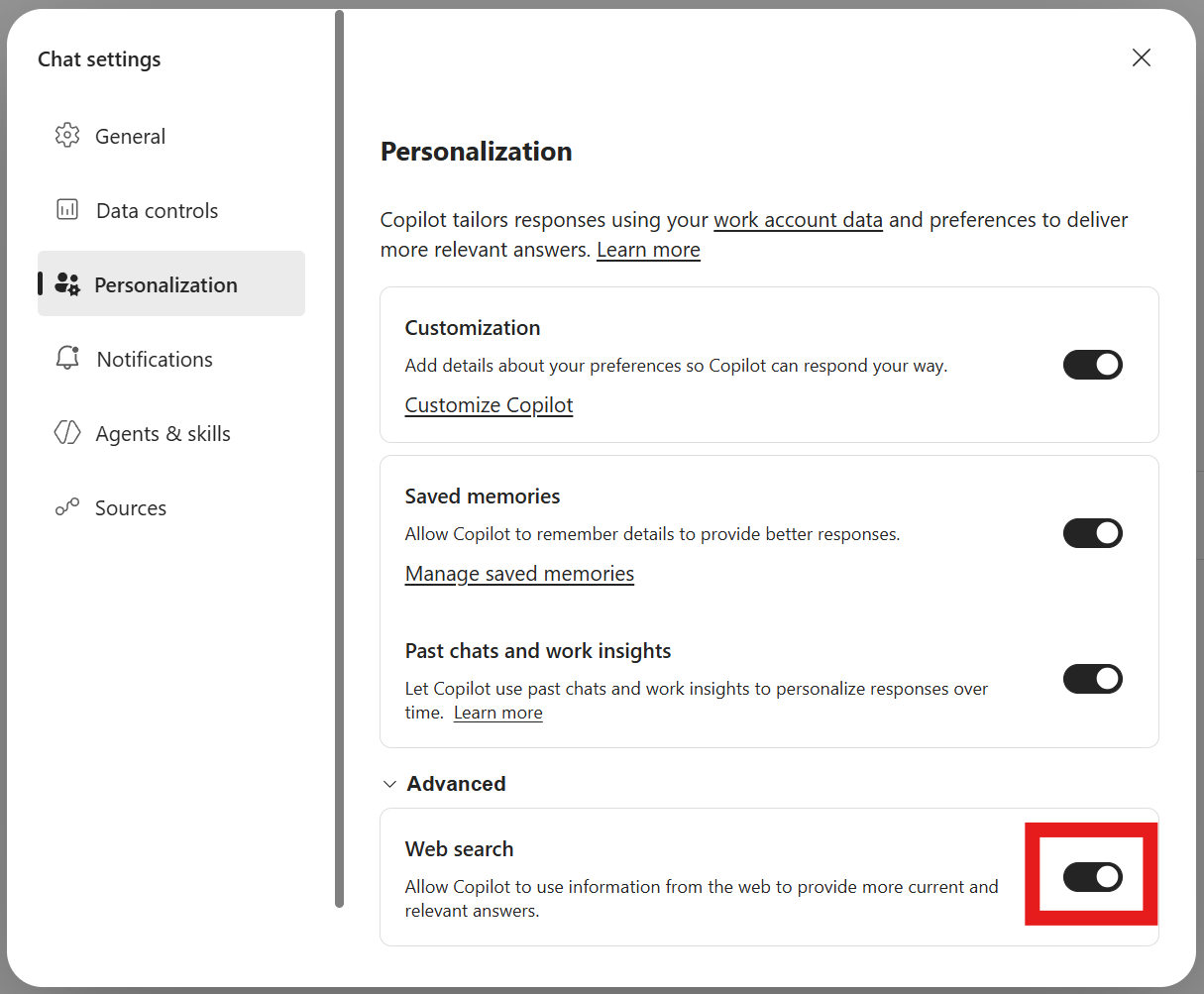
- The existing Web content setting will move to Settings > Personalization > Advanced Settings.
- Users will be able to enable or disable web search from a centralized settings experience.
- This capability is expanding to both Microsoft 365 Copilot and Copilot Chat users across the Work and Web experiences.
- The user's preference will be stored as a persistent setting and applied across supported Copilot clients and devices.
- The preference will continue to be honored wherever the setting is supported.
- Existing administrator web search policies remain in effect.
- If an administrator disables web search through policy:
- The Web content setting will not be available to users.
- Web content grounding will remain disabled.
Screenshot - Personalization settings screen with web search setting highlighted
Action Required / Recommendations
No action is required.
We recommend administrators:
- Review existing Copilot web search policies and confirm they align with organizational requirements.
- Notify help desk and support teams that the Web content setting has moved.
- Update any internal documentation or training materials that reference the previous setting location.
- Communicate the expanded availability of the setting to users if your organization provides Copilot adoption guidance.
Compliance Considerations
| Consideration | Explanation | ||
| Does the change store new customer data? | The user's Web content preference is stored as a persistent user setting so it can be consistently applied across supported Copilot clients and experiences. | ||
| Does the change alter how existing customer data is processed, stored, or accessed? | User preference storage changes from an experience-specific setting to a persistent cross-client preference. This does not change how Microsoft 365 documents, emails, chats, or files are processed. | ||
| Does the change provide end users any new way of interacting with generative AI? | Users can now manage web search grounding across both Work and Web experiences, and the capability expands from M365 Copilot Work experiences to M365 Copilot and Copilot Chat across Work and Web. | ||
| Does the change include an admin control and can it be controlled through Entra ID group membership? | Existing administrative controls governing web search continue to be enforced. Organizations can continue to manage access through existing policy controls. | ||
| Does the change allow a user to enable and disable the feature themselves? | Users can turn Web content on or off through Settings when web search is permitted by organizational policy. |