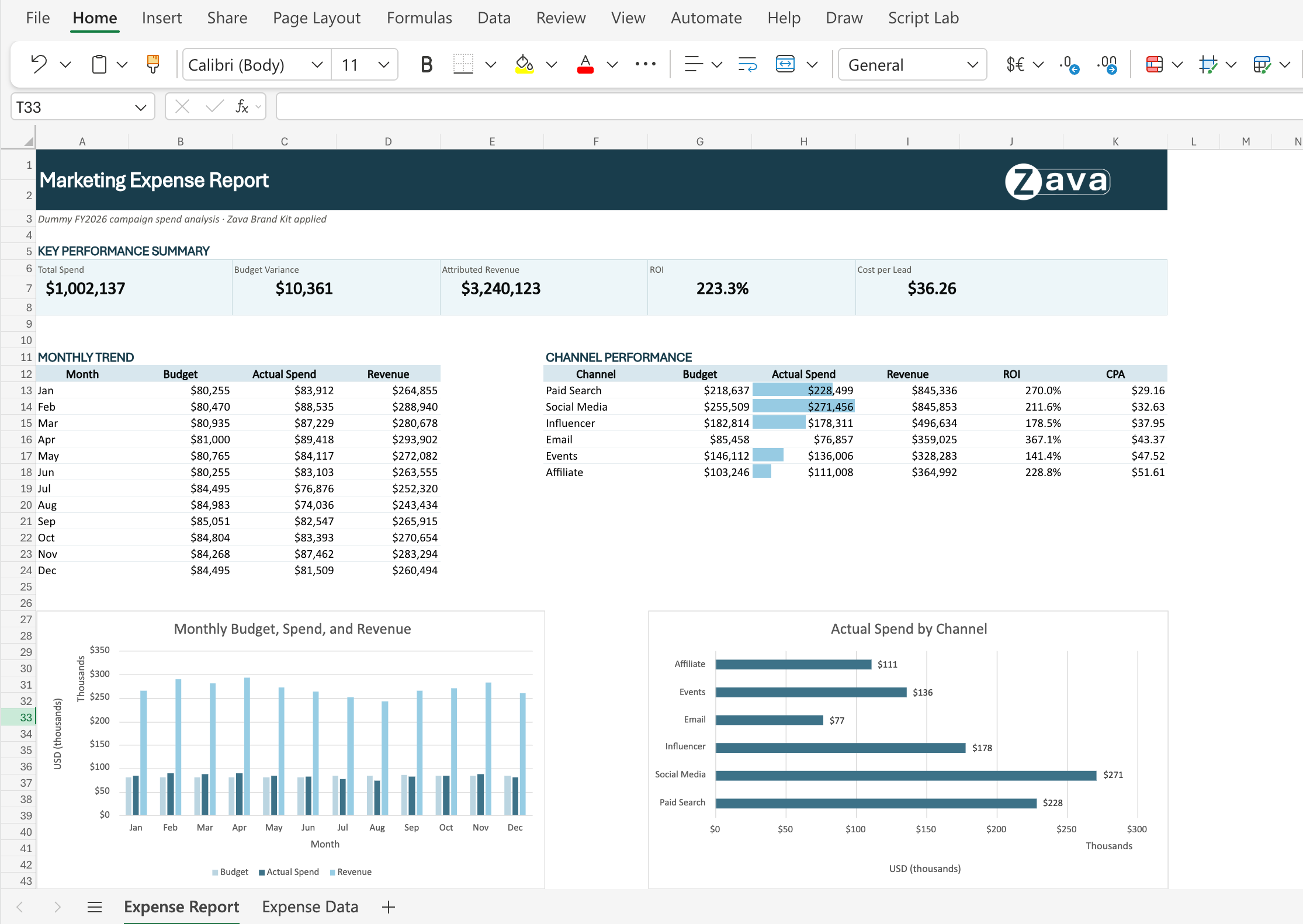
What and Why:
Copilot in Excel is introducing a new Brand kit skill that applies your organization's approved branding directly to workbook content. Using brand assets from Microsoft 365 Brand Center, Copilot can automatically format tables and charts with approved colors, fonts, and logos, helping users create consistent, professional reports without manual styling. This enhancement supports Personal and Team Productivity by making it easier to produce presentation-ready content that aligns with organizational branding standards.
Rollout Schedule:
- Targeted Release (Worldwide): Rollout begins mid-July 2026 and is expected to complete by late July 2026.
- General Availability (Worldwide): Rollout begins mid-July 2026 and is expected to complete by mid-August 2026.
Impact on Your Organization:
Who is affected:
- Users with access to Copilot in Excel.
- Organizations that have configured branding assets in Microsoft 365 Brand Center.
Platforms/Services:
- Microsoft Excel
- Microsoft 365 Copilot in Excel
- Microsoft 365 Brand Center
What will happen:
Action Required/Recommendations:
No action is required.
Recommended activities:
- Review branding assets configured in Microsoft 365 Brand Center.
- Inform users that Copilot can apply approved organizational branding to Excel content.
- Update Copilot adoption and training materials, as appropriate.
- Monitor user feedback during rollout.
Learn more:
Copilot in Excel skills | Microsoft Support
(will be updated soon)
Compliance considerations:
| Consideration |
Explanation |
| Does the change introduce or significantly modify AI/ML or agent capabilities that interact with or provide access to customer data? |
The Brand kit skill uses Copilot to analyze workbook content and apply branding elements from the organization's Microsoft 365 Brand Center assets to worksheet content. |
| Does the change alter how existing customer data is processed, stored, or accessed? |
Copilot processes workbook content to determine how approved branding elements should be applied to tables, charts, and other visual components. |
| Does the change provide end users any new way of interacting with generative AI? |
Users can use natural language prompts to request that Copilot apply their organization's brand standards to workbook content. |