Updated August 3, 2026: We have updated the timeline. Thank you for your patience.
What and Why:
PowerPoint Copilot for Mac is introducing support for personal, user-defined custom skills stored in OneDrive. Users can upload skill folders containing a required SKILL.md file to a designated OneDrive location, and eligible skills will automatically appear within the Copilot Skills menu in PowerPoint. Users will also be able to manage individual skills through a new Manage Skills experience in the Copilot pane.
This enhancement supports personal productivity by enabling users to tailor Copilot to their specific presentation workflows while maintaining control over which skills are available during Copilot interactions.
Rollout Schedule:
- General Availability (Worldwide): Rollout begins in late July 2026 and is expected to complete by early August 2026 (previously late July).
Impact on Your Organization:
Who is affected:
- Users licensed to use Microsoft Copilot in PowerPoint for Mac.
- Users who create or use personal custom skills.
- Microsoft 365 administrators supporting Copilot deployments.
Platforms/Services:
- PowerPoint for Mac
- Microsoft 365 Copilot
- OneDrive
What will happen:
- Users can upload skill folders containing a required SKILL.md file to a designated OneDrive location.
- Uploaded custom skills are personal and visible only to the user who uploads them.
- Eligible skills automatically appear in the Skills menu within PowerPoint Copilot on Mac.
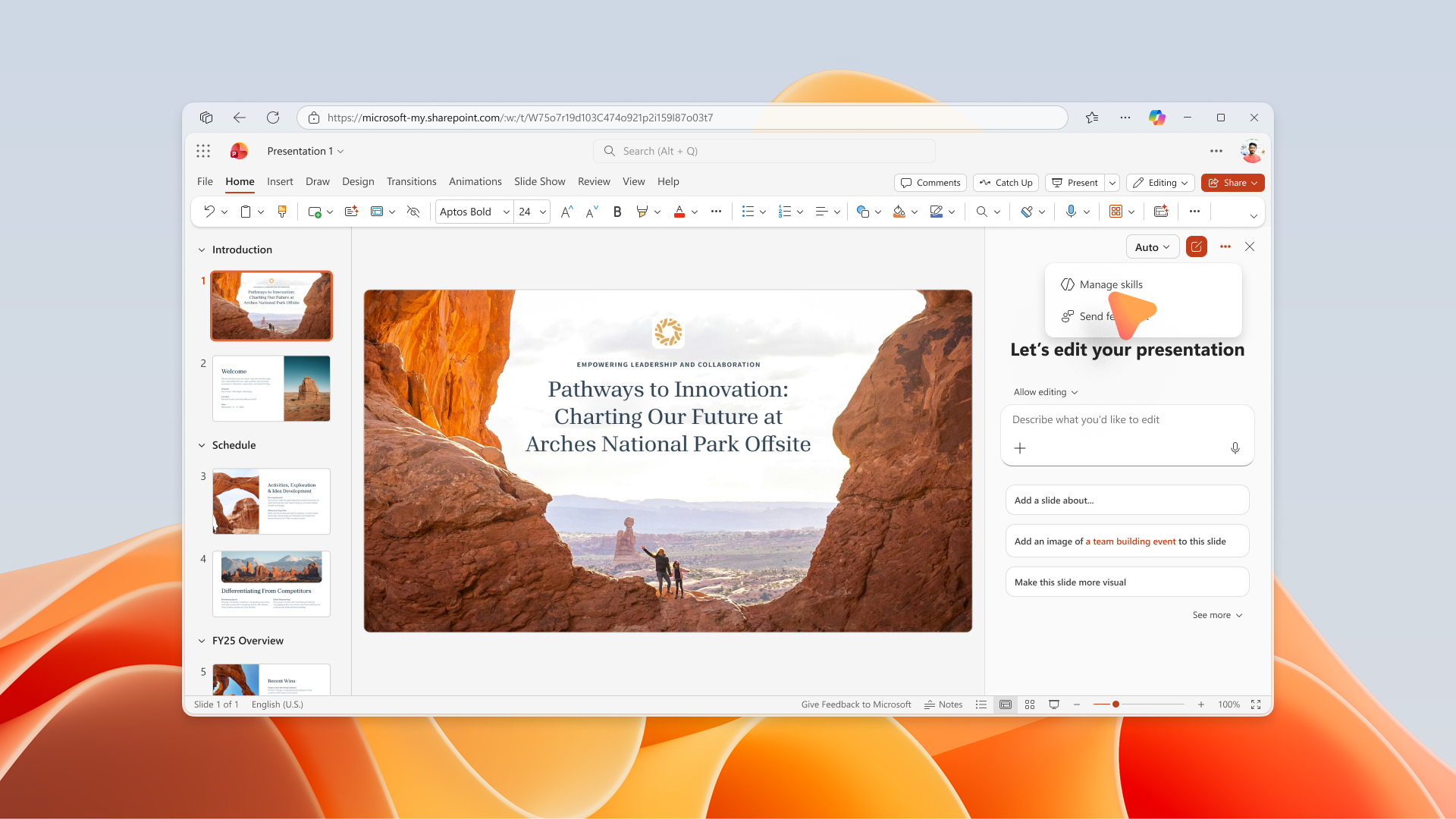
- Users will have access to a new Manage Skills experience available from the three-dot menu in the Copilot pane.
Screenshot 1: Users can open Manage skills from the three-dot menu in the PowerPoint Copilot pane:
- Users can independently enable or disable individual skills.
Screenshot 2: Users can enable or disable individual skills from the Manage skills experience in PowerPoint Copilot:
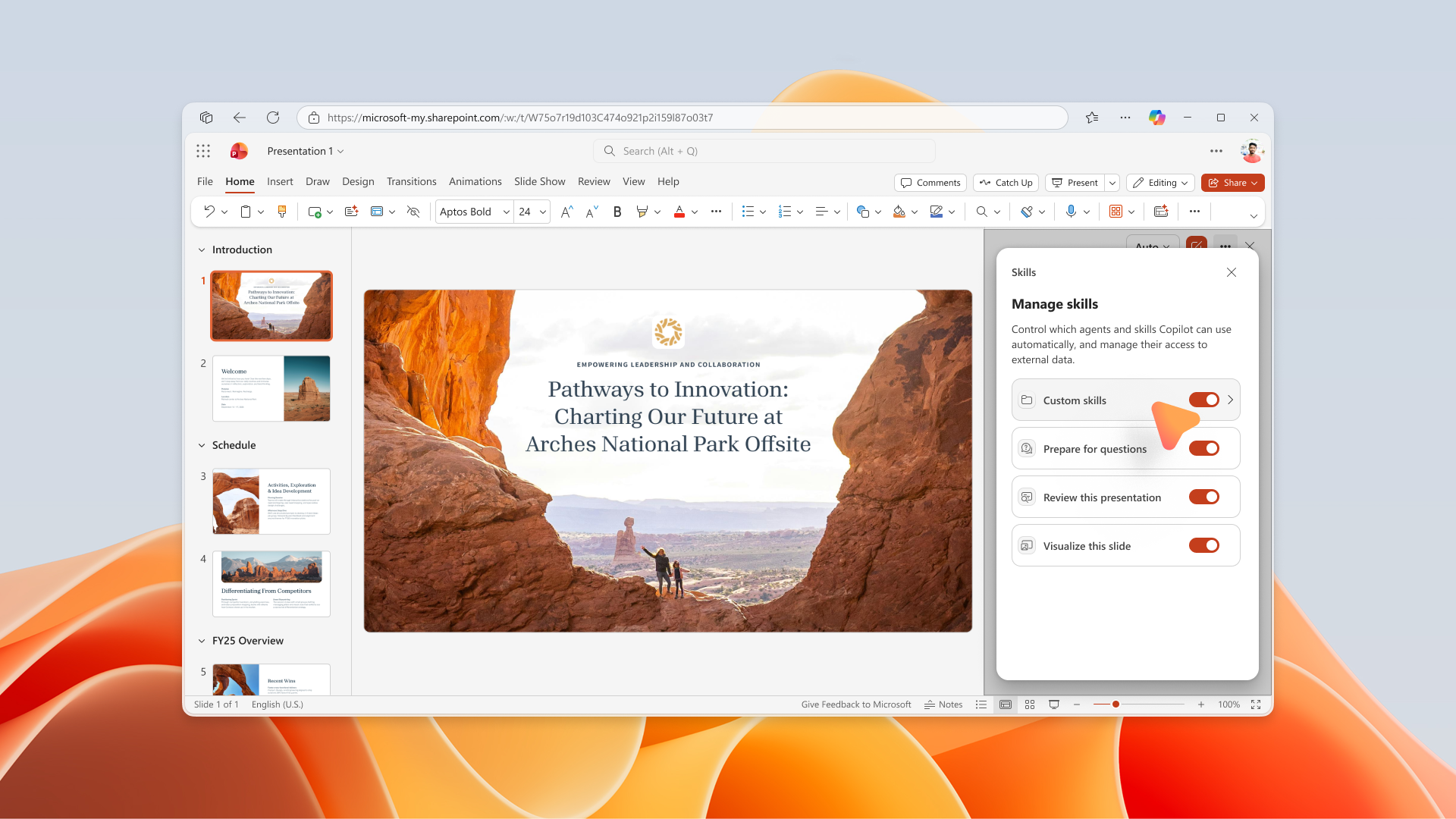
- Skill availability within Copilot reflects each user's selected settings.
- No additional administrator deployment actions are required for the feature to appear.
- The feature is available by default for eligible users when rollout reaches the tenant.
Action Required/Recommendations:
No immediate administrator action is required.
We recommend that you:
- Review any internal governance processes related to user-created Copilot skills.
- Prepare sample skills in the required format, including a valid SKILL.md file, for testing.
- Identify pilot users who can validate the experience after rollout.
- Update internal Copilot adoption and training materials to include guidance on custom skills.
- Inform helpdesk and support teams about the new Skills and Manage Skills experiences.
- Monitor user feedback following rollout to understand adoption patterns and governance requirements.
Compliance considerations:
| Compliance Area |
Explanation |
| Stores new customer data |
Custom skill folders and SKILL.md files are stored in the user's OneDrive location. |
| Changes data processing or access |
PowerPoint Copilot can leverage user-created skill definitions stored in OneDrive during Copilot interactions. |
| Introduces AI/ML capabilities |
User-defined custom skills extend and customize Copilot behavior for presentation-related tasks. |
| New generative AI interaction |
Users can personalize Copilot experiences through custom skills and selectively enable or disable individual skills. |
| Admin or user controls |
Users can manage skill availability through the Manage Skills experience. |
| User enable/disable controls |
Individual skills can be enabled or disabled by the user. |