What and Why:
Organizations commonly use encrypted or password-protected attachments to securely share sensitive information through email. However, when Microsoft Defender for Office 365 cannot obtain the attachment password during scanning or detonation, the content cannot be fully analyzed for threats.
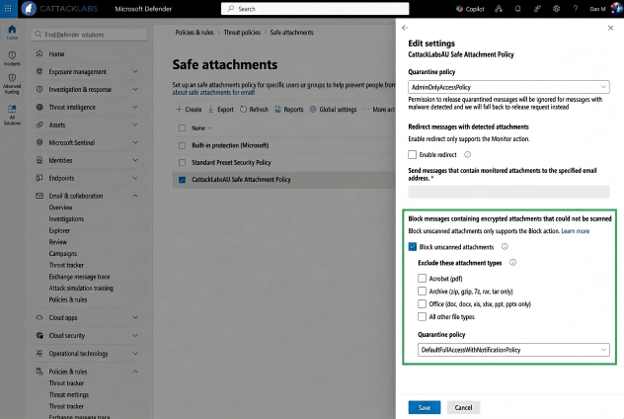
To help organizations reduce risk from unscanned content, Microsoft is introducing a new opt-in setting in Safe Attachments policies. This setting allows administrators to automatically quarantine email messages that contain password-protected attachments when Microsoft Defender for Office 365 cannot complete scanning or detonation. This enhancement provides administrators with greater control over potentially risky content while preserving business workflows through controlled release options.
Rollout Schedule:
- Worldwide: Early August 2026 through Late August 2026
- GCC: Late August 2026 through Late September 2026
- GCC High: Late August 2026 through Late October 2026
- DoD: Late August 2026 through Late October 2026
Impact on Your Organization:
Who is affected:
- Administrators managing Safe Attachments policies.
- Security operations teams responsible for quarantine management.
- Users who receive password-protected email attachments.
Platforms/Services:
- Microsoft Defender for Office 365
- Safe Attachments
- Quarantine
- Advanced Hunting
- Exchange Online
What will happen:
- This feature is off by default and requires administrator opt-in.
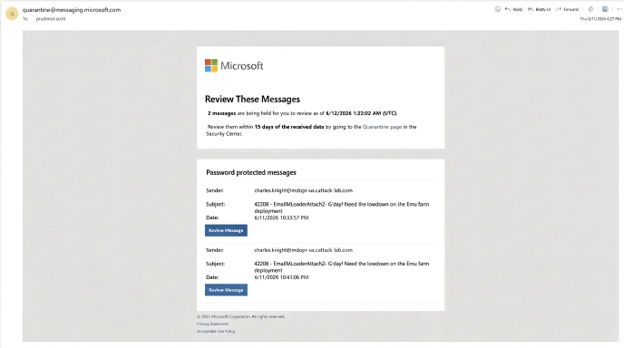
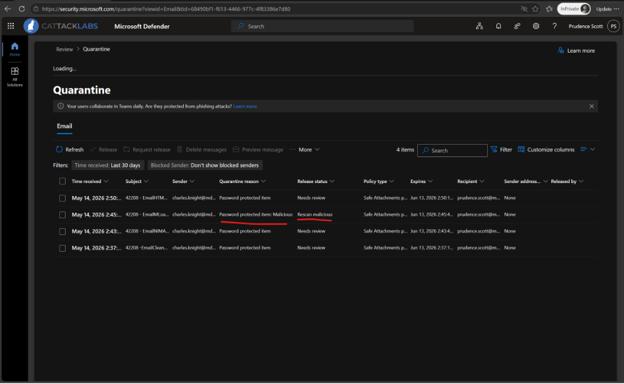
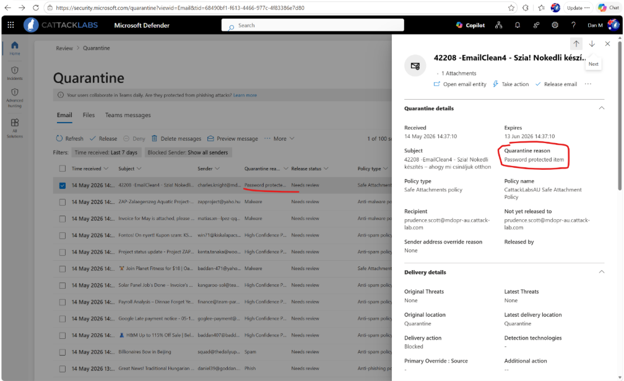
- Administrators can configure Safe Attachments policies to quarantine messages when password-protected content cannot be scanned or detonated.
- Organizations can pilot the feature using a separate scoped Safe Attachments policy.
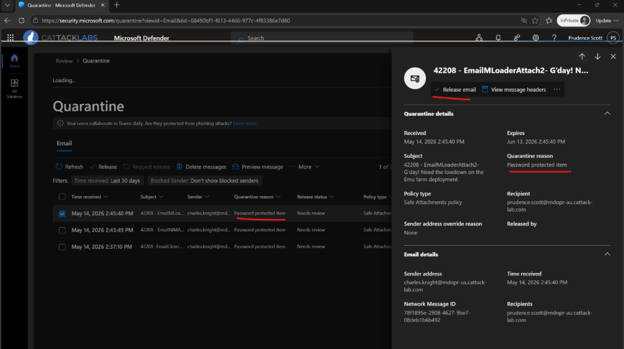
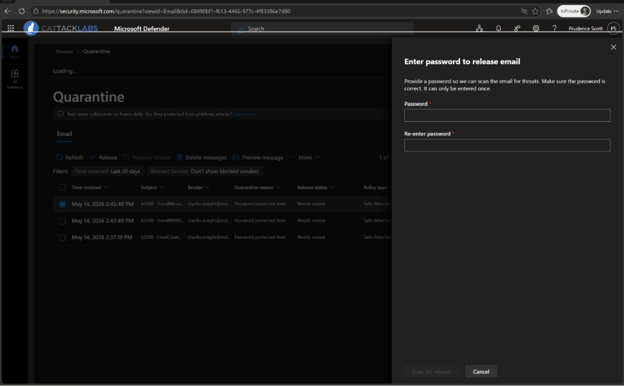
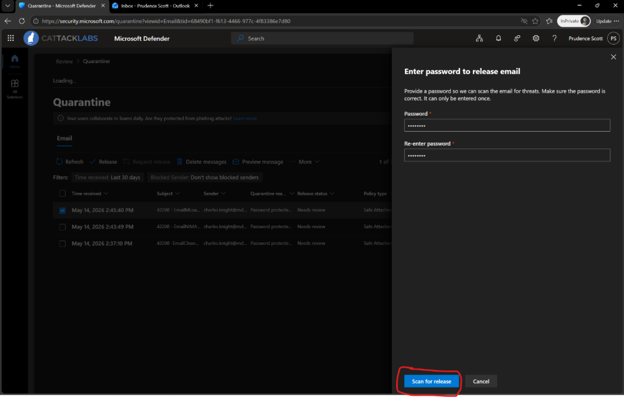
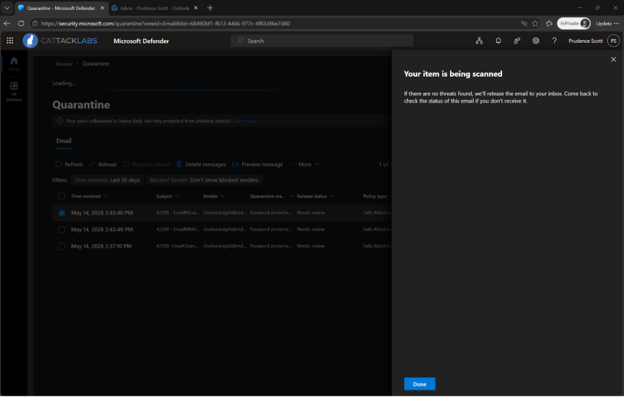
- Users can self-release eligible messages by providing the attachment password. A just-in-time detonation is performed before release.
- Security administrators can release quarantined messages without requiring the attachment password.
- Supported file categories include ZIP, GZIP, 7z, RAR, PDF, and Microsoft Office file formats.
- Selected file categories can be excluded from protection.
Important:
- Users should only enter the attachment password.
- Users should never enter account credentials, banking passwords, or unrelated passwords.
- Users should only release expected messages from validated senders.
- Unexpected protected email messages should be escalated to SecOps.
SecOps teams:
EmailAttachmentInfo
| where AdditionalFields contains "IsPasswordProtectedItem"
Action Required/Recommendations:
No action is required unless you want to use this capability.
- Review Safe Attachments policies.
- Consider a pilot deployment.
- Review quarantine release procedures.
- Update internal documentation.
- Communicate the change to support and helpdesk teams.
- Educate users on appropriate use of attachment passwords during message release.
- Review Microsoft Defender for Office 365 documentation.
Compliance considerations:
The change modifies how password-protected email attachments may be processed and accessed when organizations enable the feature. Administrators gain new controls through Safe Attachments policies and can identify affected content using Advanced Hunting. No other compliance considerations were identified.