What and why
Microsoft is adding four new Microsoft Secure Score recommendations in Microsoft Defender for Endpoint to help organizations assess device readiness for AI accelerated threats and strengthen foundational device security.
The new recommendations identify eligible Windows devices that do not have key security capabilities enabled:
- Trusted Platform Module (TPM) 2.0
- Virtualization-based Security (VBS)
- Hypervisor-Protected Code Integrity (HVCI), also known as Memory Integrity
- Windows Local Administrator Password Solution (LAPS)
These capabilities help protect credentials, improve platform integrity, and strengthen device security. The new recommendations provide visibility into devices that do not meet these security baselines so administrators can prioritize remediation and track improvement over time.
Rollout schedule
- Public Preview: Beginning in early September 2026 and expected to complete by mid-September 2026
- General Availability (Worldwide, GCC, GCC High, DoD): Beginning in mid-September 2026 and expected to complete by late September 2026
Impact on your organization
Who is affected
- Administrators who manage Microsoft Defender for Endpoint and monitor Microsoft Secure Score
- Organizations with Windows devices onboarded to Microsoft Defender for Endpoint that are eligible for TPM 2.0, VBS, HVCI, or LAPS
Platforms and services
- Microsoft Defender for Endpoint
- Microsoft Secure Score in the Microsoft Defender portal
- Windows devices onboarded to Microsoft Defender for Endpoint
What will happen
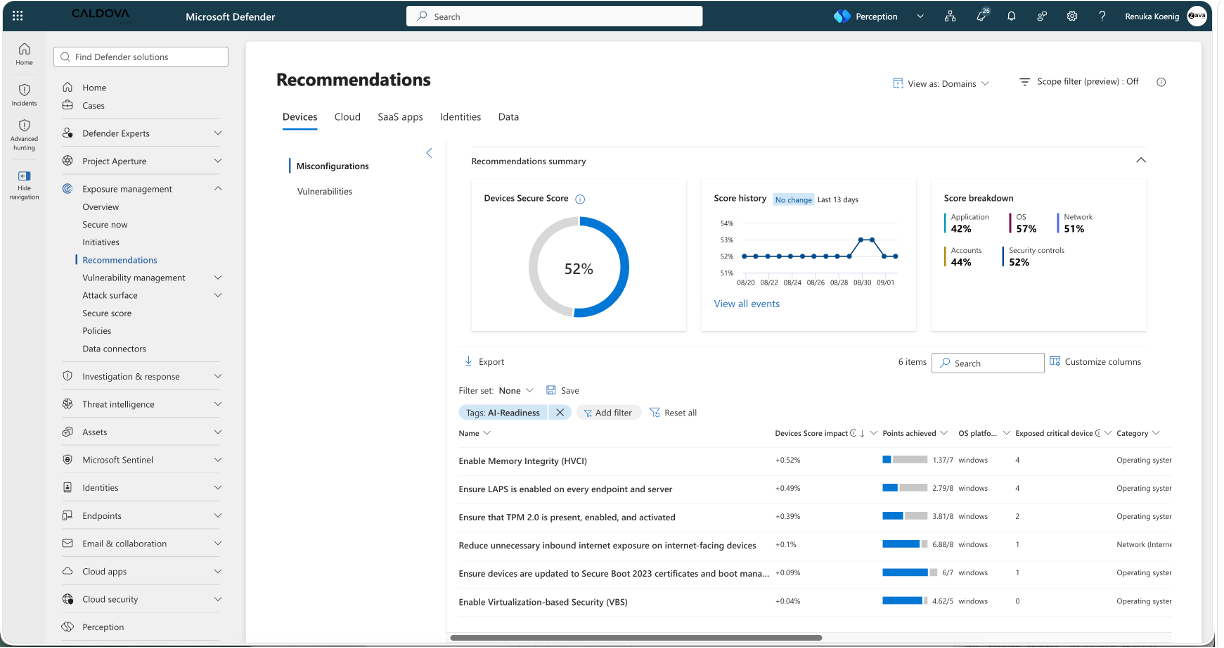
Four new recommendations will be added to Microsoft Secure Score:
- Ensure that TPM 2.0 is present, enabled, and activated
- Enable Virtualization-based Security (VBS)
- Enable Memory Integrity (HVCI)
- Ensure LAPS is enabled on every endpoint and server
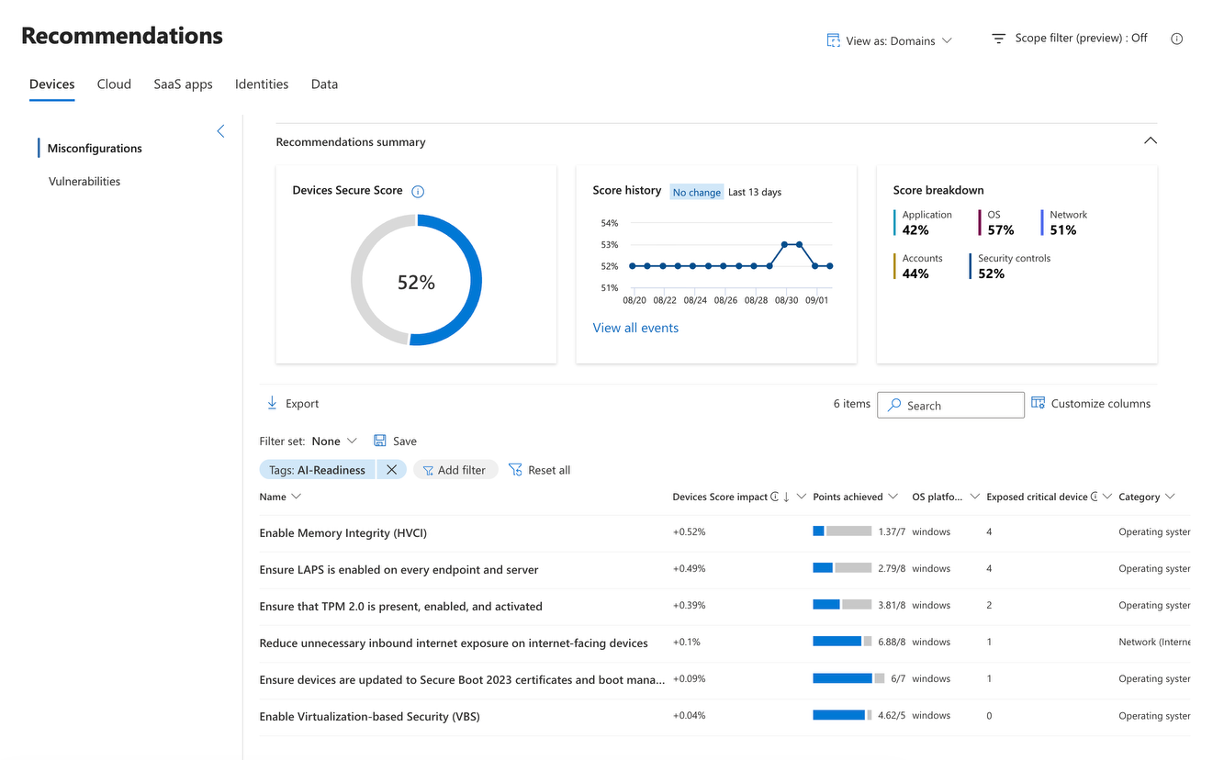
The recommendations will:
- Identify eligible devices where TPM 2.0, VBS, HVCI, or LAPS are not enabled.
- Help administrators prioritize remediation activities.
- Reflect progress in Secure Score as eligible devices are brought into compliance.
- Appear automatically and require no configuration.
Because these are new Secure Score recommendations, your available points and overall Secure Score percentage may change after the rollout.
Action required and recommendations
No action is required to receive these recommendations.
After rollout, Microsoft recommends that administrators:
- Review the new recommendations in the Microsoft Defender portal by filtering Secure Score recommendations using the AI-Readiness tag.
- Identify eligible devices where TPM 2.0, VBS, HVCI, or LAPS are not enabled.
- Validate device, application, and driver compatibility before enabling HVCI where testing is required.
- Follow the remediation guidance provided in each recommendation.
- Document and manage approved exceptions when security controls cannot be enabled because of validated business or compatibility requirements.
- Notify security operations and help desk teams that Secure Score values may change when these recommendations become available.
Compliance considerations
No compliance considerations identified, review as appropriate for your organization.