MC1467357 - Microsoft Teams: Updated header and dashboard for chats and channels on mobile

Message Center

Summary

Microsoft Teams mobile is updating its chats and channels with a redesigned header and lightweight dashboard for easier access to channel details, people, and pinned content. This creates consistent navigation with desktop. Rollout starts late September 2026, completing by November. No action required, but user notification is recommended.

Discussionpowered by zap.ms

Last Updated

Nov 3, 2026

Published Sep 4, 2026

View version history

Service

Microsoft Teams

Tag

Updated message
Feature update
User impact
Admin impact

Platforms

Android
iOS

More information
Updated November 3, 2026: We have updated the timeline. Thank you for your patience. 

What and why

We're updating the Microsoft Teams mobile experience with a redesigned header and lightweight dashboard for chats and channels. This update brings key channel details, people, and pinned content into a single, intuitive experience, helping users find information and take action more quickly.

The updated experience creates a more consistent navigation model across desktop and mobile, making it easier for users to move between chats and channels.

Rollout schedule

  • Targeted Release: Beginning in late September 2026
  • General Availability (Worldwide, GCC, GCC High, DoD): Beginning in early October 2026 and expected to complete by end of November 2026

Impact on your organization

Who is affected

  • Users who access Microsoft Teams on mobile devices.

Platforms and services

  • Microsoft Teams for mobile

What will happen

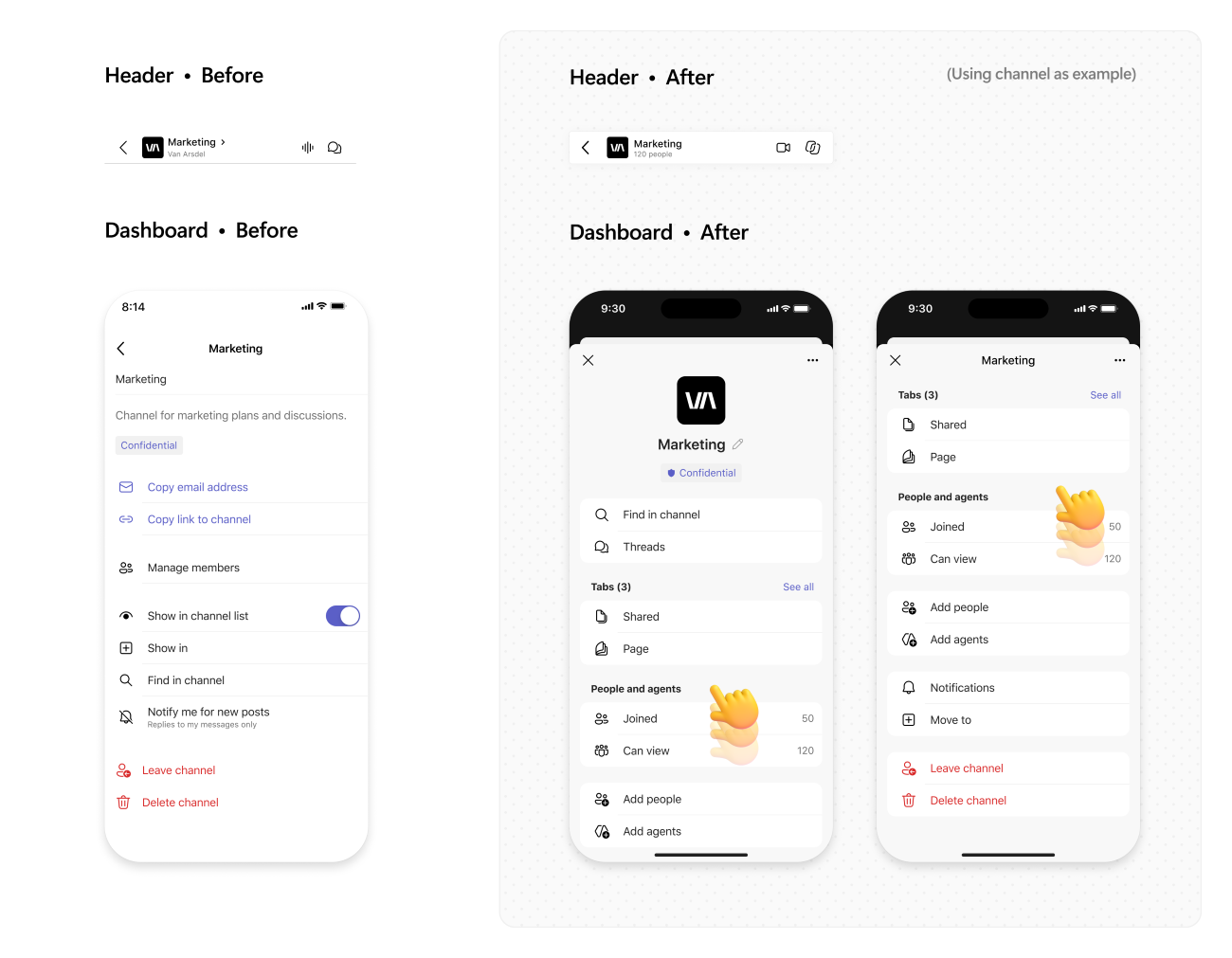
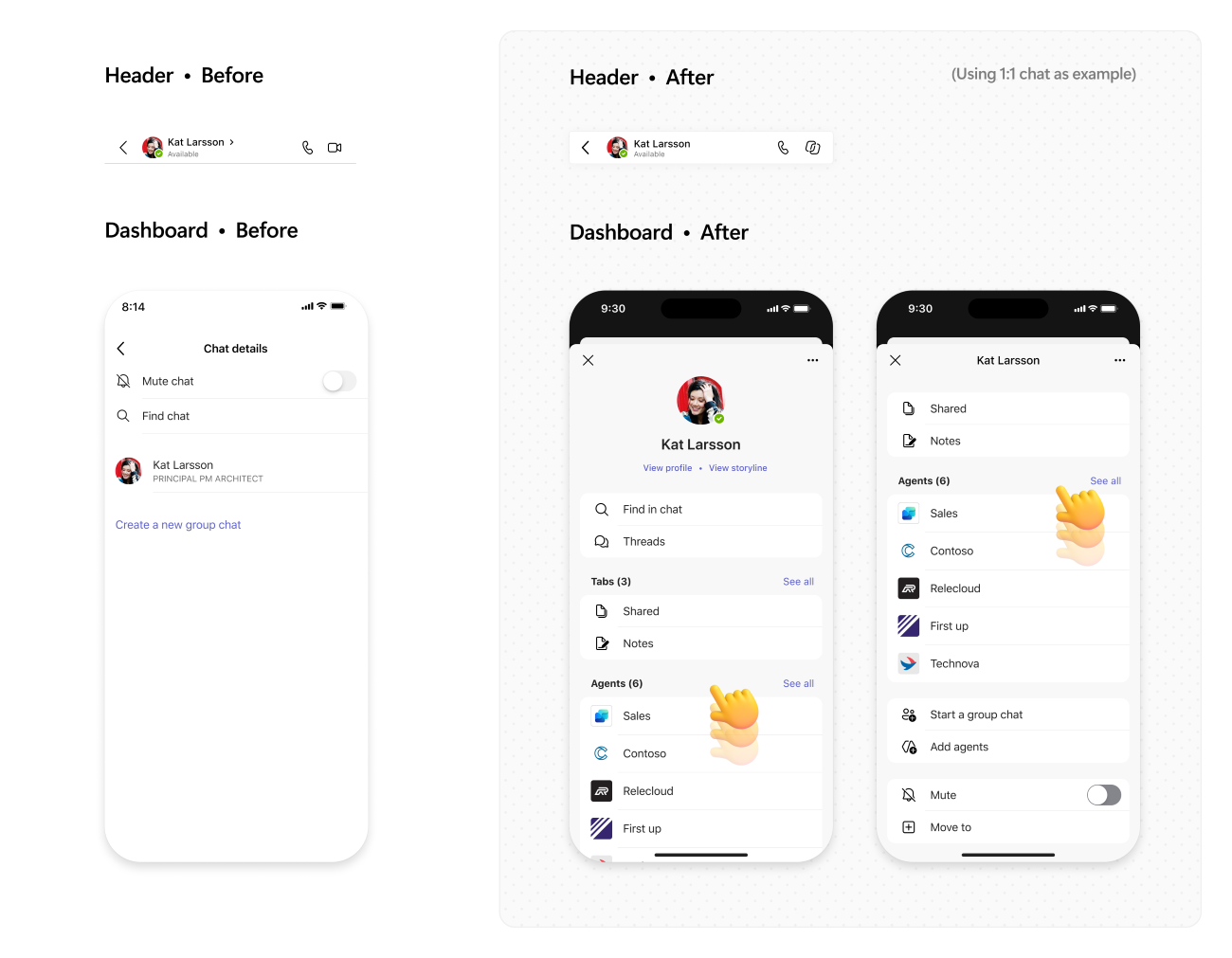
  • Users will see a redesigned header experience in chats and channels on mobile.
  • A new lightweight dashboard will provide easier access to channel details, people, and pinned content.
  • Navigation across chats and channels will become more consistent with the Teams desktop experience.
  • The update is intended to help users get oriented and complete common tasks more quickly while using Teams on mobile.

Screenshot 1 - Chat view:

Screenshot 2 - Channel view:

Action required and recommendations

No action is required.

You may want to:

  • Notify users about the updated mobile experience.
  • Review and update internal training or support documentation that references the current mobile navigation experience.
  • Inform help desk and support teams of the upcoming change.

Compliance considerations

No compliance considerations identified. Review as appropriate for your organization.

Version history

2 versions tracked

Updated 1 time since Sep 4, 2026. Microsoft only ever shows the current version; this archive preserves the history.

Compare any two versions

From
To
  1. Nov 3, 2026 · 05:57 PMLatest · v2

    Changed: Body, Tags

  2. Sep 4, 2026 · 10:43 PMOriginal · v1

    Changed: Initial version