What and why
We're introducing activity logs in Microsoft 365 Backup to help administrators monitor backup policy and restore activities directly within the product. Activity logs provide greater visibility into configuration changes, restore progress, failures, and operational status without requiring administrators to leave the Microsoft 365 Backup experience.
Rollout schedule
- General Availability (Worldwide): Rollout begins in mid-October 2026 and is expected to complete by mid-October 2026.
Impact on your organization
Who is affected
- Administrators who manage Microsoft 365 Backup
Platforms and services
- Microsoft 365 Backup
- SharePoint Online
- OneDrive
- Exchange Online
What will happen
- Activity logs will be available for Microsoft 365 Backup actions across supported workloads, including SharePoint Online, OneDrive, and Exchange Online.
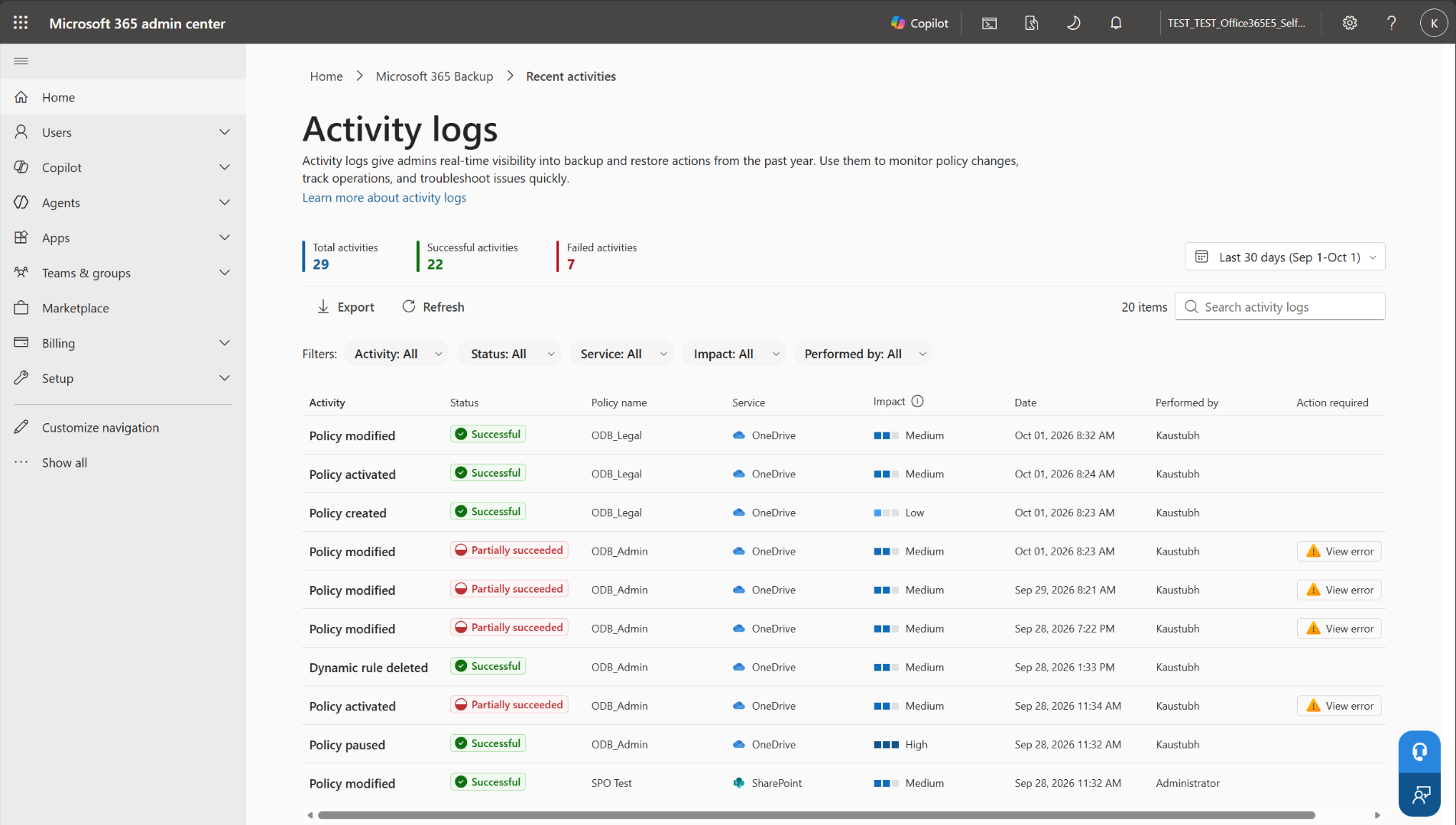
- Activity log entries will include metadata such as service, activity type, status, impact, policy or restore task details, timestamps, and the administrator who performed the action.
- Administrators will be able to:
- Filter logs by service, activity type, activity status, impact, and date range.
- Search activity logs using free text.
- Export filtered or searched logs to CSV for offline review, reporting, and compliance workflows.
- Role-based access controls will apply. Administrators will only be able to view logs for workloads they are authorized to manage.
- To access this feature:
1. Go to the Microsoft 365 admin center.
2. Open Microsoft 365 Backup.
3. Select Recent activities to open the Activity logs page.
4. Use the date selector, search, or filters to review activity. Select Export to download the current result.
Activity logs in the Microsoft 365 admin center
Action required and recommendations
No action is required. We recommend that you inform your backup administrators that activity monitoring for Microsoft 365 Backup will be available directly within the product.
Learn more
We will update this post with new documentation.
Compliance considerations
No compliance considerations identified. Review as appropriate for your organization.