What and why
Microsoft is introducing a simplified app enablement experience in Teams admin center. The new guided flow brings together key app management actions, including setting who can access an app, choosing who should have the app installed, reviewing and accepting required permissions, and allowing or blocking the app.
The flow adapts to the app’s current state and highlights steps that require attention, reducing the steps and navigation needed to manage app enablement.
Rollout schedule
- General Availability (Worldwide): Beginning in mid-October 2026 and is expected to complete by mid-November 2026
Impact on your organization
Who is affected
- Admins who manage agents and apps in Microsoft Teams admin center
Platforms and services
- Microsoft Teams admin center
What will happen
- Admins can use the new guided experience in Teams admin center under Teams apps > Manage apps > Manage access.
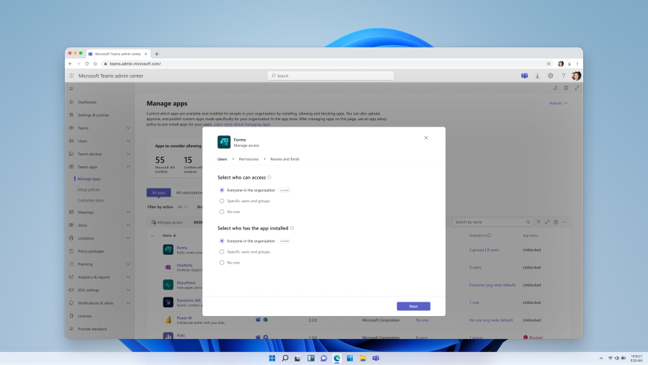
- The experience shows admins the actions needed to control access to the agent in Teams.
- Admins can review app availability, installation, and permission changes before applying them.
Note: Existing tenant app settings will not change as a result of this rollout. Changes are applied only after an admin reviews the configuration and selects Apply.
Action required and recommendations
No action is required before this rollout.
We recommend that you:
- Update internal app management documentation or training materials as appropriate.
- Continue to follow your organization's existing processes for app approval and permission consent.
Compliance considerations
No compliance considerations identified. Review as appropriate for your organization.