What and Why:
Microsoft is introducing a refreshed user experience for SharePoint Lists to make common actions easier to find, improve navigation, and provide greater visibility into views and active filters. The refreshed experience includes a reorganized command bar, clearer breadcrumb navigation for lists that use folders, more prominent view selection and creation, visible filter pills, and consolidated view customization options. These updates are intended to make everyday list tasks more intuitive and help users better understand and manage the information displayed in their views.
Rollout Schedule:
General Availability (Worldwide): We will begin rolling out in mid-December 2026 and expect to complete by late December 2026.
Impact on Your Organization:
The refreshed experience includes:
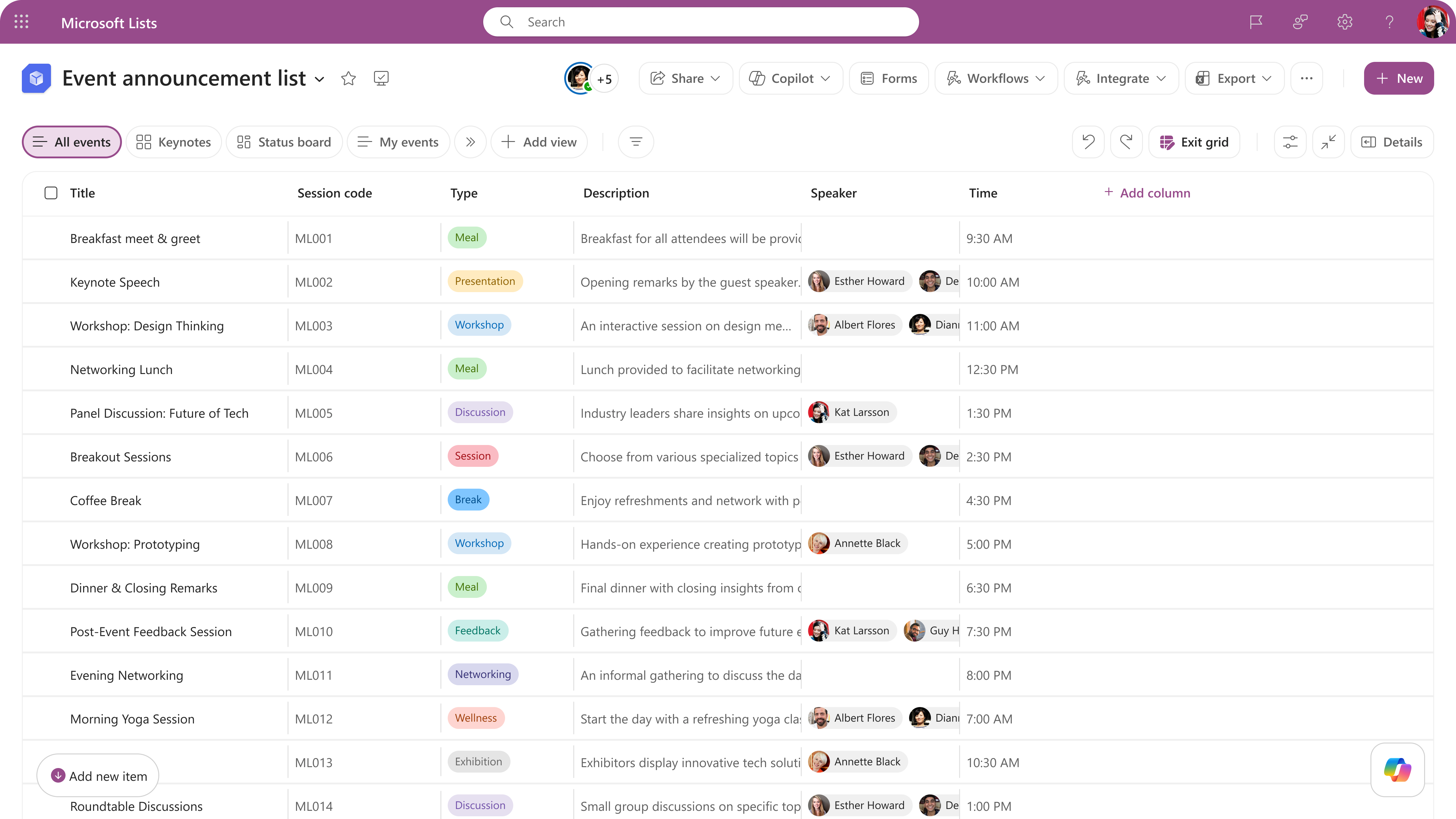
Existing SPFx extensions, column formatting, and view formatting are not expected to be affected beyond the command bar placement behavior described above.
Action Required/Recommendations:
No action is required to enable the refreshed experience. Organizations that use custom command bar formatters should review the updated command placement behavior and the SharePoint command bar formatting documentation.
Compliance considerations:
No compliance considerations have been identified. Review as appropriate for your organization.