What and Why:
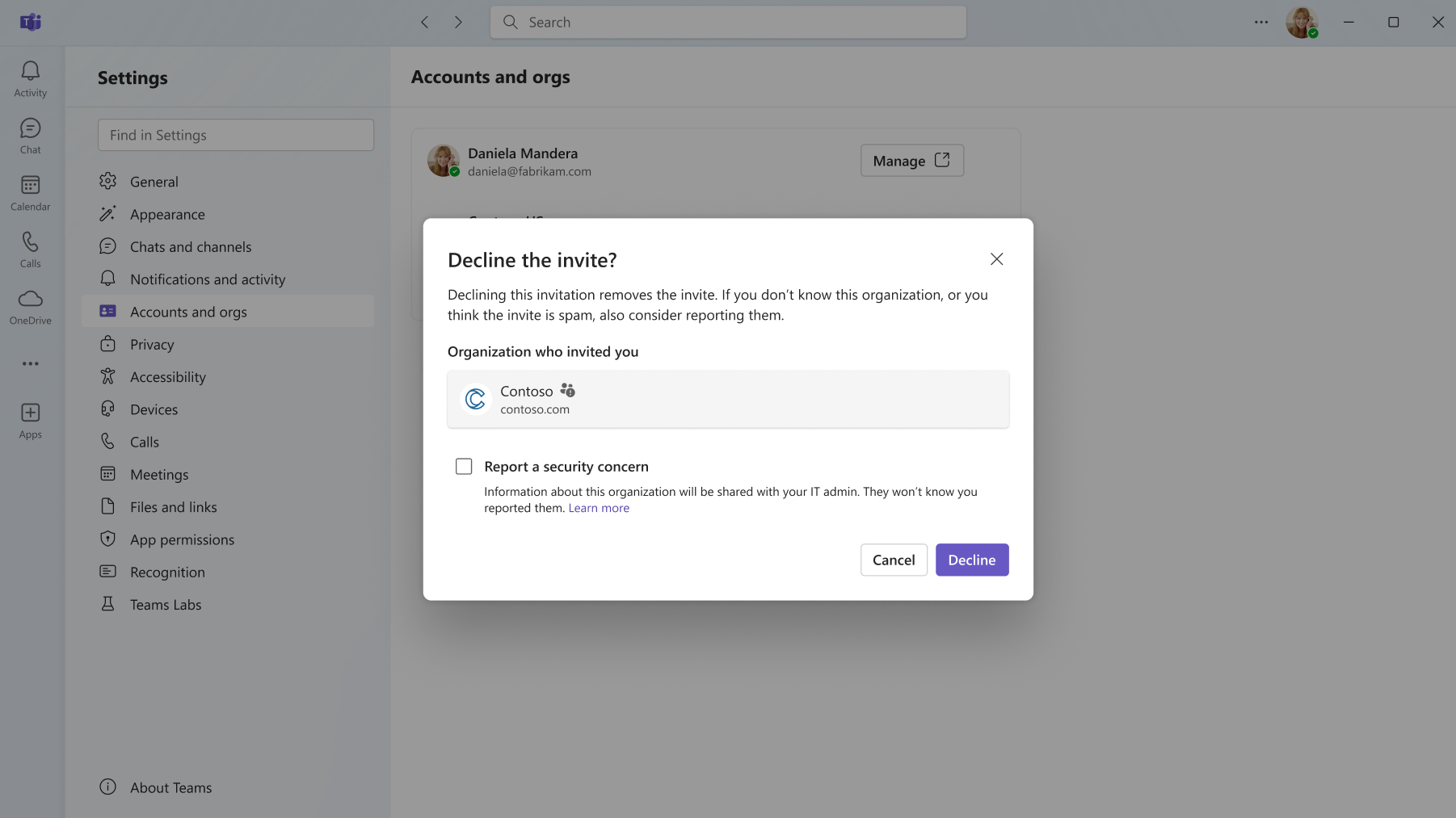
Microsoft Teams will enable users to report guest invitations for security concerns directly from Teams. When users receive an unexpected or potentially malicious invitation to join another organization as a guest, they can report it to their IT admin for review, helping identify and mitigate phishing and other abuse through guest invitations.
Rollout Schedule:
General Availability (Worldwide): We will begin rolling out in early November 2026 and expect to complete by mid-November 2026.
Impact on Your Organization:
Users can report suspicious guest invitations when declining them in Teams. Reports are shared with their IT admin through the User reported security submissions report in the Teams admin center and with Microsoft for review.
Action Required/Recommendations:
No action is required for organizations that already have Report a security concern enabled in their Teams messaging policy. Admins can manage this capability through Teams admin center > Messaging policies > Report a security concern.
Compliance considerations:
| Question | Answer |
| Does the change include an admin control? | Yes. The capability is controlled through the Teams messaging policy setting for Report a security concern. |