What and why
Microsoft 365 Copilot Chat is making personalization more transparent. When memory helps shape a response, users can see which custom instructions, saved memories, memories learned from conversations, and past chats contributed to the response. This helps users understand how Copilot personalized their response and gives them direct access to relevant past chats and saved memories.
A Microsoft 365 Copilot (Premium) license is required.
Rollout schedule
- General Availability (Worldwide): Beginning in late October 2026 and expected to complete by late October 2026
Impact on your organization
Who is affected
- Users of Microsoft 365 Copilot Chat who have memory turned on
Platforms and services
- Microsoft 365 Copilot Chat
- Microsoft 365 Copilot (Premium)
What will happen
- When memory shapes a response, users can select Sources under the response and open the Personalization tab to see which custom instructions, saved memories, memories Copilot learned from conversations, and past chats were used.
- Past chats used in a response also appear as inline citations. Users can select a citation to return to that conversation.
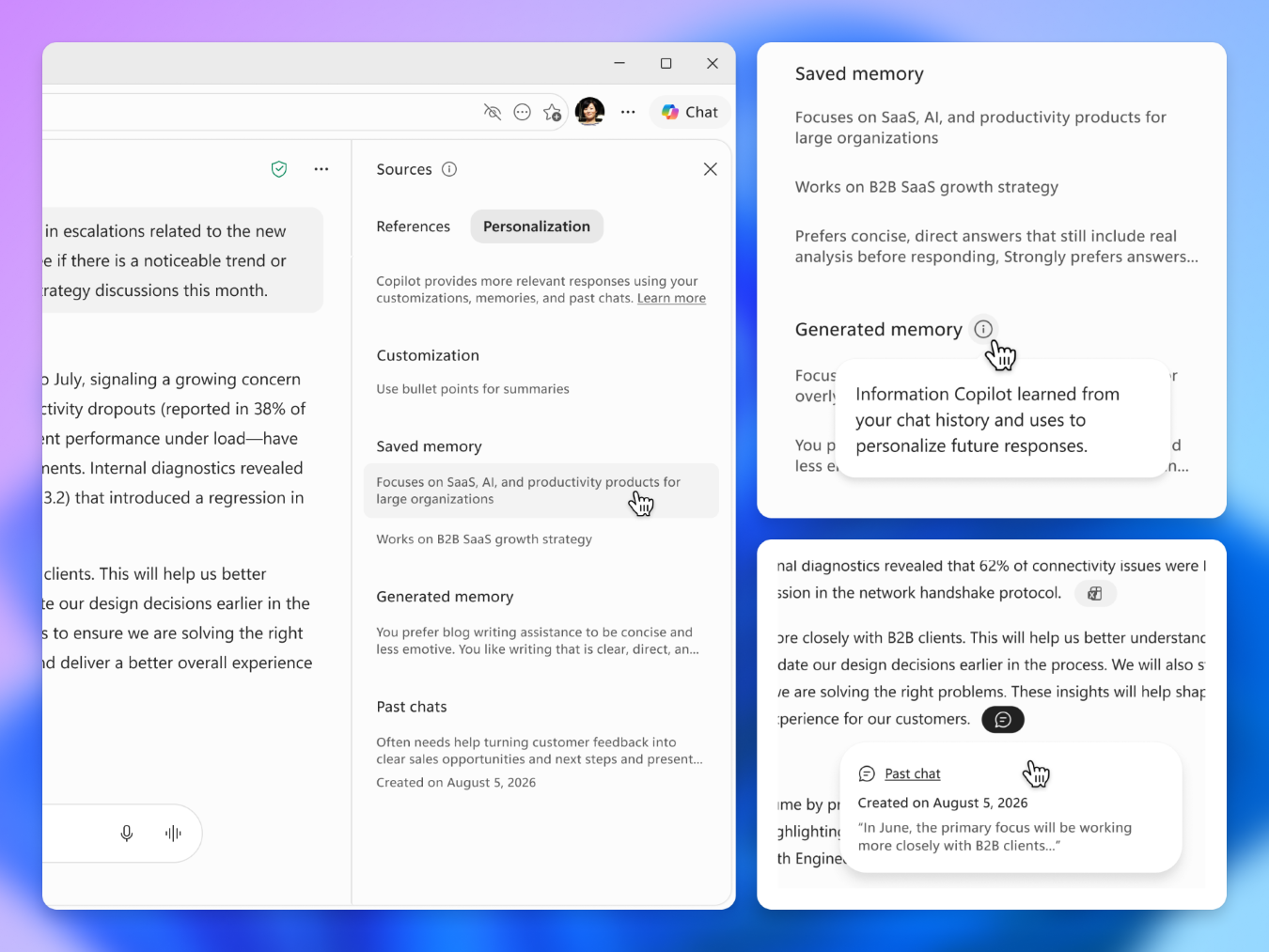
- Users can open a cited saved memory in Copilot settings to review or delete it.
- Citations appear only when memory meaningfully shaped the response. As a result, not every personalized response will have citations, and the Personalization tab might show no citations for some responses.
- Citations respect each user's memory settings. If a user has turned off saved memories or chat history, those sources won't be shown.
- This update doesn't change what Copilot remembers, how memory is stored, or existing admin controls. It only shows users which existing memories were used.
- The feature is on by default for users who have memory turned on.
Action required and recommendations
No action is required. Memory citations will roll out automatically and respect existing admin and user memory settings.
There is no separate setting for citations. Citations don't appear for users who have memory turned off.
Admins can manage memory through the Enhanced Personalization control. This control is on by default and can be turned off for the entire tenant or for specific users through a Microsoft Entra group. Global Administrators and People Administrators can manage the control.
Learn more
Compliance considerations
| Question | Answer |
| Does the change modify how users can access, export, delete, or correct their personal data? | Yes. Users can open a cited saved memory in Copilot settings to review or delete it. |
| Does the change include an admin control, and can it be controlled through Entra ID group membership? | Yes. The Enhanced Personalization control manages memory. Admins can turn it off for the tenant or specific users through an Entra group. |