What and why
Copilot in the desktop app will be able to use content from open webpage tabs in the app's built-in browser as page context. Users will be able to ask questions or request summaries for a single tab or across multiple tabs, which helps with multi-tab workflows. Page context will be scoped to the current conversation and will apply only when the built-in browser is enabled.
Availability is limited to the Microsoft Copilot desktop app.
Rollout schedule
- General availability (Worldwide): We will begin rolling out in mid-November 2026 and expect to complete the rollout in late November 2026.
Impact on your organization
Who is affected
- Users of the Copilot desktop app in organizations where the built-in browser is enabled
- Admins who manage the Copilot desktop app and its built-in browser
Platforms and services
- Copilot desktop app (built-in browser)
- Microsoft 365 Copilot
What will happen
- When the built-in browser is enabled, Copilot will be able to use content from open webpage tabs in that browser to answer questions and provide summaries:
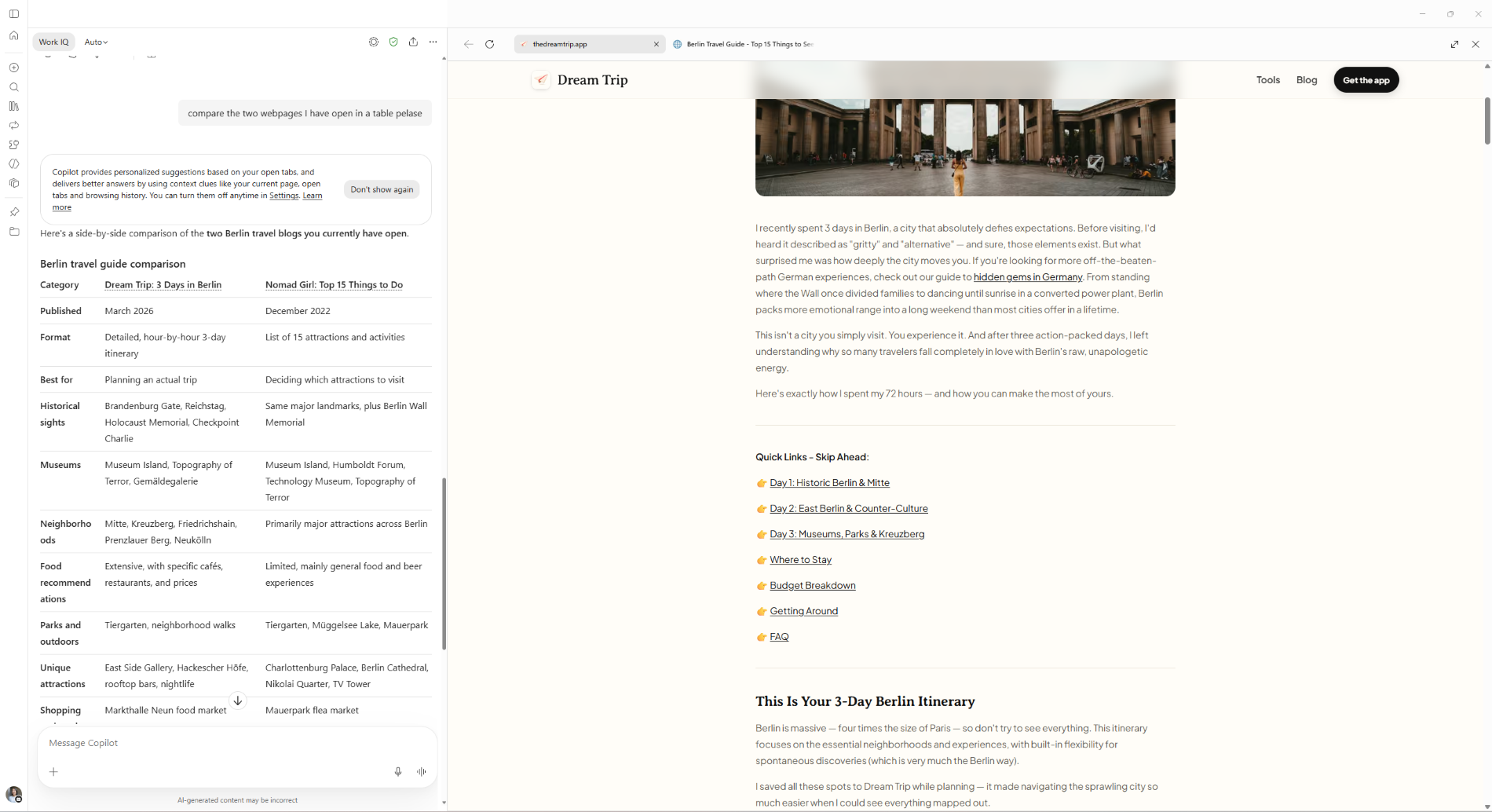
- Users will be able to ask about a single tab or across multiple tabs:
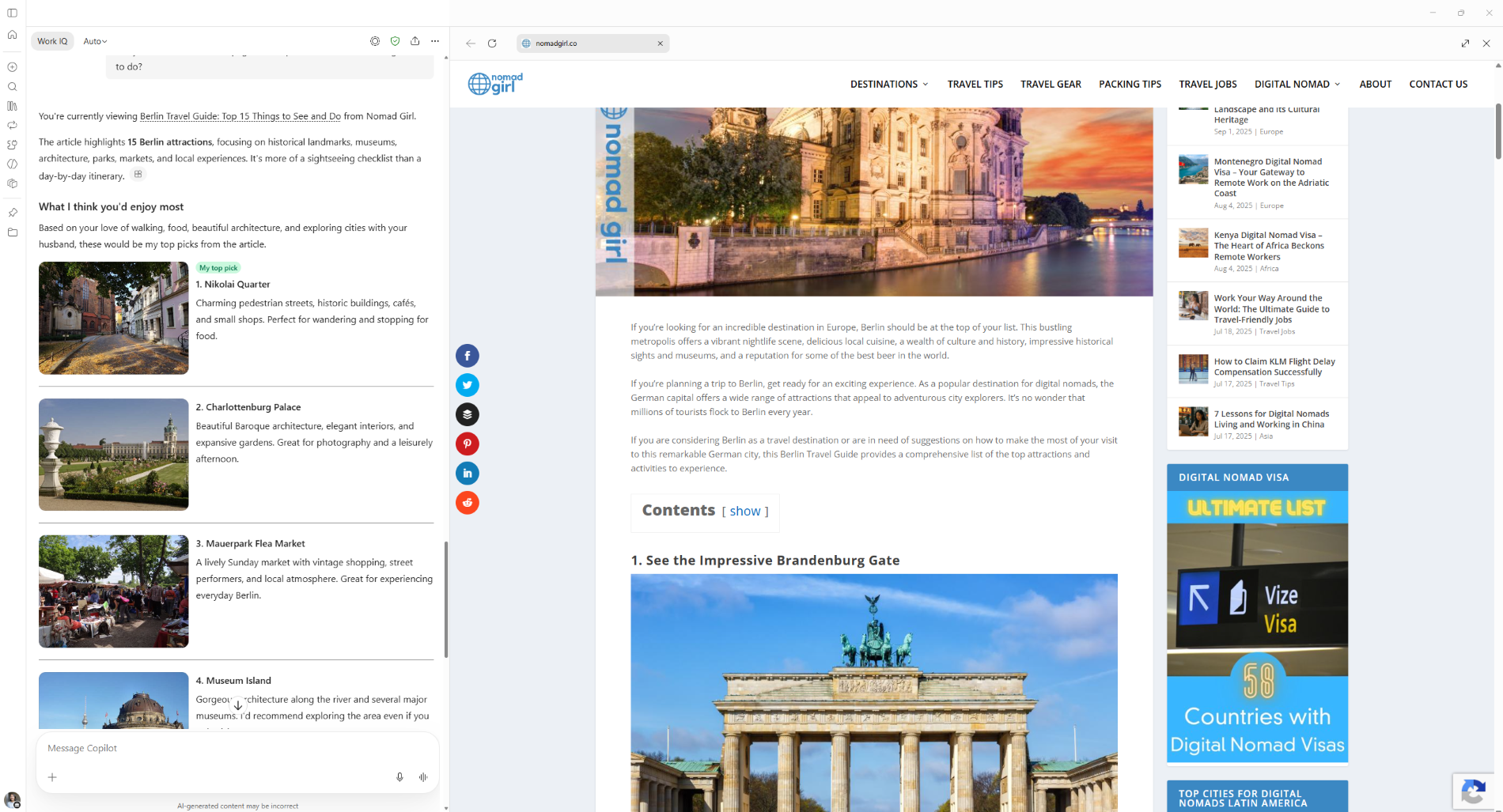
- Page context will be limited to the current conversation.
- If the built-in browser is disabled, this feature will not be active and will have no impact.
Action required and recommendations
No action is required. We recommend that you:
- Confirm whether the Copilot desktop app built-in browser is enabled for your organization.
- Review the governance settings for in-app browsing and page context use.
- Validate the expected behavior with pilot users.
- Tell users and helpdesk staff that page context is limited to the current conversation.
Compliance considerations
| Question | Answer |
| Does the change introduce or significantly modify AI/ML or agent capabilities that interact with customer data? | Yes. Copilot uses content from open webpage tabs in the built-in browser as context for answers and summaries. |
| Does the change give users a new way of interacting with generative AI? | Yes. Users can ask questions or request summaries for one tab or across multiple tabs. |