What and why
Microsoft 365 Copilot Learning Agent is introducing personalized learning experiences based on users' work context, including Teams chats, emails, and meeting transcripts. The agent will provide a personalized homepage, learning prompts, and recommendations to help users develop Copilot skills relevant to their roles, projects, and daily work.
Rollout schedule
- Public Preview: We will begin rolling out in mid-November 2026 and expect to complete by late November 2026.
- General Availability (Worldwide): We will begin rolling out in mid-December 2026 and expect to complete by late December 2026.
Impact on your organization
Who is affected
- Users of Microsoft 365 Copilot Learning Agent
Platforms and services
- Microsoft 365 Copilot
- Learning Agent
What will happen
Learning Agent will provide personalized learning experiences based on users' roles, work activities, and professional needs.
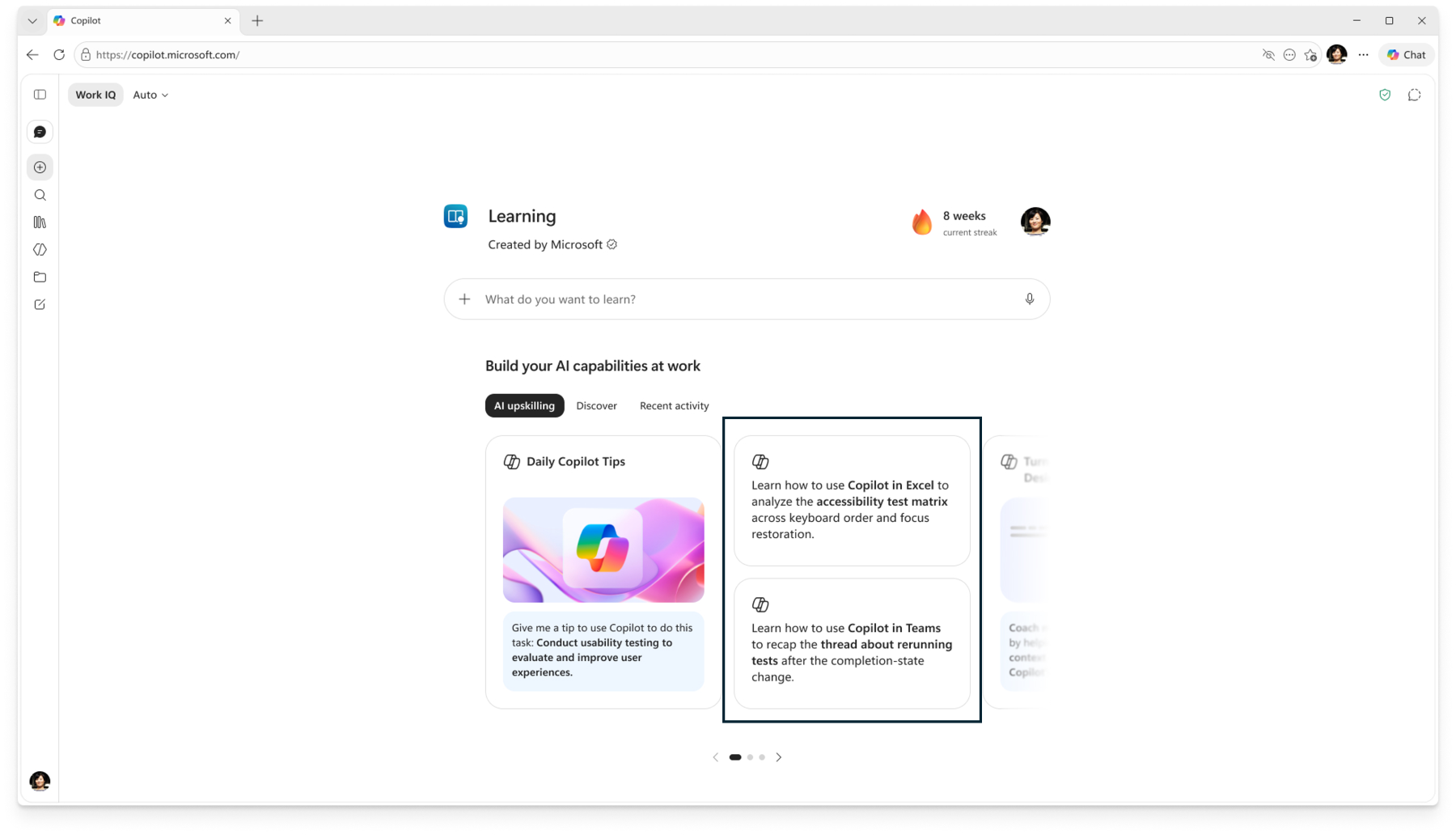
Users will benefit from:
- More relevant learning: Personalized prompts and recommendations based on their roles, job focus, ongoing projects, and work activities.
- Faster Copilot upskilling: Learning opportunities that help users apply Copilot to their daily tasks.
- Easier learning discovery: Relevant learning opportunities surfaced proactively, reducing the need to search for courses or identify skill gaps.
- Continuous skill development: Learning experiences that adapt as users' work priorities and professional needs evolve.
The feature will roll out automatically without additional admin intervention. To enable personalized learning experiences, the organizational and user settings described below must be enabled.
Action required and recommendations
To enable personalized learning experiences:
- Admins: Ensure the Enhanced personalization setting is enabled for your organization.
- Users: Ensure the Chat history and Work Insights toggle is enabled in their Microsoft Copilot settings.
Learn more
Compliance considerations
Learning Agent introduces personalized learning experiences that use information from users' work activities, including Teams chats, emails, and meeting transcripts.