MC554158 - A new experience to search within chat and channels.

Message Center

This announcement expired on Apr 22, 2024 and is no longer active in Message Center.

Service

Microsoft Teams

Last Updated

Feb 26, 2024

Published May 12, 2023

Tag

Updated message
Feature update
User impact
Admin impact

Platforms

Desktop
Mac

Summary

Microsoft 365 is introducing a new and improved experience to search within chats and channels. The update includes enhancements such as a new in-chat and in-channel search experience, keyword highlighting, and pop-out chat search. The rollout will begin in mid-October 2023 and is expected to be completed by late November 2023 for most users. Some users may experience a later rollout completion date. No preparation is needed as the new search experience is set up by default.

More information

Updated February 25, 2024: We have updated the rollout timeline below. Thank you for your patience.

We are excited to introduce a new and improved experience to search within chats and channels.  

This message is associated with Microsoft 365 Roadmap ID 122550

When this will happen:

  • Targeted release: We will begin rolling this out in mid-October 2023 and expect to complete rollout by late October 2023 (now completed)
  • Standard release: We will begin rolling this out in mid-November 2023 and expect to complete rollout by late November 2023.
  • GCC: We will begin rolling this out in mid- November 2023 and expect to complete rollout by late November 2023.
  • GCC-H: We will begin rolling this out in early December 2023 and complete rollout by mid-March 2024 (previously mid-February).
  • DoD: We will begin rolling this out in early December 2023 and complete rollout by mid-March 2024 (previously late mid-February).

How this will affect your organization:

A few key enhancements include:

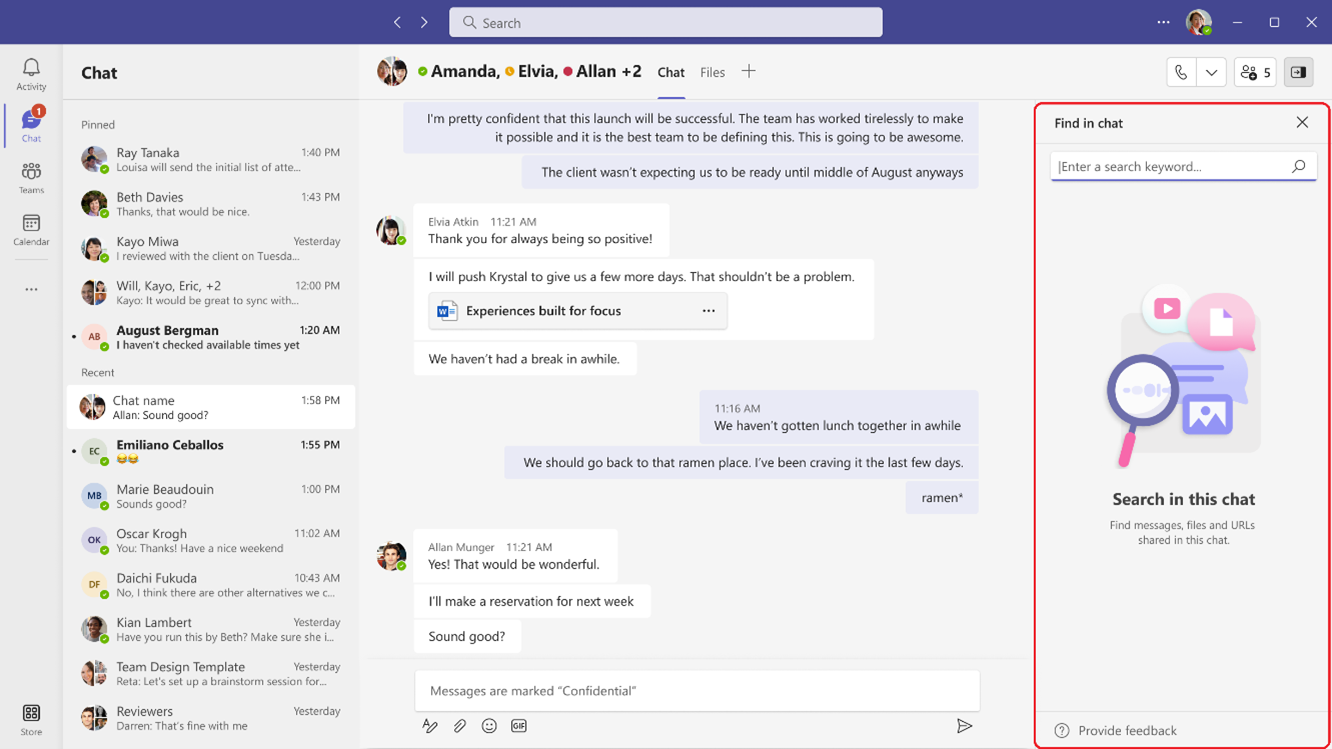
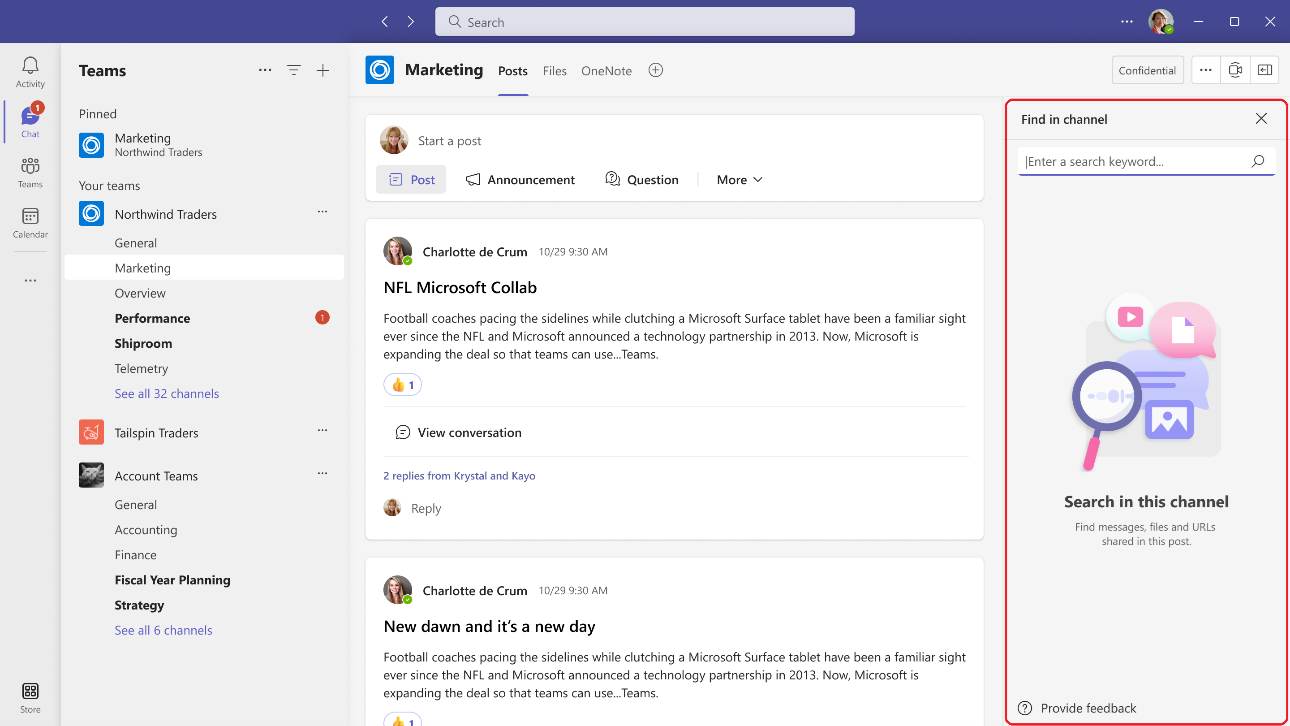
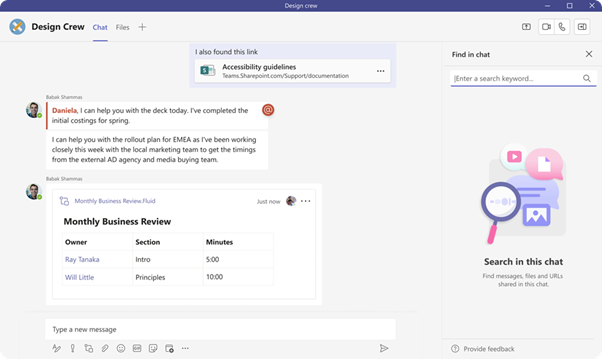
  1.  The new in-chat and in-channel Search experience will now be available in the right handrail, making it possible to see your chat/channel list and your new search results in one single view. The initiation can be done using the keyboard shortcut Ctrl+F(win) or Cmd +F (Mac):

    Chat:

    Channel:

    Note: Search capability on the new Channels experience is currently available on the main view, and we will extend it to the conversation view very soon.


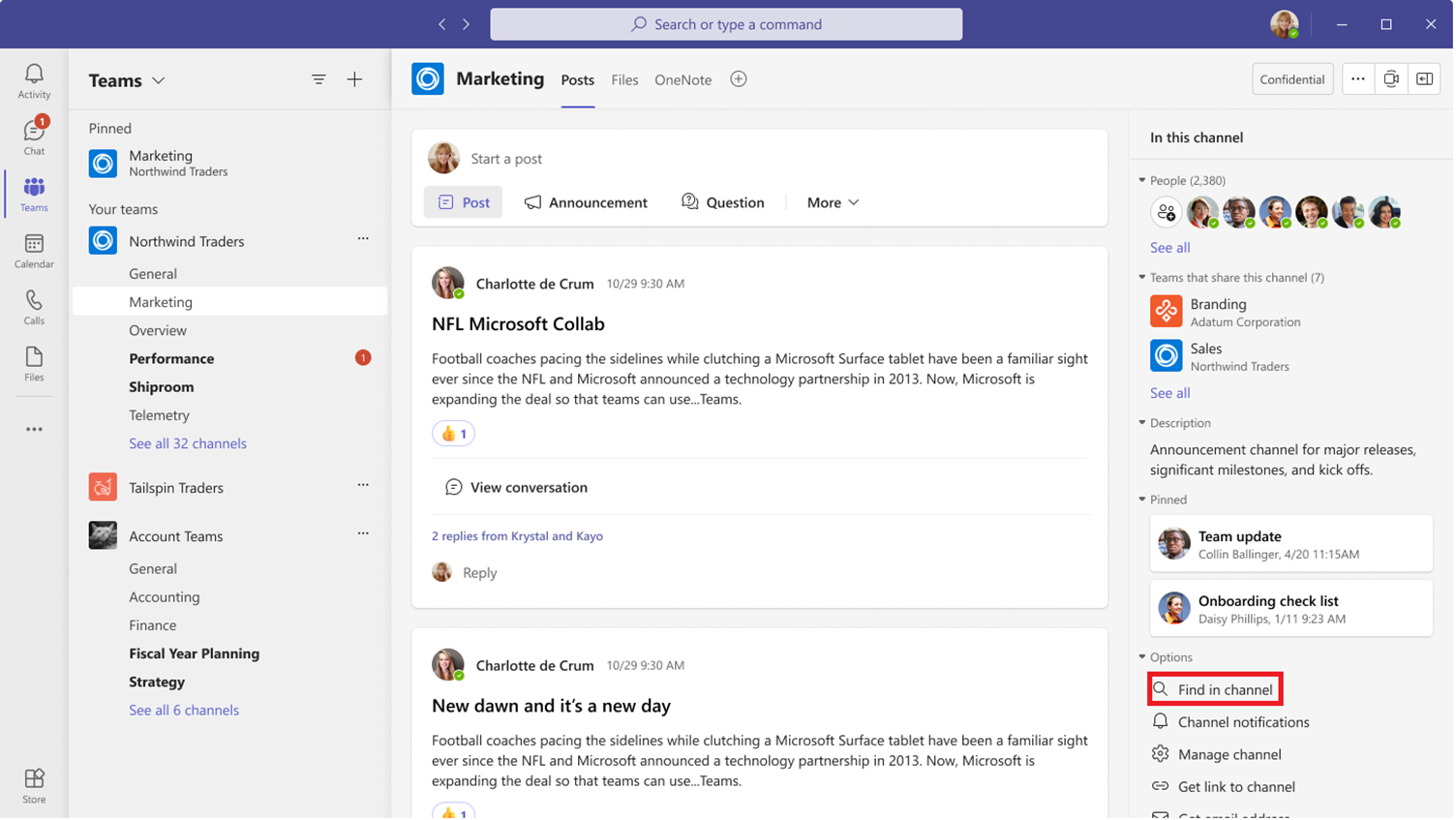
  2. In addition to the keyboard shortcut, a dedicated button ‘Find in Channel’, placed on the channel info pane can be used to initiate contextual search:

    Find in channel

    Note: we are working on bring the search entry point to the chat surface soon.     

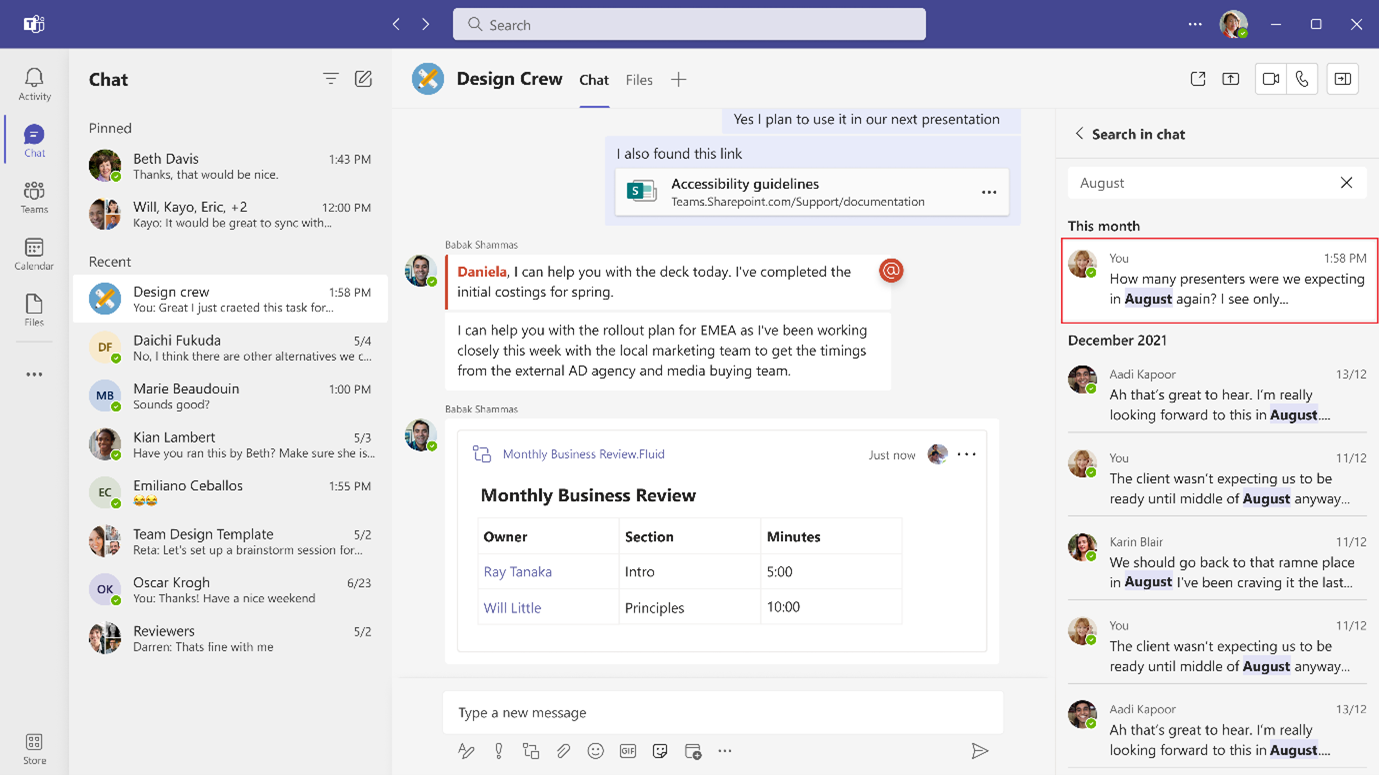
  3. We now have introduced enhanced captioning and keyword highlighting to aid the discernment of results in chat and channel:


  4. 4. In-chat search will now also be available in pop-out chats.

    pop-out chats

What you need to do to prepare:

No preparation needed. The new search experience is set up by default, but you may want to draw attention to these new capabilities in Teams.