Back to latest version
You're viewing a historical snapshot from Mar 11, 2024. This is not the latest version.

Metadata at Mar 11, 2024

Last Updated

Mar 11, 2024

Published Dec 22, 2023

Service

Microsoft 365 suite
Microsoft Teams

Tag

Updated message
Feature update
User impact
Admin impact

Platforms

Desktop

MC700933 - Immersive spaces available for General Availability

Message Center

What changed since this version

removed textadded text

Updated March 11,April 15, 2024: We have updated the rollout timeline below. Thank you for your patience.

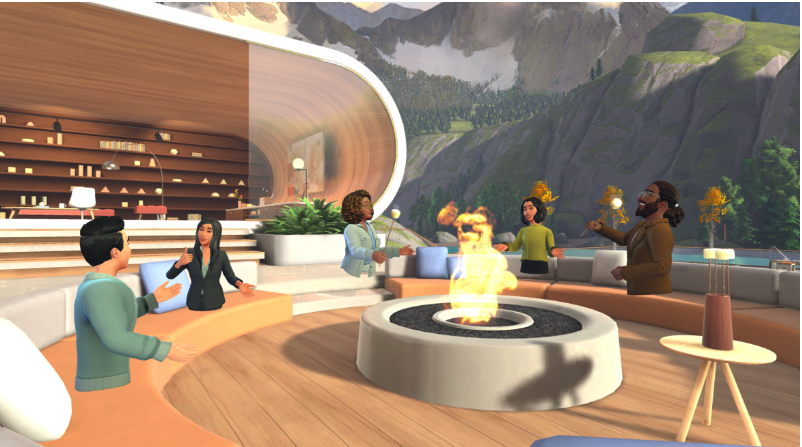
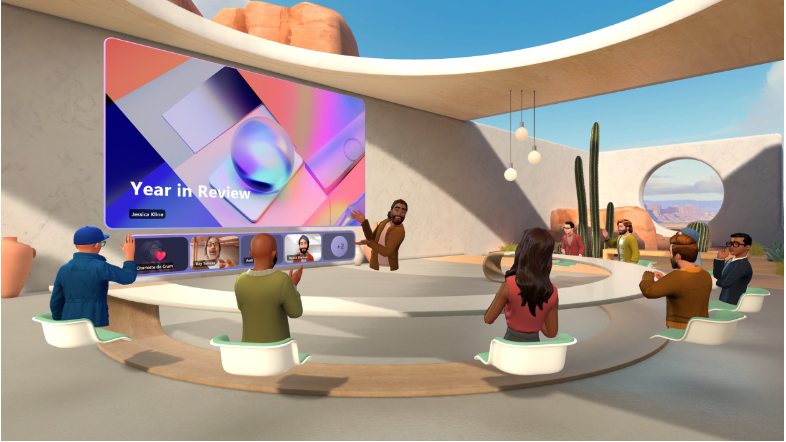
We are making building relationships easier by bringing the power of Mesh into the place where people work every day—Microsoft Teams. With just one click, you can now easily transform your virtual meeting into a fun 3D experience with immersive spaces in Microsoft Teams. 

This message is associated with Microsoft 365 Roadmap ID 161720

When this will happen:

Preview: This rolled out in October 2023.

We will begin rolling out in late January 2024 and will be completed by mid-Marchlate April 2024 (previously late February)mid-March).

How this will affect your organization:

Requirements

This feature is available in Microsoft Teams on Windows PC or on Meta Quest VR devices. Immersive spaces participants can connect with anyone in the Teams meeting.

PC requires 4 cores and 8 GB RAM to enable the option and access immersive spaces. 

License Requirement 

This will be available to the following licenses:

  • Teams Essentials
  • Microsoft 365 Business Basic
  • Microsoft 365 Business Standard
  • Microsoft 365 Business Premium
  • Microsoft 365 E3/E5
  • Office 365 E1/E3/E5. 

Current limitations 

We will not support classic Teams (i.e., Teams 1.0). You need to use new Teams (i.e., Teams 2.1) to see the “immersive space” option. 

 What you need to do to prepare:

The Mesh Immersive spaces app in Teams can be managed via the Microsoft Teams Admin Center. Learn more about how to manage apps in the Microsoft Teams admin center.

Snapshot from Mar 11, 2024

Updated March 11, 2024: We have updated the rollout timeline below. Thank you for your patience.

We are making building relationships easier by bringing the power of Mesh into the place where people work every day—Microsoft Teams. With just one click, you can now easily transform your virtual meeting into a fun 3D experience with immersive spaces in Microsoft Teams. 


This message is associated with Microsoft 365 Roadmap ID 161720

When this will happen:

Preview: This rolled out in October 2023.

We will begin rolling out in late January 2024 and will be completed by mid-March 2024 (previously late February).

How this will affect your organization:

Requirements

This feature is available in Microsoft Teams on Windows PC or on Meta Quest VR devices. Immersive spaces participants can connect with anyone in the Teams meeting.

PC requires 4 cores and 8 GB RAM to enable the option and access immersive spaces. 

License Requirement 

This will be available to the following licenses:

  • Teams Essentials
  • Microsoft 365 Business Basic
  • Microsoft 365 Business Standard
  • Microsoft 365 Business Premium
  • Microsoft 365 E3/E5
  • Office 365 E1/E3/E5. 

Current limitations 

We will not support classic Teams (i.e., Teams 1.0). You need to use new Teams (i.e., Teams 2.1) to see the “immersive space” option. 


 What you need to do to prepare:

The Mesh Immersive spaces app in Teams can be managed via the Microsoft Teams Admin Center. Learn more about how to manage apps in the Microsoft Teams admin center.