Back to latest version
You're viewing a historical snapshot from Feb 21, 2024. This is not the latest version.

Metadata at Feb 21, 2024

Last Updated

Feb 21, 2024

Published Jan 25, 2024

Service

Microsoft 365 suite
Microsoft 365 for the web

Tag

Updated message
New feature
Admin impact

Platforms

Web

MC709981 - Data Loss Prevention - Adding matched attachment details in Activity Explorer for Data Loss Prevention rules in Exchange

Message Center

What changed since this version

removed textadded text

Updated February 21,August 26, 2024: WeTo ensure the optimal experience for our customers, we have updateddecided not to proceed with the rollout timeline below.at this time. We will communicate via Message center when we are ready to proceed. Thank you for your patience.

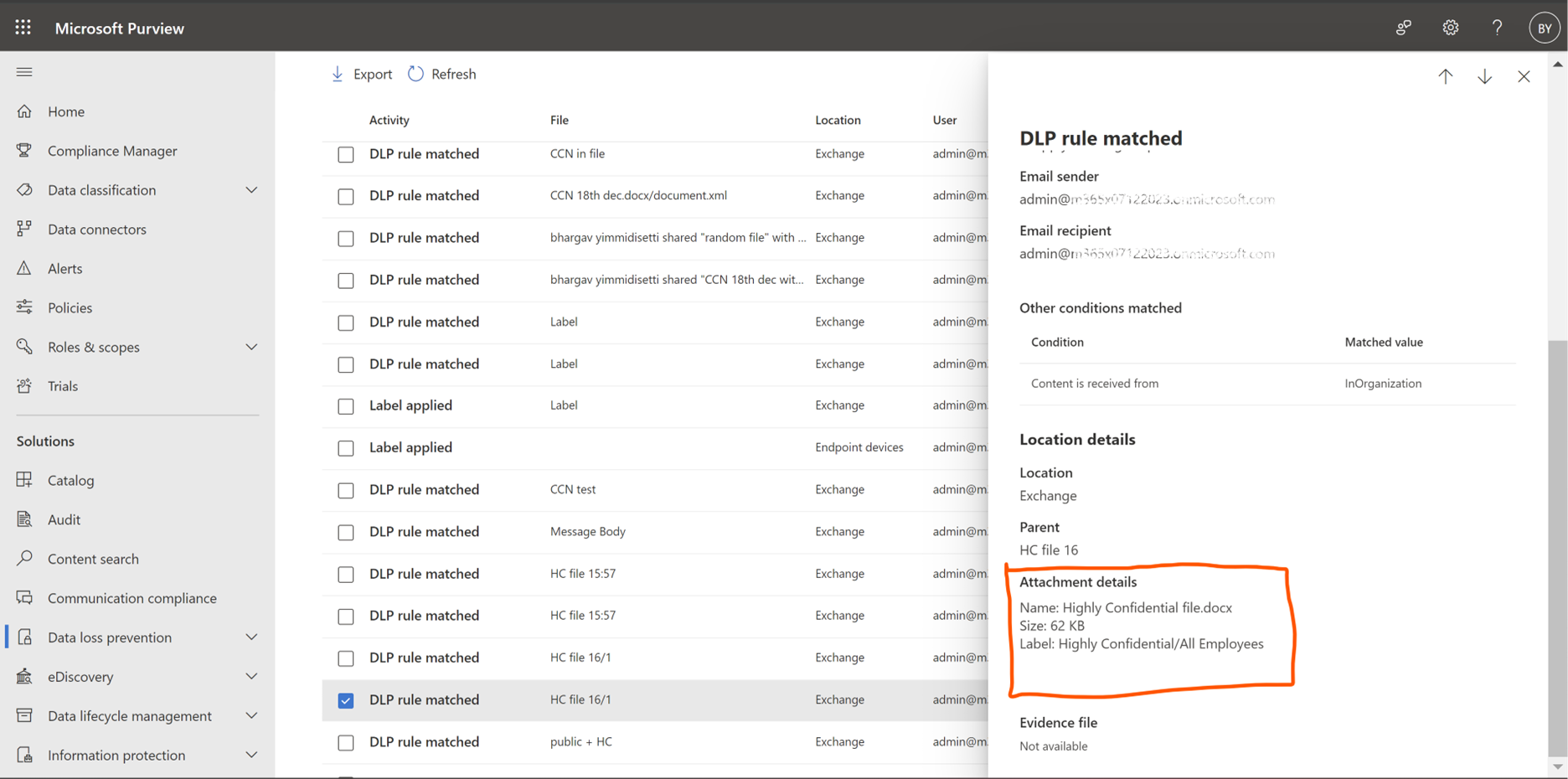
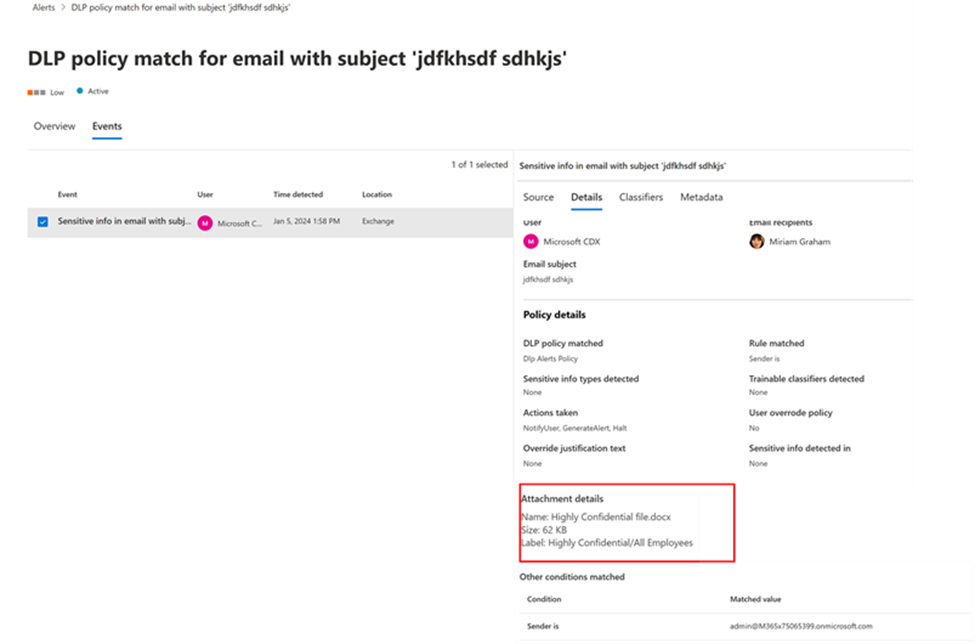
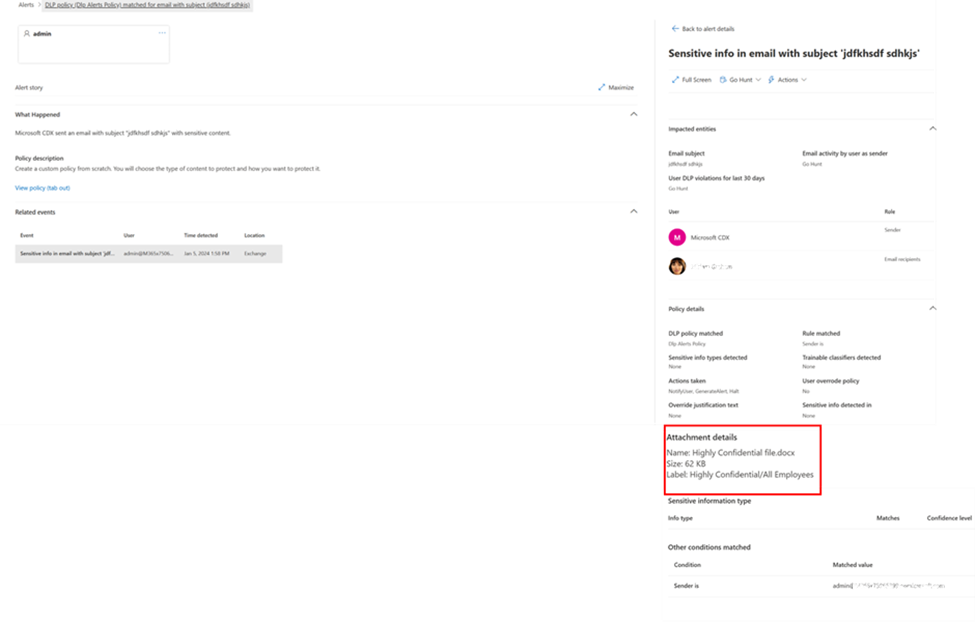
We are adding new fields in Microsoft Exchange to help prevent data loss. With these updates, admins can see more details about the attachments that are present in the email that violated the Data Loss Prevention (DLP) rules, including name, size, and labels. There will be new fields for the attachments that are in emails when they match a DLP rule that will be displayed in Activity Explorer, DLP Alerts, and Microsoft Theft Protection (MTP) Alerts. With these updates, you can get better insights into the violation that has occurred even before you start getting into the finer details of the issue.

This message is associated with Microsoft 365 Roadmap ID 369015

[When this will happen:]

Preview: We will begin rollout in late February 2024 (previously mid-February) and expectcommunicate via Message center when we are ready to complete in early March 2024 (previously late February). 

Worldwide: We will begin rollout in early March 2024 (previously late February) and expect to complete in late March 2024.proceed.

[How this will affect your organization:]

You will see more details about the attachments that are present in emails when violations occur.

Activity Explorer:

DLP Alerts:

MTP Alerts:

[What you need to do to prepare:]

There is no action needed to prepare for this change. You may want to notify your users about this change and update any relevant documentation as appropriate.

Snapshot from Feb 21, 2024

Updated February 21, 2024: We have updated the rollout timeline below. Thank you for your patience.

We are adding new fields in Microsoft Exchange to help prevent data loss. With these updates, admins can see more details about the attachments that are present in the email that violated the Data Loss Prevention (DLP) rules, including name, size, and labels. There will be new fields for the attachments that are in emails when they match a DLP rule that will be displayed in Activity Explorer, DLP Alerts, and Microsoft Theft Protection (MTP) Alerts. With these updates, you can get better insights into the violation that has occurred even before you start getting into the finer details of the issue.

This message is associated with Microsoft 365 Roadmap ID 369015

[When this will happen:]

Preview: We will begin rollout in late February 2024 (previously mid-February) and expect to complete in early March 2024 (previously late February). 

Worldwide: We will begin rollout in early March 2024 (previously late February) and expect to complete in late March 2024.

[How this will affect your organization:]

You will see more details about the attachments that are present in emails when violations occur.

Activity Explorer:


DLP Alerts:


MTP Alerts:


[What you need to do to prepare:]

There is no action needed to prepare for this change. You may want to notify your users about this change and update any relevant documentation as appropriate.