Back to latest version
You're viewing a historical snapshot from Feb 20, 2024. This is not the latest version.

Metadata at Feb 20, 2024

Published

Feb 20, 2024

Service

Microsoft Teams

Tag

New feature
User impact

Platforms

Desktop
Mac

MC717970 - Microsoft Teams: Personalize group chats with avatars

Message Center

What changed since this version

removed textadded text

Updated August 1, 2024: We have updated the rollout timeline below. Thank you for your patience.

In Microsoft Teams, we are introducing custom avatars for group chats. Group chat members will be able to upload their own image or select a built-in image or emoji, to add a layer of inclusivity and expression to their chat as well as helping visually identity chats with similar titles or participants.

This message is associated with Microsoft 365 Roadmap ID 119305.

[When this will happen:]

Worldwide, GCC, GCC High, and DoD: We will begin rolling out mid-March 2024 and expect to complete by late March 2024.early August 2024 (previously mid-July). 

[How this will affect your organization:]

Users will be able to select the current group chat avatar and then change that avatar by selecting from new avatars and emojis. Users can also upload their own images.
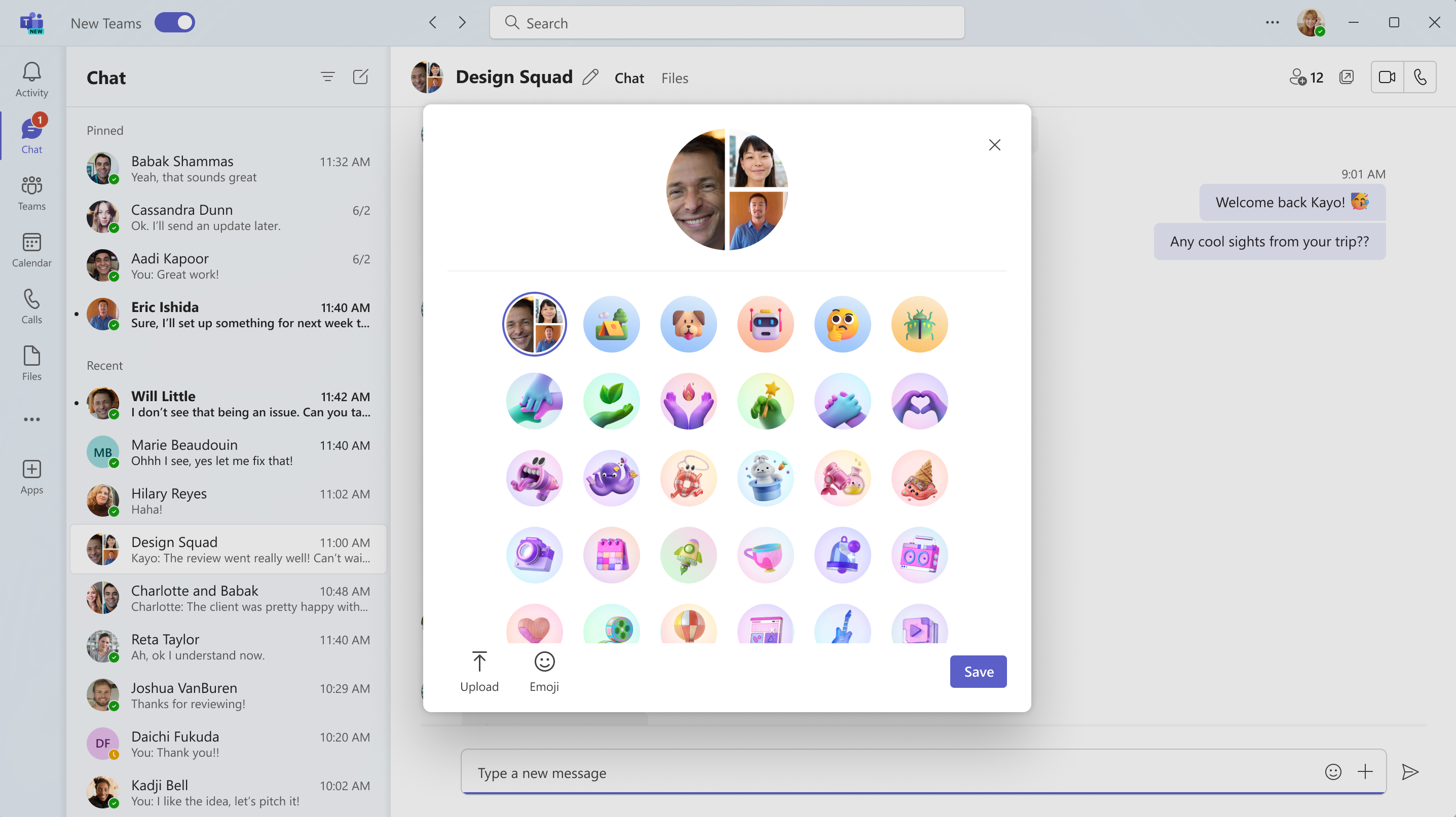
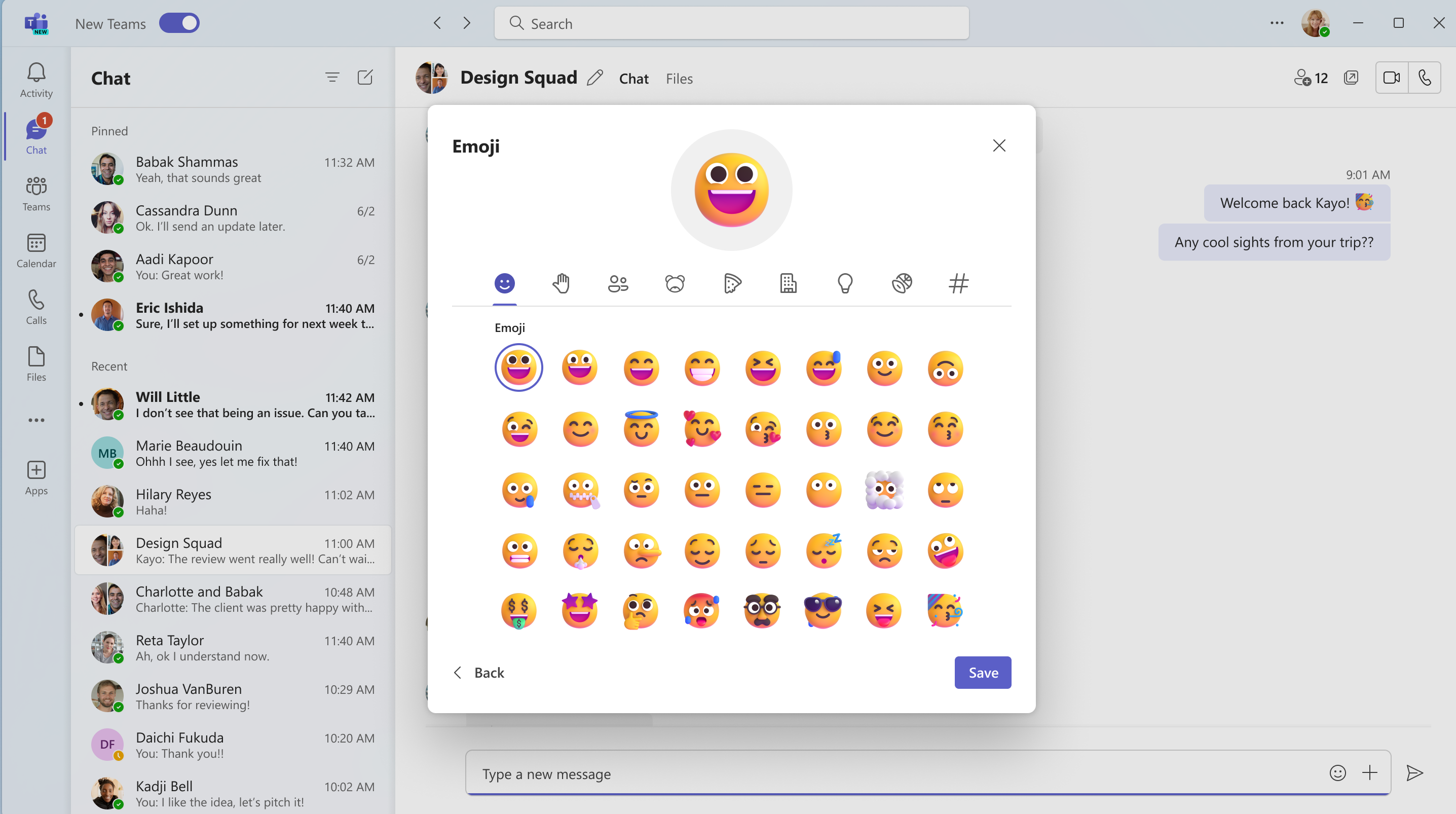
user controls

user controls

[What you need to do to prepare:]

No action is needed to prepare for this change. You may want to notify your users about this change and update any relevant documentation as appropriate.

Snapshot from Feb 20, 2024

In Microsoft Teams, we are introducing custom avatars for group chats. Group chat members will be able to upload their own image or select a built-in image or emoji, to add a layer of inclusivity and expression to their chat as well as helping visually identity chats with similar titles or participants.

This message is associated with Microsoft 365 Roadmap ID 119305.

[When this will happen:]

Worldwide, GCC, GCC High, and DoD: We will begin rolling out mid-March 2024 and expect to complete by late March 2024. 

[How this will affect your organization:]

Users will be able to select the current group chat avatar and then change that avatar by selecting from new avatars and emojis. Users can also upload their own images.

user controls

user controls

[What you need to do to prepare:]

No action is needed to prepare for this change. You may want to notify your users about this change and update any relevant documentation as appropriate.