MC718761 - Microsoft Teams: Meeting recap and meeting artifacts automatically shared in chat after meeting

Message Center

This announcement expired on Jul 22, 2024 and is no longer active in Message Center.

Service

Microsoft Teams

Last Updated

May 31, 2024

Published Feb 23, 2024

Tag

Updated message
New feature
User impact

Platforms

Desktop
Mac

Summary

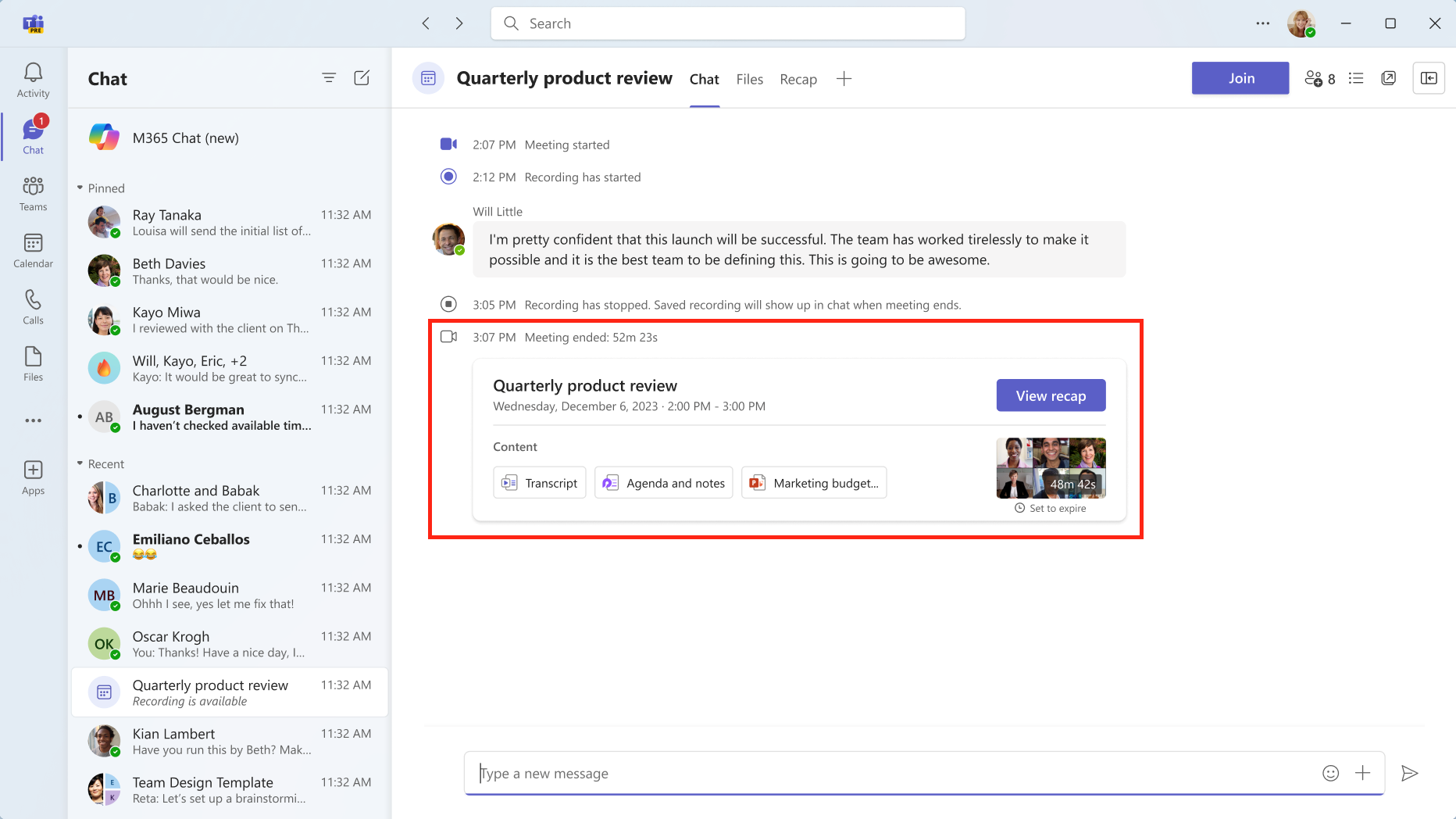
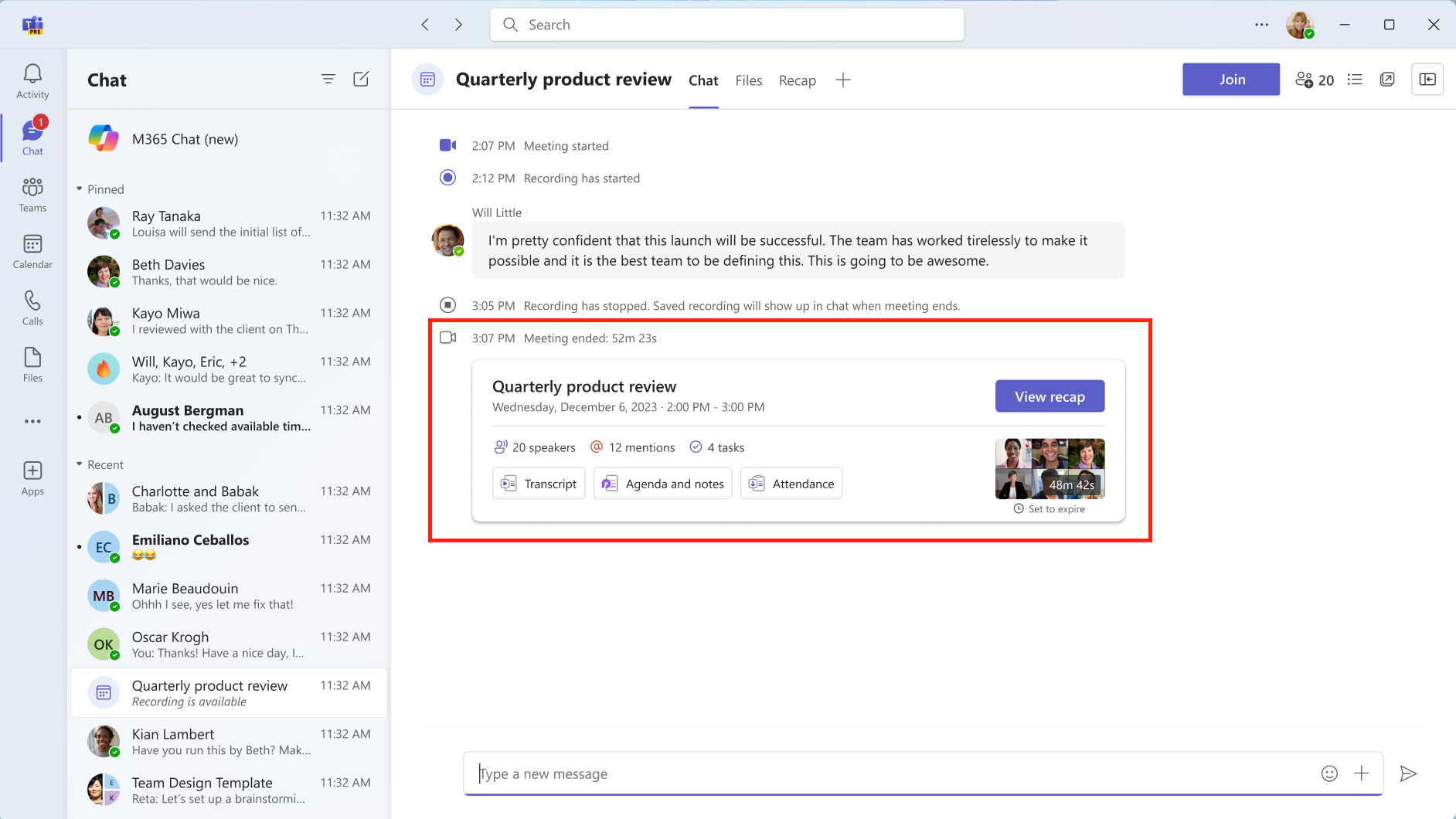
Microsoft Teams will automatically share a recap message in the meeting chat after a meeting, including links to the meeting recap page and meeting artifacts such as the transcript, recording, files shared, and meeting notes. The rollout begins in early April 2024 and is expected to complete by mid-June 2024, with no action needed to prepare for the change. Users with access to intelligent recap will also receive meeting insights such as the list of speakers, name mentions of users in the meeting, and suggested tasks.

More information

Updated May 31, 2024: We have updated the rollout timeline below for GCC organizations. Thank you for your patience.

In Microsoft Teams, we are rolling out a new recap message in the meeting chat. 

This message is associated with Microsoft 365 Roadmap ID 381121.

When this will happen:

Targeted Release: We will begin rolling out early April 2024 and expect to complete by early April 2024.

Worldwide: We will begin rolling out early April 2024 and expect to complete by late April 2024.

GCC: We will begin rolling out early May 2024 and expect to complete by mid-June 2024 (previously mid-May).

How this will affect your organization:

Shortly after a meeting ends, a recap message will appear in the meeting chat with links to the meeting recap page and meeting artifacts such as the transcript, the recording, any files shared in the meeting, and the meeting Collaborative notes and Whiteboard (if used).

For users with access to intelligent recap, the recap message also will include meeting insights such as the list of speakers, name mentions of users in the meeting, and suggested tasks.

Teams users: 

user controls

Teams users with access to intelligent recap: 

user controls

What you need to do to prepare:

No action is needed to prepare for this change. You may want to notify your users about this change and update any relevant documentation as appropriate.