MC720180 - AccessedResources field populated in Purview for Meeting Copilot Interactions
Message Center
This announcement expired on Apr 29, 2024 and is no longer active in Message Center.
Summary
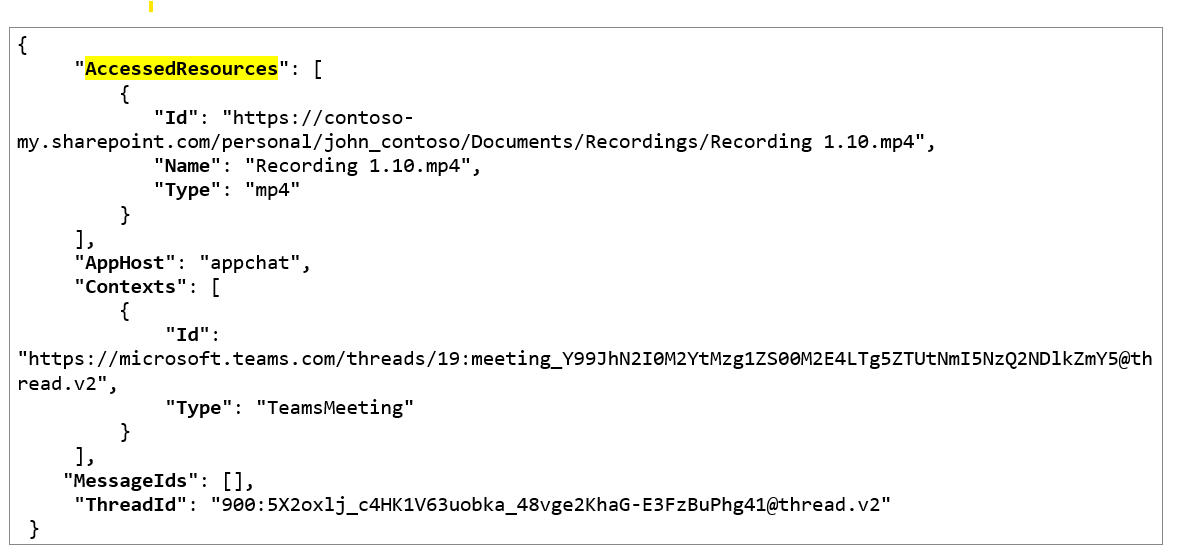
Microsoft Purview users will soon see the AccessedResources field populated in Purview for Meeting Copilot Interactions, containing a link to the meeting recording MP4 file. This update will be rolled out from mid-March 2024 to late March 2024. Admins may want to update internal documentation as appropriate.
Discussionpowered by zap.ms
Published
Feb 28, 2024
View version historyService
Microsoft Copilot (Microsoft 365)
Tag
New feature
Admin impact
More information
Version history
2 versions tracked
Updated 1 time since Feb 28, 2024. Microsoft Message Center only ever shows the current version; this archive preserves the history.
Compare any two versions
From
To
- Feb 28, 2024 · 12:11 AMLatest · v2
Changed: Services
- Feb 28, 2024 · 12:11 AMOriginal · v1
Changed: Initial version