MC722590 - Microsoft Outlook for Mac: New immersive image themes

Message Center

This announcement expired on Aug 19, 2024 and is no longer active in Message Center.

Summary

Outlook for Mac will offer new immersive image themes starting April 2024 for commercial and consumer users. Users can select the new themes in Settings and no action is needed to prepare for this rollout.

Last Updated

Jun 14, 2024

Published Mar 2, 2024

View version history

Service

Microsoft 365 apps

Tag

Updated message
New feature
User impact

Platforms

Mac

More information
Updated June 14, 2024: We have updated the rollout timeline below. Thank you for your patience.

Note: If your organization does not support Macs, you can ignore this message.

Starting April 2024, Outlook for Mac will offer new immersive image themes. This feature will be available in Outlook for Mac for commercial and consumer users. (This feature is not available on Outlook for the web.)

This message is associated with Microsoft 365 Roadmap ID 189805.

When this will happen:

Worldwide, GCC, GCC High, and DoD: We will begin rolling out late March 2024 (previously mid-March) and expect to complete by mid-July 2024 (previously late May) (previously late March).

How this will affect your organization:

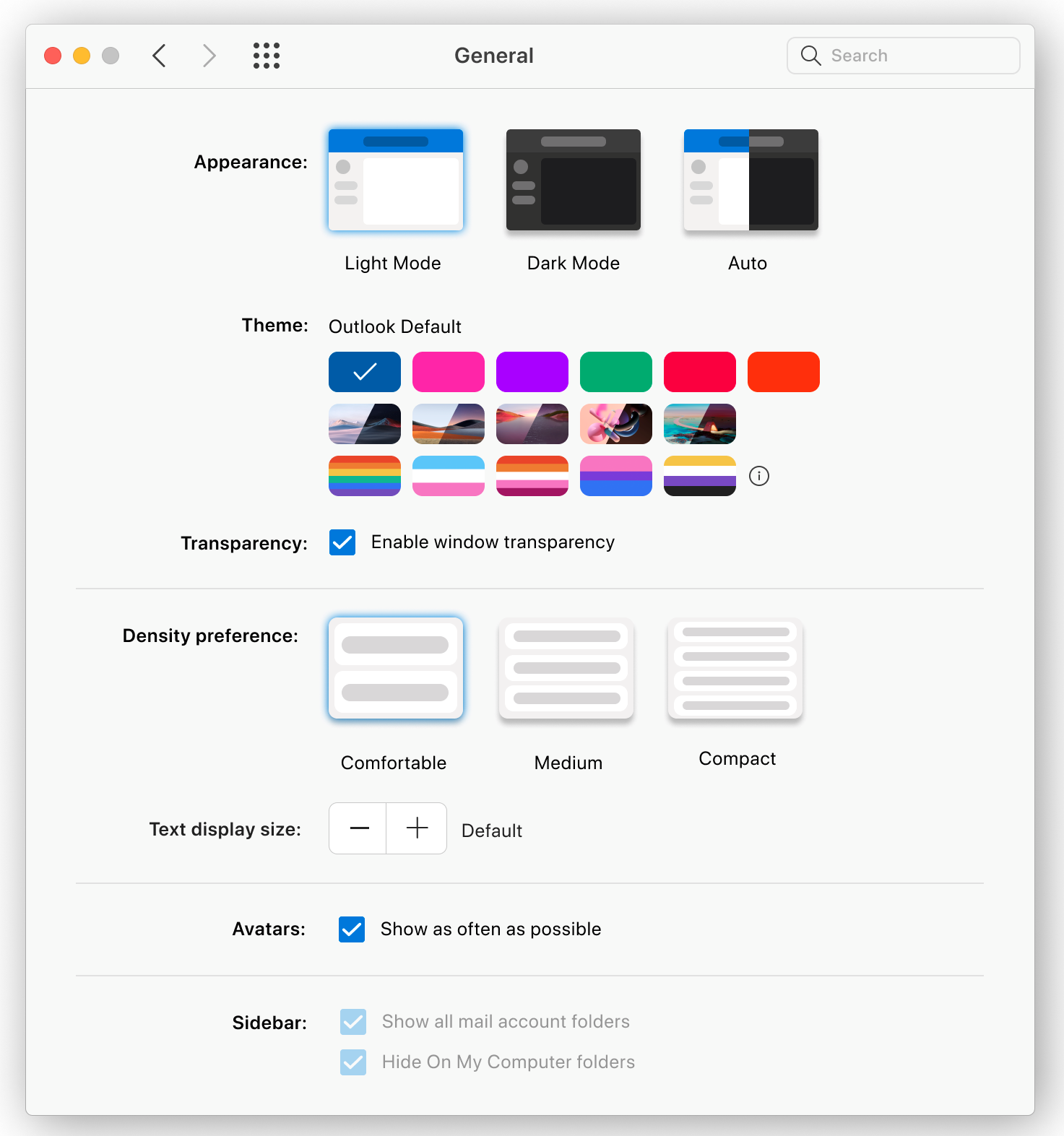
With this change, users will see the new image themes available in Settings > General. If the user opts in, Outlook will apply an immersive image theme to the user’s Outlook for Mac interface.

Select one of the new immersive image Themes:

user controls

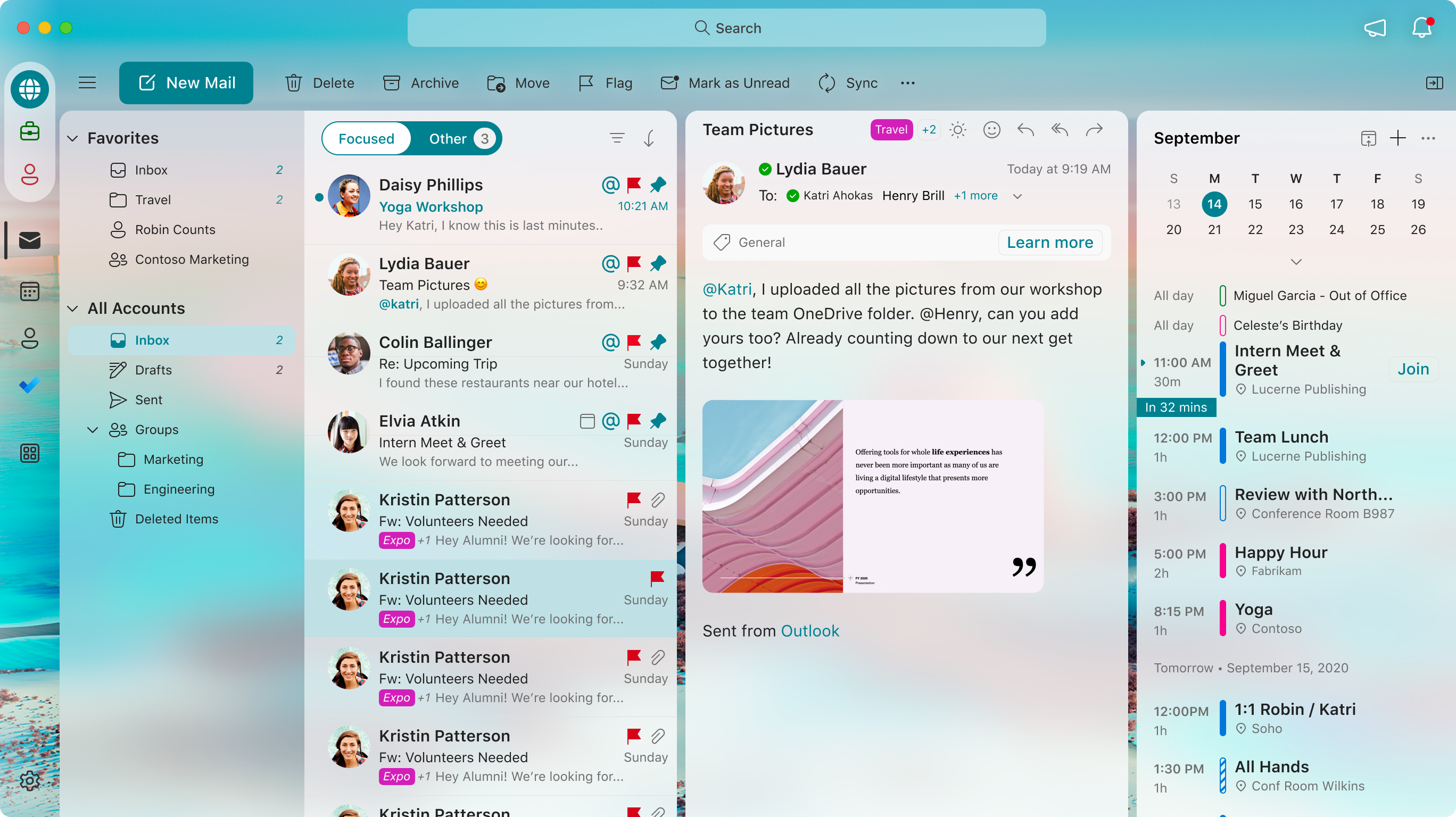
An example of the new theme applied by a user:

user controls

What you need to do to prepare:

No action is needed from you to prepare for this rollout. You may want to notify your users about this change and update any relevant documentation as appropriate.

Version history

6 versions tracked

Updated 5 times since Mar 2, 2024. Microsoft Message Center only ever shows the current version; this archive preserves the history.

Compare any two versions

From
To
  1. Jun 14, 2024 · 05:41 PMLatest · v6

    Changed: Body, End date

  2. Apr 23, 2024 · 06:41 PMv5

    Changed: No tracked field changed

  3. Apr 23, 2024 · 06:41 PMv4

    Changed: Body, End date

  4. Mar 27, 2024 · 10:44 PMv3

    Changed: Body, Tags, End date

  5. Mar 2, 2024 · 12:50 AMv2

    Changed: Body

  6. Mar 2, 2024 · 12:50 AMOriginal · v1

    Changed: Initial version