Updated May 22, 2024: We have updated the rollout timeline below. Thank you for your patience.
This rollout provides Microsoft Purview | Data Loss Prevention (DLP) admins with the ability to copy existing rules and edit them instead of creating all-new rules.
This message is associated with Microsoft 365 Roadmap ID 384872.
When this will happen:
Public Preview: We will begin rolling out late Mayearly April 2024 (previously early April) and expect to complete by early June 2024 (previously late April).April 2024.
General Availability: We will begin rolling out mid-Juneearly May 2024 (previously early May) and expect to complete by late June 2024 (previously late May).May 2024.
How this will affect your organization:
To copy a rule:
1. The new Copy icon is next to the Edit icon on the Customize advanced DLP rules page.
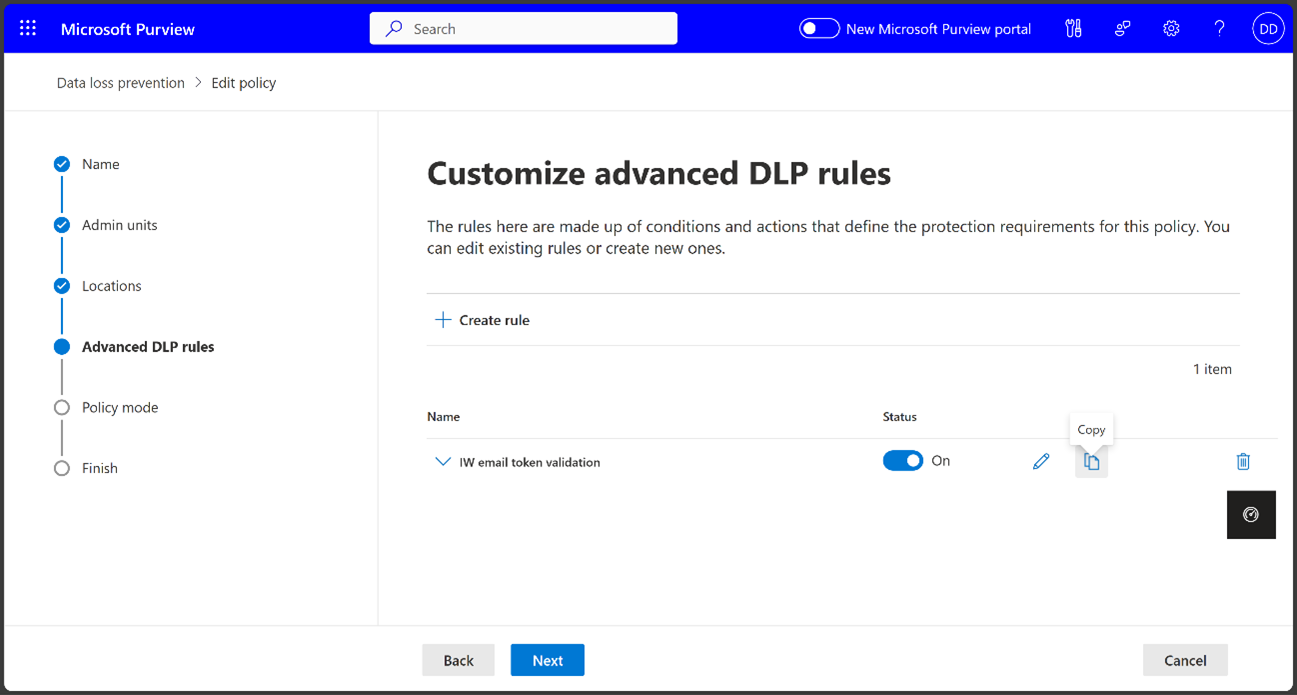
2. If you select the Copy icon, a new Create rule page will open with prefilled data from the copied rule. By default, the rule name will be “Copied Rule Name – Copy," and admins can change the name.
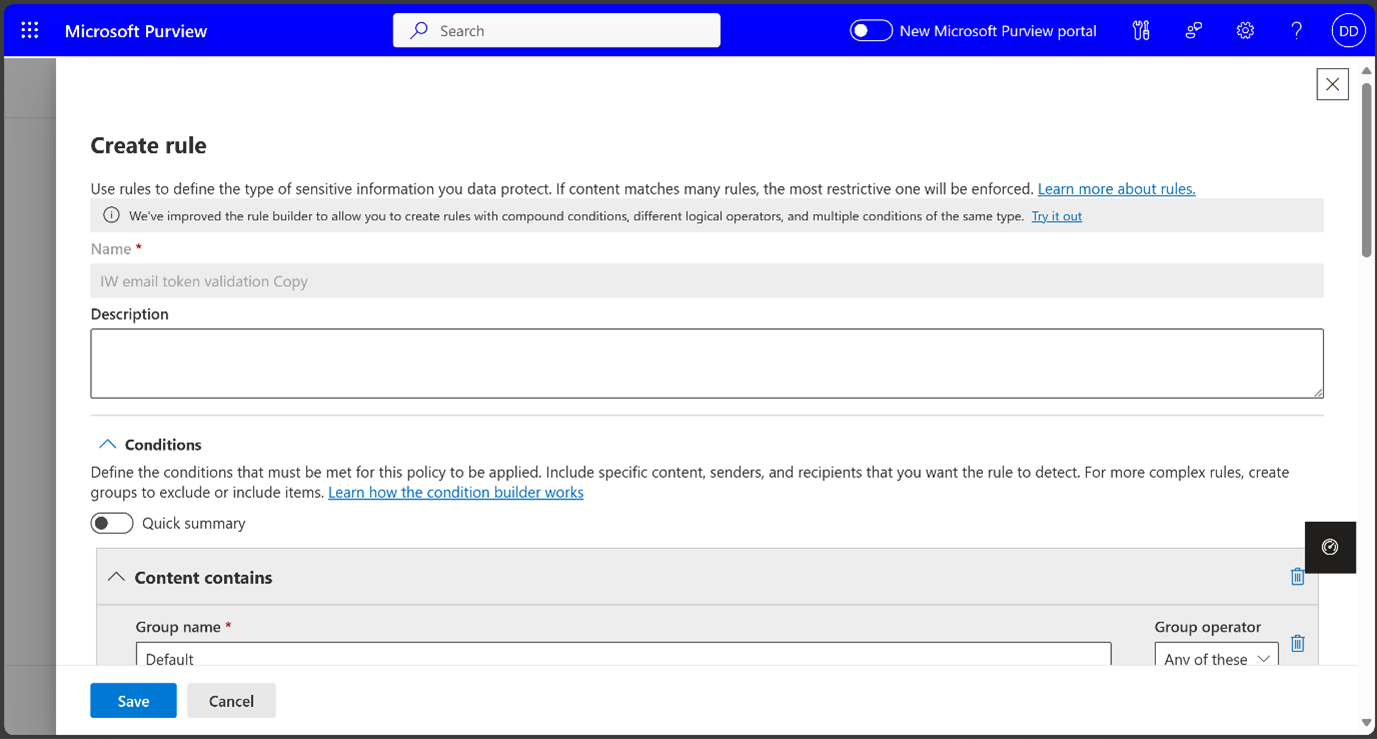
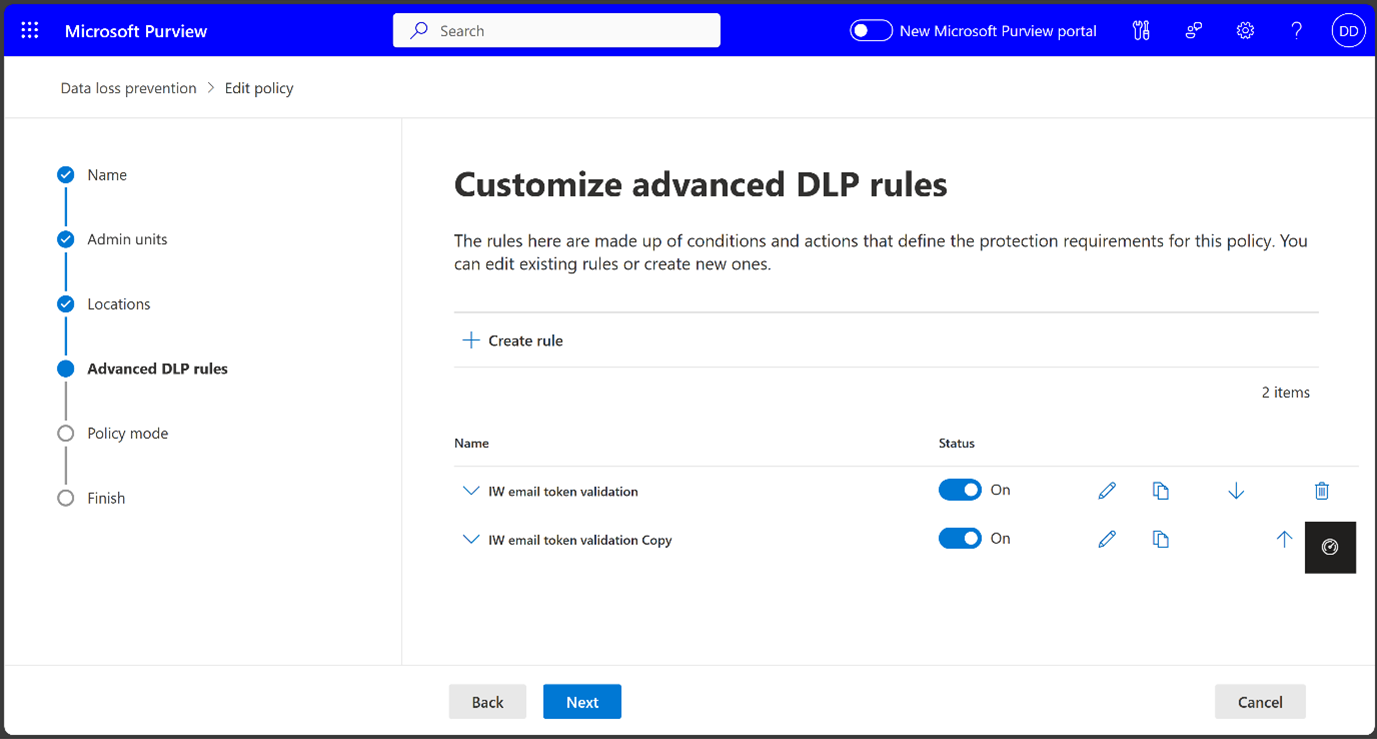
3. You can Save the new rule or Cancel the operation. Saved rules will be displayed on the Customize advanced DLP rules page. If you cancel the operation, the page will be closed without saving any changes.
What you need to do to prepare:
This rollout will happen automatically by the specified date with no admin action required.