Updated April 15, 2024: We have updated the rollout timeline below. Thank you for your patience.
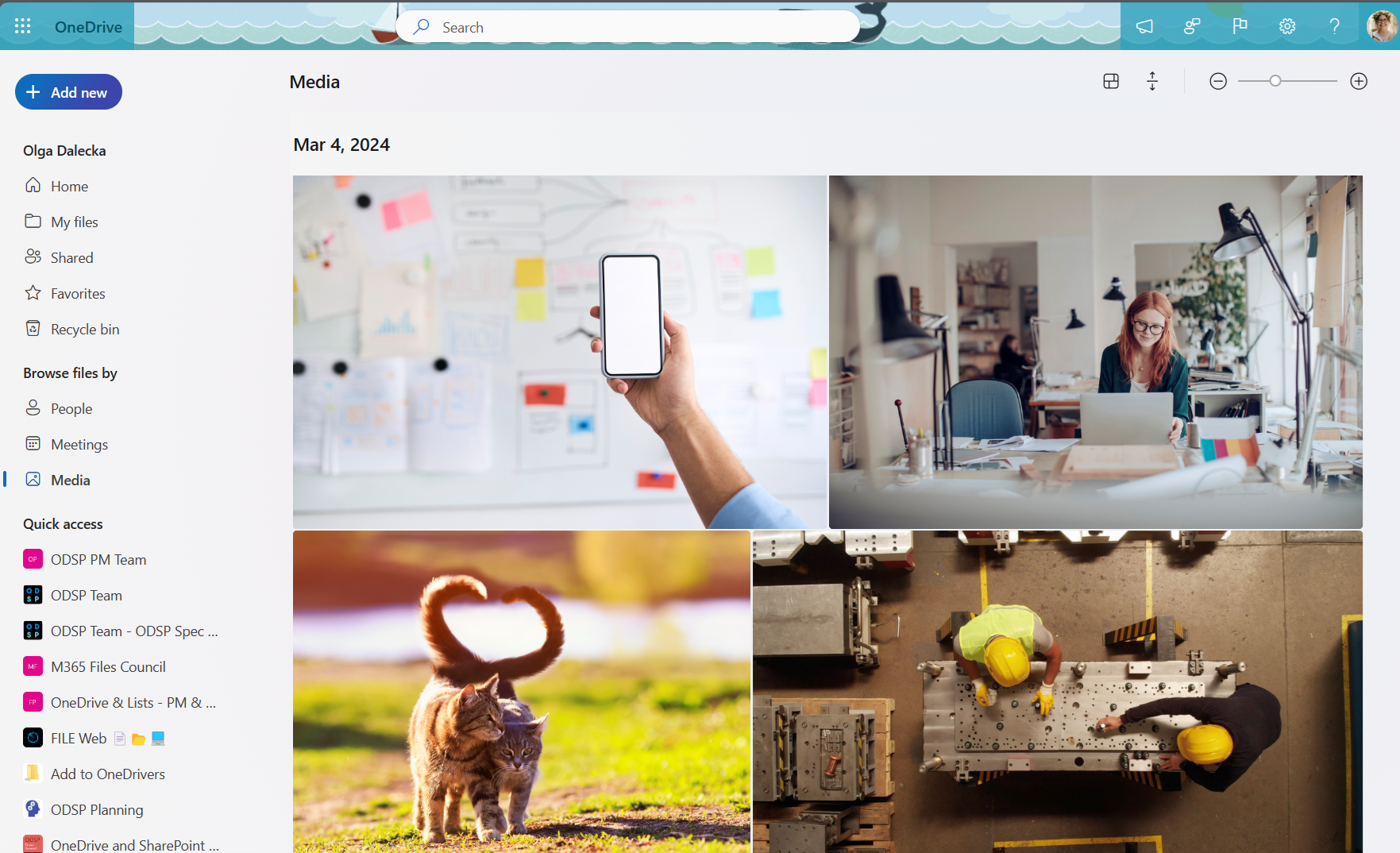
We're adding a Media node to the left nav of Microsoft OneDrive for web that will allow commercial customers to easily find all the photo and video content stored in their OneDrive in a single view.
This message is associated with Microsoft 365 Roadmap ID 382105
When this will happen:
General AvailabilityRelease (Worldwide, GCC, GCC High, DoD): We will begin rolling out early mid-April 2024 (previously early April) and expect to complete by early May 2024 (previously late April 2024.April).
General Release (USSec, USNat): We will begin rolling out early May 2024 (previously late April) and expect to complete by early June 2024 (previously mid-May).
How this will affect your organization:
OneDrive for web end users will see a Media node available in the left nav of their OneDrive below the Meetings pivot.
When an end user navigates to the Media node, they will see a view of all the photo and video content stored within their OneDrive. This content will be sorted by the date the content was created. The files shown in this view are the same files stored in the user’s OneDrive and the Media node does not create separate copies of the content.
End users will be able to perform actions on the media content in this view such as Share, Download, or Delete. These actions will behave the same way in the Media node as they do in the My Files node.

What you need to do to prepare:
You might want to notify OneDrive end users, update your user training, and prepare your help desk.