MC762485 - Microsoft SharePoint Premium: Use Content query on document library columns

Message Center

This announcement expired on Jul 22, 2024 and is no longer active in Message Center.

Service

SharePoint Online

Last Updated

May 17, 2024

Published Mar 30, 2024

Tag

Updated message
New feature
User impact

Platforms

Web

Summary

Microsoft SharePoint Premium users will be able to use content query on more document library column types starting from early April 2024. Users can query library columns by selecting the Content query icon in the search box. No admin action is required before the rollout.

More information

Updated May 17, 2024: We have updated the rollout timeline below. Thank you for your patience.

Coming soon: Customers who use Microsoft SharePoint Premium pay-as-you-go services will be able to use content query on more Document library column types.

This message is associated with Microsoft 365 Roadmap ID 387773.

When this will happen:

General availability (Worldwide): We will begin rolling out early April 2024 and expect to complete by mid-June 2024 (previously early May).

How this will affect your organization:

After the rollout:

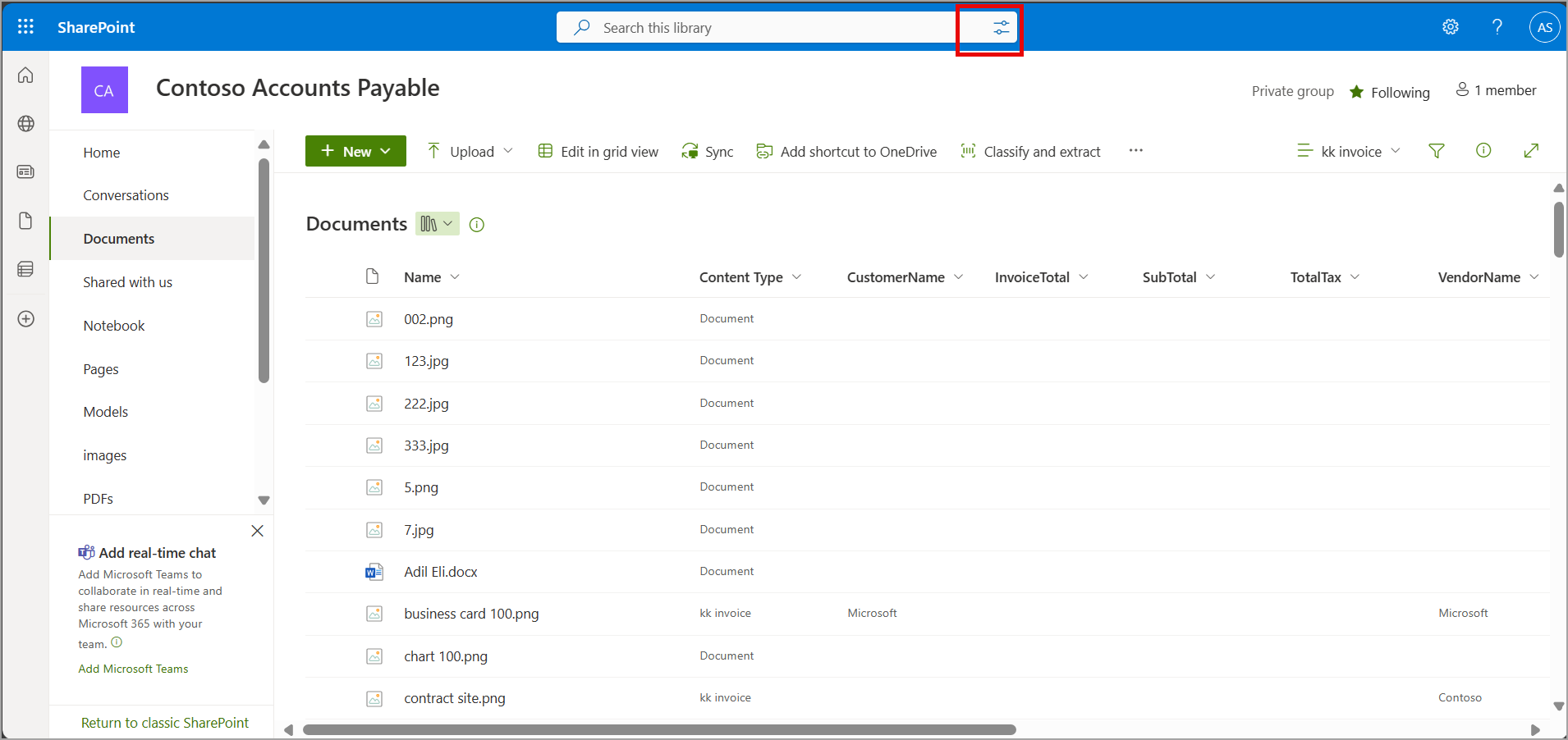
  • If a user creates a new library on a SharePoint site and adds content to the library, the user can later select the Content query icon in the search box at the top of the page to search more of the columns than before rollout.
  • For existing libraries, if a user selects the Content query icon in the search box, we will make all columns in a library available in the Content query search. In a few days, the user will be able to query all columns in that library with the Content query icon.

You will not be charged pay-as-you-go for the Content query functionality.

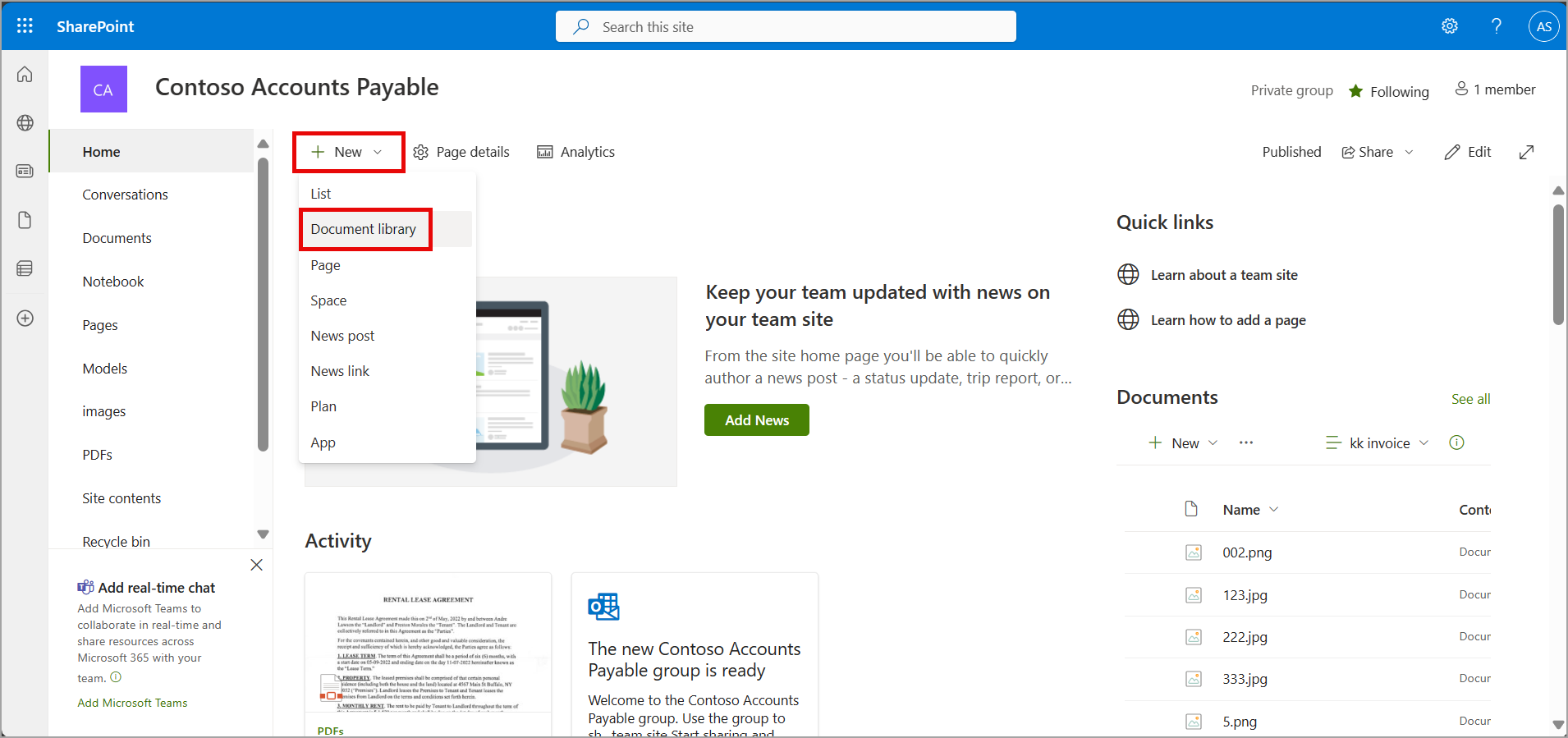
Libraries created in a SharePoint site will benefit from this feature:

user controls

Users can query library columns by hovering on the document library search box and selecting the Content query icon:

user controls

What you need to do to prepare:

This rollout will happen automatically by the specified date with no admin action required before the rollout. You may want to notify your users about this change and update any relevant documentation as appropriate. We will update this comm before rollout with revised documentation.