Updated May 24, 2024: We have updated the rollout timeline below. Thank you for your patience.
Microsoft Syntex will soon deliver a new Microsoft SharePoint document library enhancement called autofill columns that allows a prompt to be set on a library column that will process the file’s contents and save the response to the associated column. The prompt can be configured to extract information from the file or to generate a response based on the analysis of its contents.
This message is associated with Microsoft 365 Roadmap ID 389375.
When this will happen:
General availability (Worldwide): We will begin rolling out early Junemid-May 2024 (previously mid-May) and expect to complete by lateearly June 2024 (previously early June).2024.
How this will affect your organization:
Users will be able to configure prompts on document library columns to process files created or uploaded to the library.
To start using autofill columns, visit the Content processing setup page in the Microsoft 365 admin center and connect your Azure subscription to enable pay-as-you-go billing. Then, configure the sites where you would like to have this setting available. By default, the setting is on for all sites.
Once enabled, users will be able to manually configure a prompt on a new or existing column – and test it on a library file before saving the change.
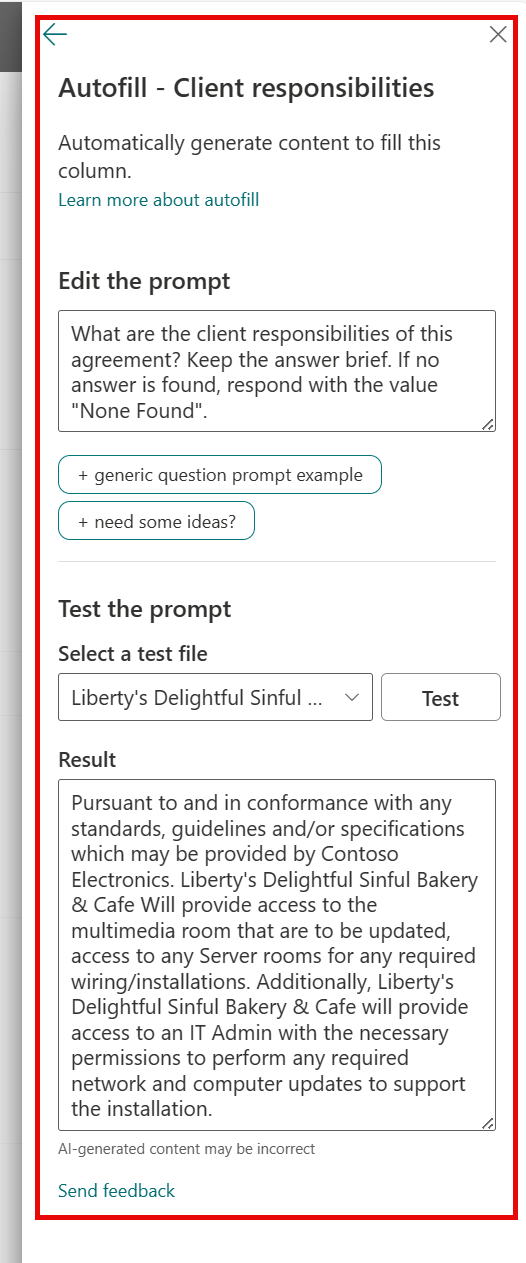
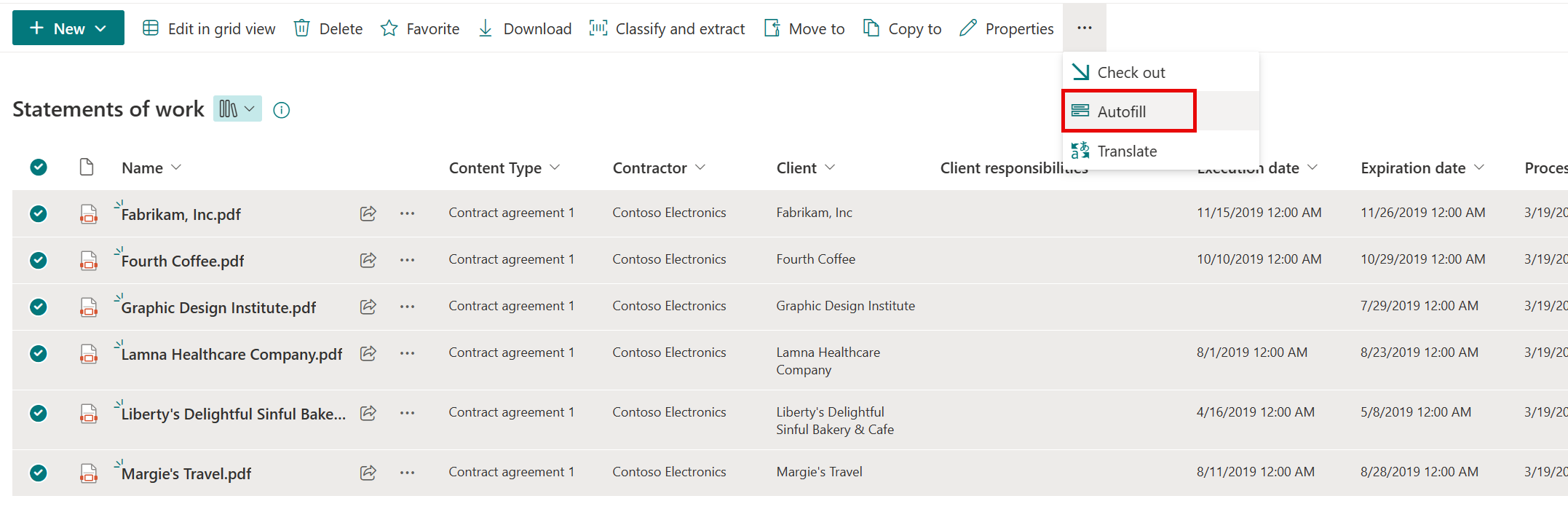
After saving, new uploaded files will be processed. To process existing library files, users can select the desired files and process them with the Autofill command from the three-dot menu:
What you need to do to prepare:
After the feature has rolled out, you can manage its availability to your users in the Microsoft 365 admin center.
This rollout will happen automatically by the specified date with no admin action required before the rollout. You may want to notify your users about this change and update any relevant documentation as appropriate.
Learn more
Configure Microsoft Syntex for pay-as-you-go billing - Microsoft Syntex | Microsoft Learn
Overview of autofill columns Microsoft Syntex - Microsoft Syntex | Microsoft Learn