Updated August 13, 2024: We have updated the rollout timeline below. Thank you for your patience.
This new Microsoft OneDrive feature allows you to annotate and save PDF files with text boxes when the files are stored in Microsoft OneDrive and Microsoft SharePoint.
This message is associated with Microsoft 365 Roadmap ID 387807
When this will happen:
General Availability (Worldwide, GCC, GCC High, DoD): We will begin rolling out mid-Maylate June 2024 (previously late May) and expect to complete by early June 2024.late August 2024 (previously late June).
How this will affect your organization:
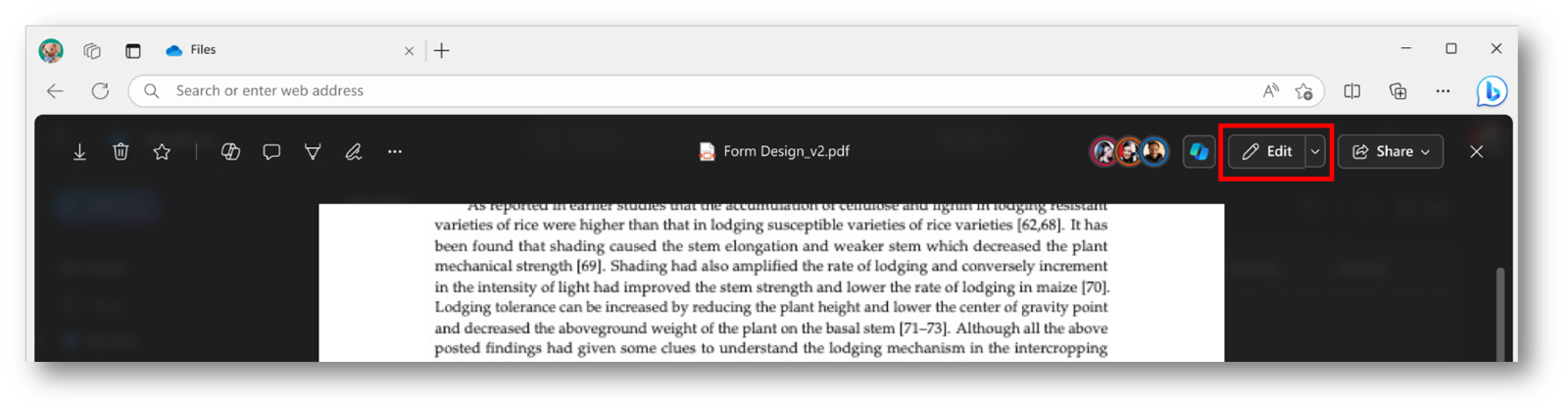
Users can access the annotation feature by opening the PDF in File Viewer and selecting Edit. To add text, follow these steps:
- Open the desired PDF file in OneDrive.
- Click Edit to enter edit mode.
3. Use the Add Text command on the left side of the screen to insert text.

4. With the text box selected, you can change the color and adjust the font size using the menu above the text box.
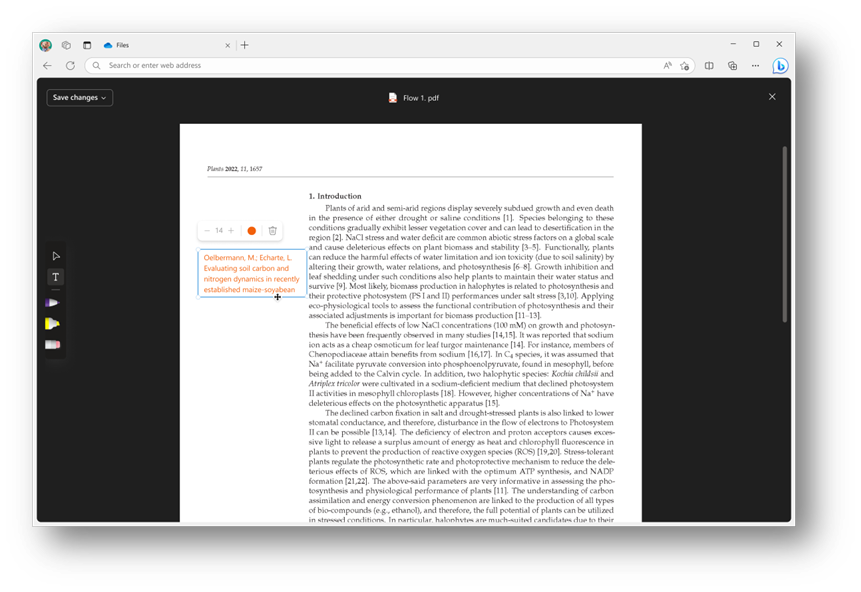
5. When finished, click Save changes in the top left corner to exit Edit mode and save your changes to the PDF.
What you need to do to prepare:
This rollout will happen automatically with no admin action required. You may want to notify your users about this change and update any relevant documentation as