Updated July 22, 2024: We have updated the rollout timeline below. Thank you for your patience.
Coming soon to Microsoft Teams: New slash commands in the compose message box. These shortcuts help in composing messages, navigating in Teams, and tackling frequent tasks. This rollout applies to Teams on Desktop, Teams for the Web, and Teams for Mac.
This message is associated with Microsoft 365 Roadmap ID 120469.
When this will happen:
Targeted Release: We will begin rolling out mid-May 2024 and expect to complete by late May 2024.
General Availability (Worldwide, GCC, GCCH, DoD): We will begin rolling out mid-June 2024 and expect to complete by late July 2024 (previously early July).June 2024.
How this will affect your organization:
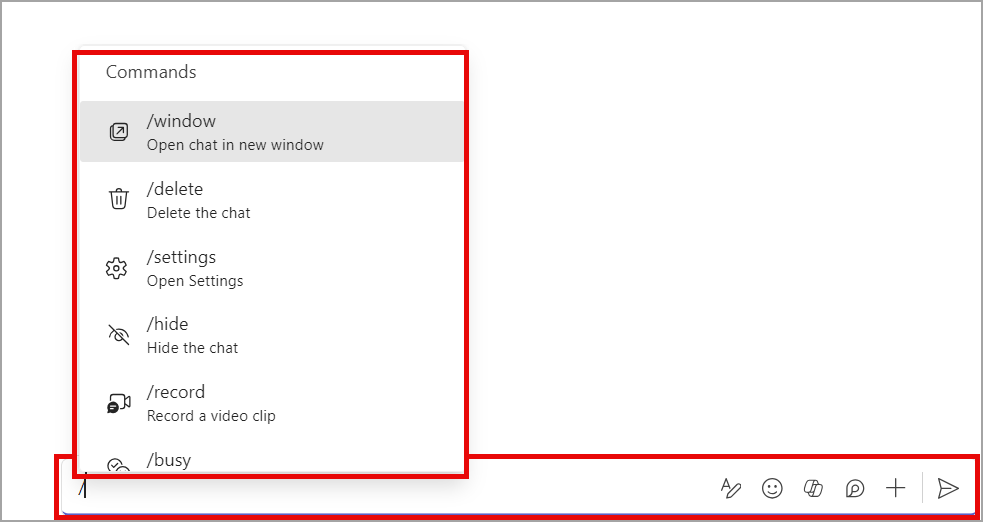
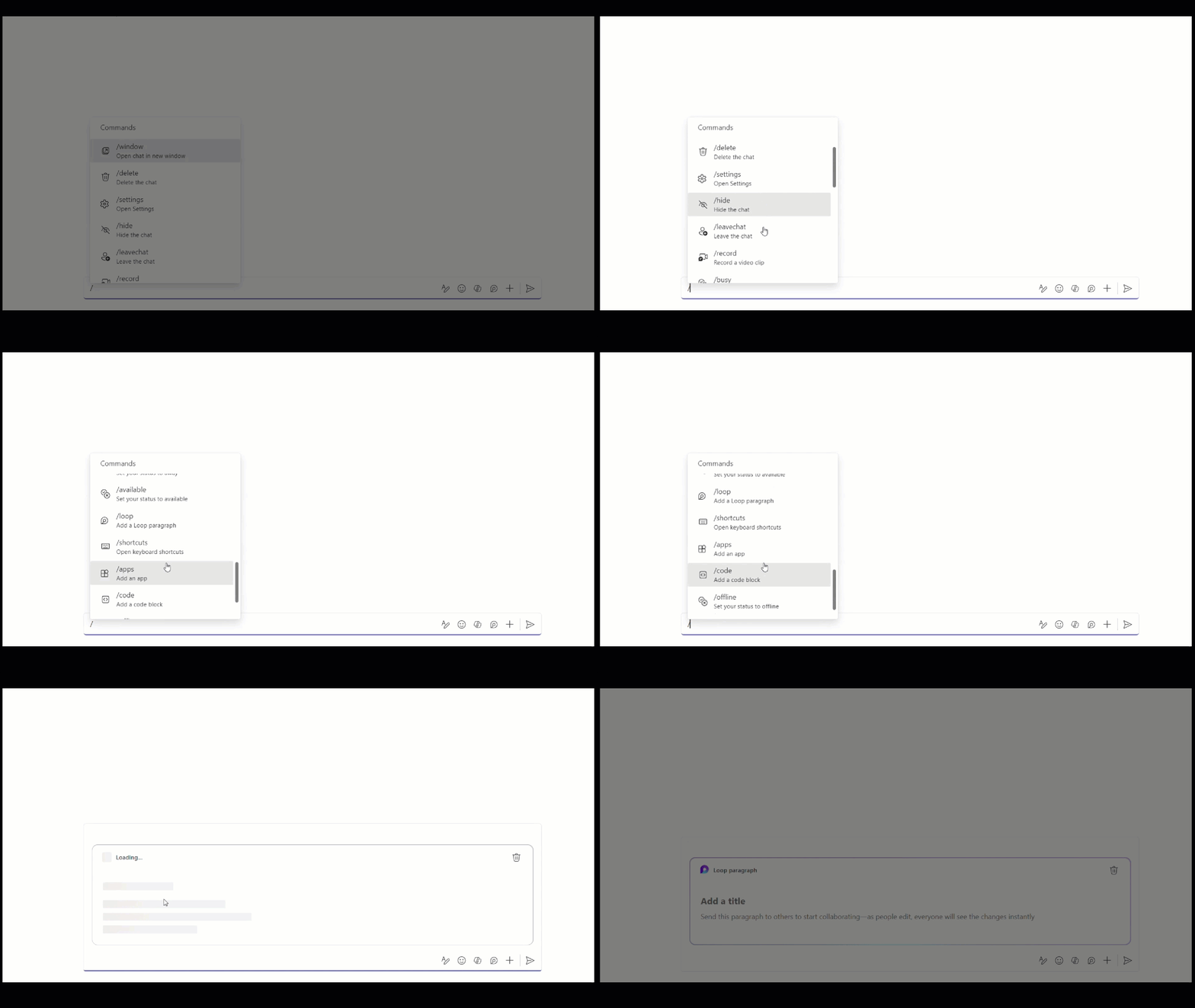
Slash commands in Teams expedite your work without memorization. To access the menu of slash commands, enter a forward slash in the compose box.
Here are just a few examples of what you can do:
- /code: Add a code block to your message
- /mute: Mute the chat you're in
- /loop: Incorporate a loop component into your message
- /settings: Navigate to settings
- /away: Set your presence to away
Slash commands in the Teams compose message box:
What you need to do to prepare:
This rollout will happen automatically by the specified date with no admin action required before the rollout. You may want to notify your users about this change and update any relevant documentation as appropriate.