Updated May 24, 2024: We have updated the rollout timeline below. Thank you for your patience.
Microsoft Teams will enhance its Walkie Talkie feature on iOS by integrating with Apple's Push-to-Talk (PTT) framework, improving communication capabilities.
Teams Walkie Talkie on iOS will be integrated with Apple's Push-to-Talk framework to enhance communication and convenience of transmitting audio from anywhere on their phone, even when Teams is not in the foreground. It will enable audio transmission directly from the lock screen and comes with background runtime optimization for optimal performance while conserving battery life.
This message is associated with Microsoft 365 Roadmap ID 388486
When this will happen:
General Availability (Worldwide, GCC): We will begin rolling out late April 2024 and expect to complete by late May 2024 (previously early May 2024.May).
How this will affect your organization:
The Walkie Talkie application is set to adopt Apple’s Push-to-Talk framework to facilitate call transmission. This new framework brings forth a fresh user interface on both the home and lock screens of iOS devices. It enables users to effortlessly send and receive voice messages, as well as to disconnect from active channels.
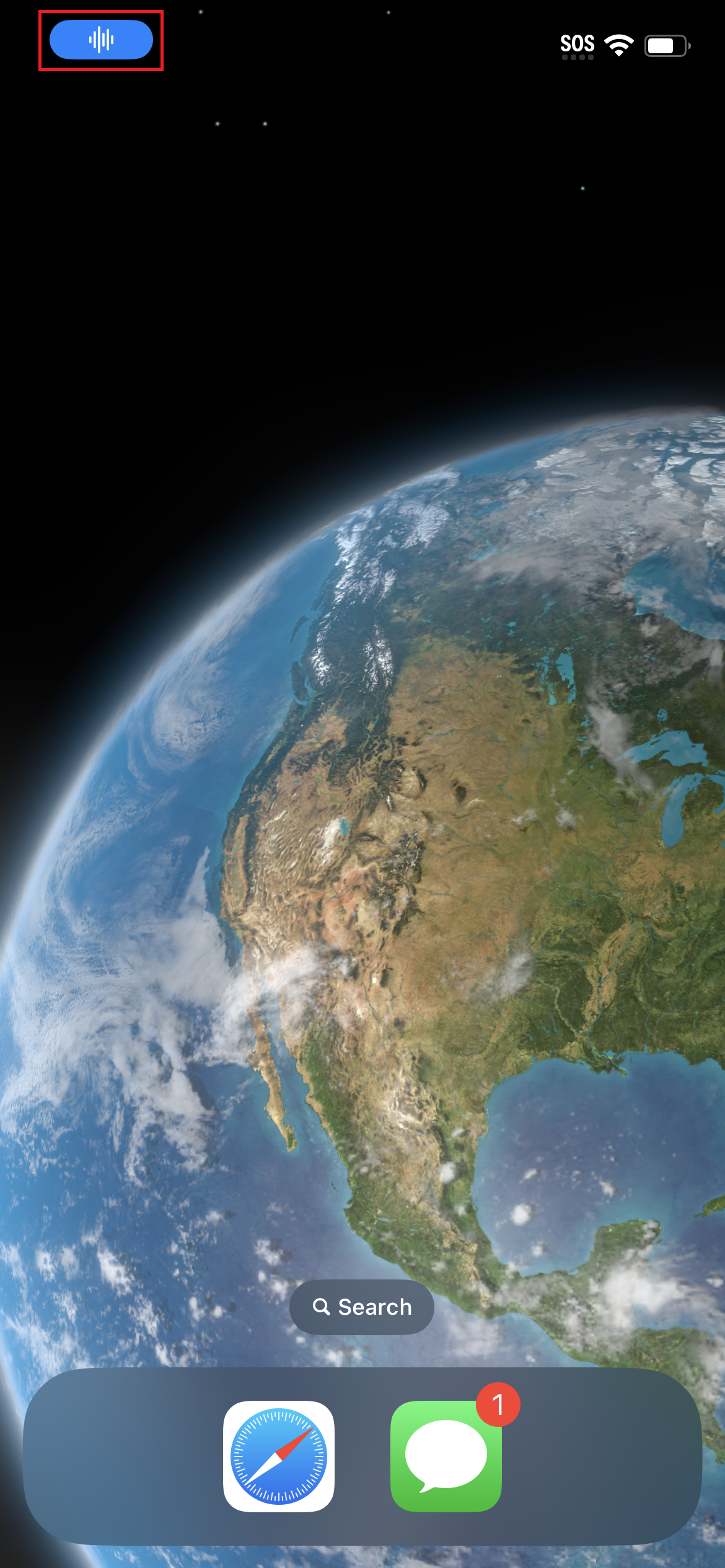
When a Walkie Talkie channel is active via the Push-to-Talk feature, a blue indicator will be displayed on the home screen:
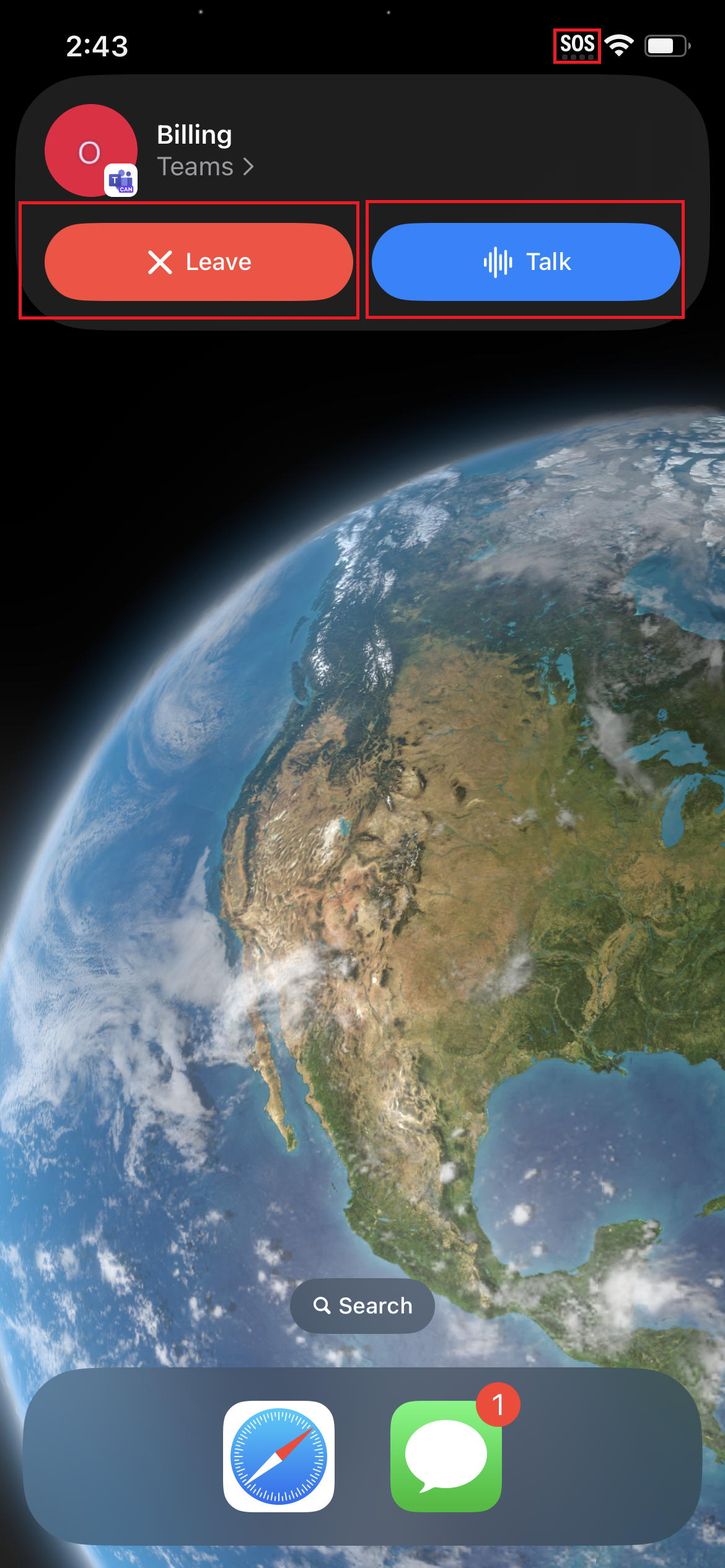
Clicking on the home screen's Push-to-Talk pill will expand the Push-to-Talk Framework UI:
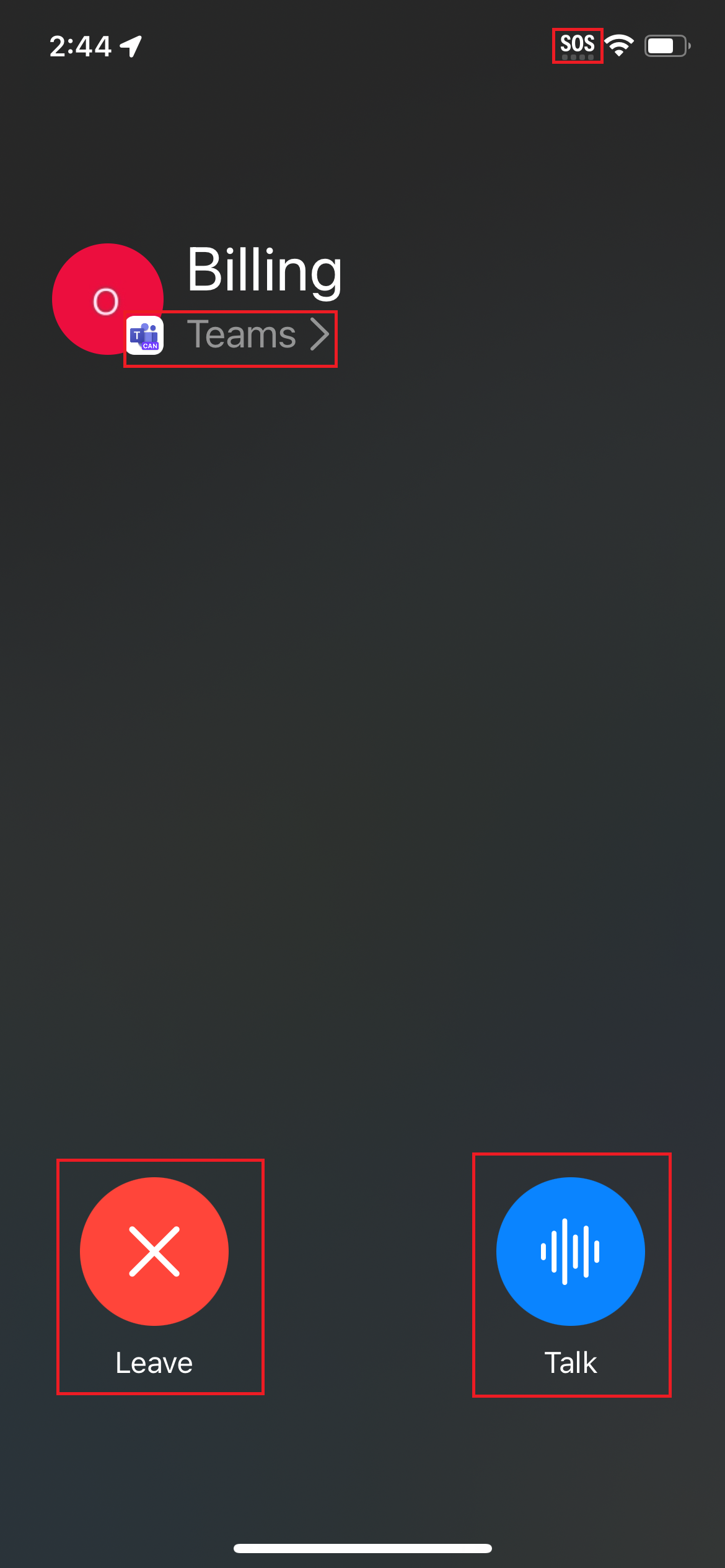
Activating the Push-to-Talk pill from the lock screen will expand the Push to Talk framework UI across the entire screen:
What you need to do to prepare:
Admins and users are not required to take any particular steps, provided that they are using the supported iOS version (iOS/iPadOS) 16 or later.
Additional Resources: