Metadata at Jun 14, 2024
Last Updated
Published May 8, 2024
Service
Tag
Platforms
MC791114 - Data Loss Prevention: Decoupling policy tips and email notifications for SharePoint and OneDrive
Message Center
What changed since this version
Updated June 14, 2024:5, 2026: We have updated the rollout timeline below.timeline. Thank you for your patience.
Coming soon to Microsoft Purview | Data Loss Prevention: When an admin wants to enable user email notifications, policy tips also need to be enabled and vice versa. After this rollout, notifications and policy tips will be decoupled, and admins can configure the following rules to enable:
- Only a user email notification
- Only a policy tip
- A user email notification and a policy tip
- No policy tips or user email notifications
After this rollout, policy tips and user email notifications will align with the behavior currently available with Microsoft Exchange.
This message is associated with Microsoft 365 Roadmap ID 394279.
When this will happen:
Public Preview: We will begin rolling out early July 2024late May 2026 (previously mid-May)April) and expect to complete by mid-August 2024early June 2026 (previously late May)April).
General Availability Worldwide: We will begin rolling out mid-September 2024July 2026 (previously mid-early June) and expect to complete by late September 2024July 2026 (previously late mid-June).
How this will affect your organization:
After rollout, to configure policy tips and user email notifications, you can use PowerShell or Purview | Data Loss Prevention.
In PowerShell
After rollout, use the new parameter called -NotifyUserType with the cmdlets New-DlpComplianceRule and Set-DlpComplianceRule.
Use New-DlpComplianceRule to create a new rule. Use Set-DlpComplianceRule to update an existing rule.
- Default value:
NotSet - To enable a policy tip:
PolicyTip - To enable a user email notification:
Email - To enable a user email notification and a policy tip:
Email,PolicyTip
Example 1: New-DlpComplianceRule -Name "PT rule" -Policy "Policy Name" -ContentContainsSensitiveInformation @{Name="India Unique Identification (Aadhaar) Number"} -NotifyUserType PolicyTip -NotifyUser SiteAdmin,LastModifier,Owner
Example 2: Set-DlpComplianceRule -Identity "Rule Name" -NotifyUserType Email
To check that the value is set correctly, check the following and check the parameter value for NotifyUserType:
Get-DlpComplianceRule -Identity "Rule Name" | fl
In Data Loss Prevention (DLP)
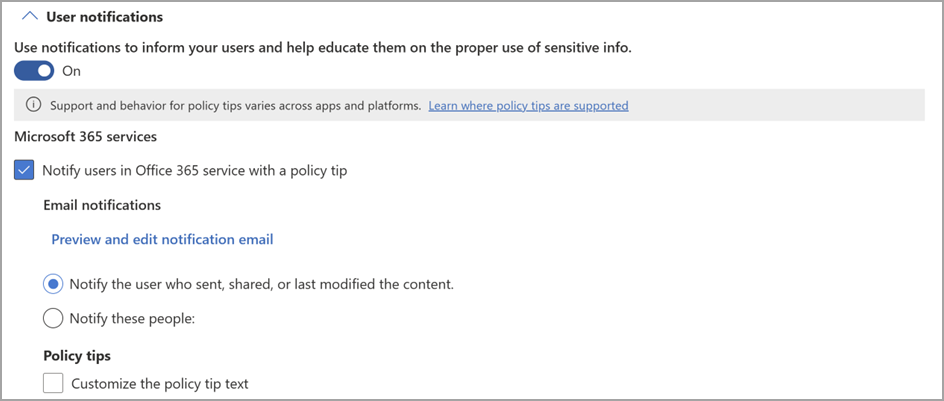
Before rollout:
After rollout:
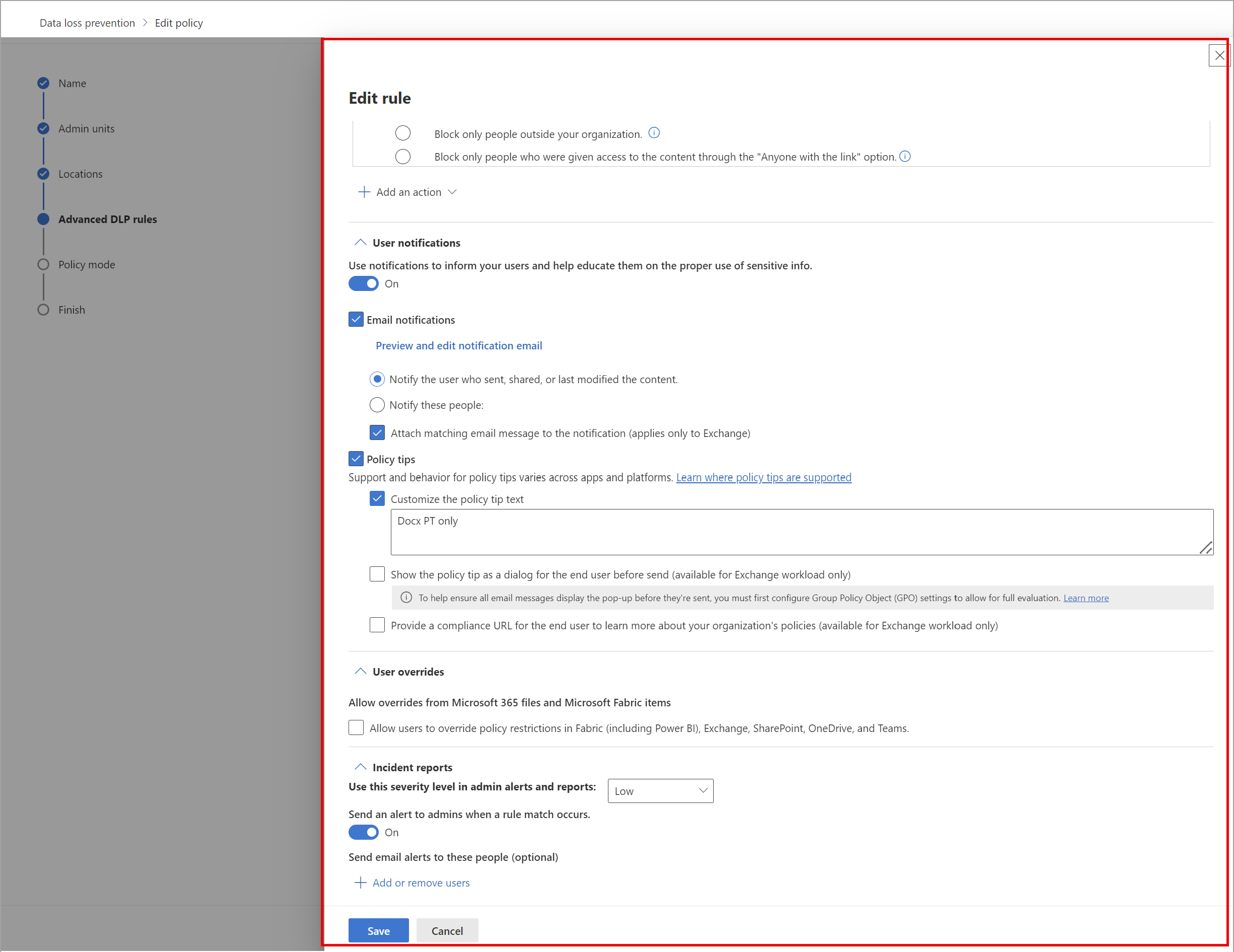
DLP examples
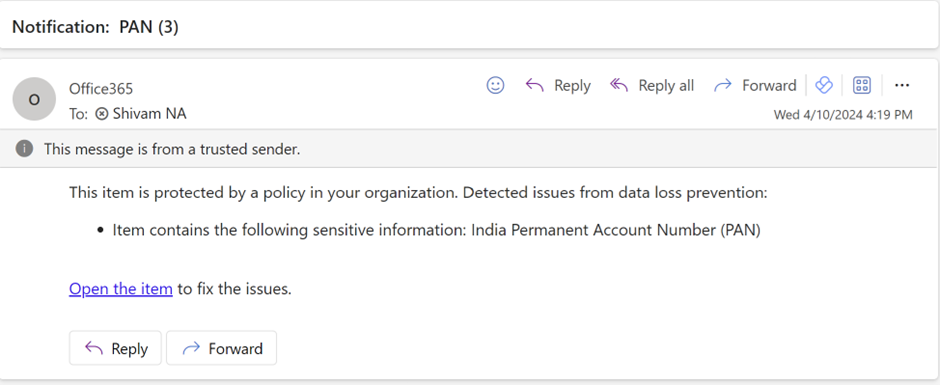
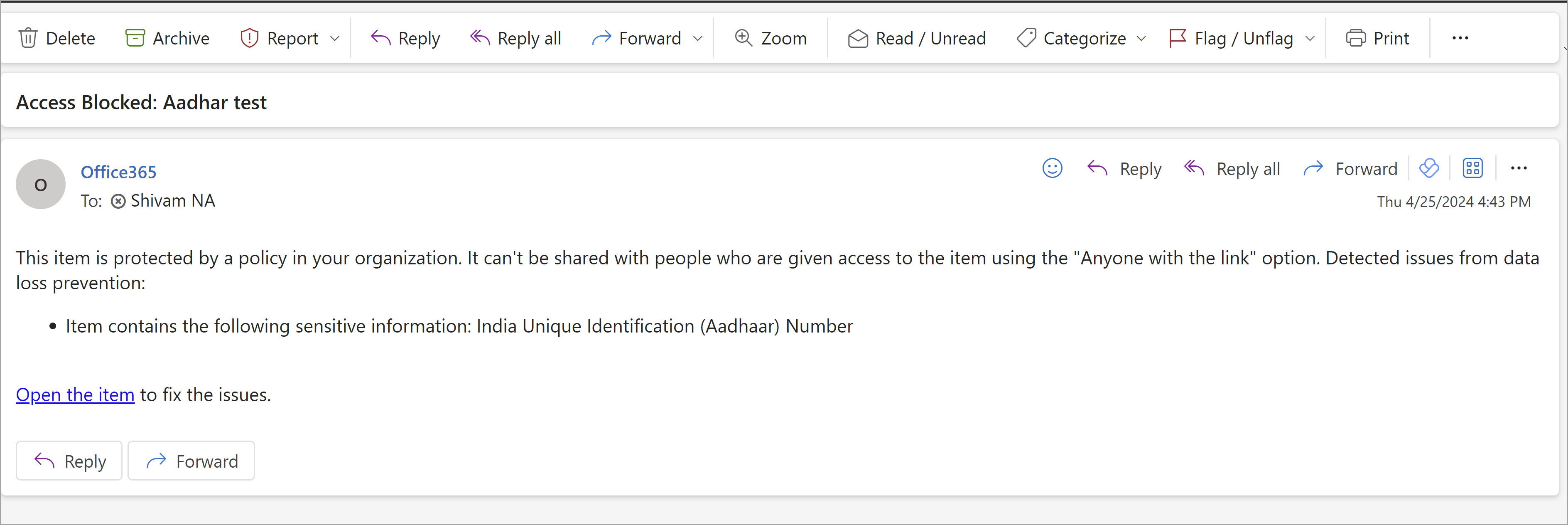
Rule 1: Configured to only trigger a user email notification:
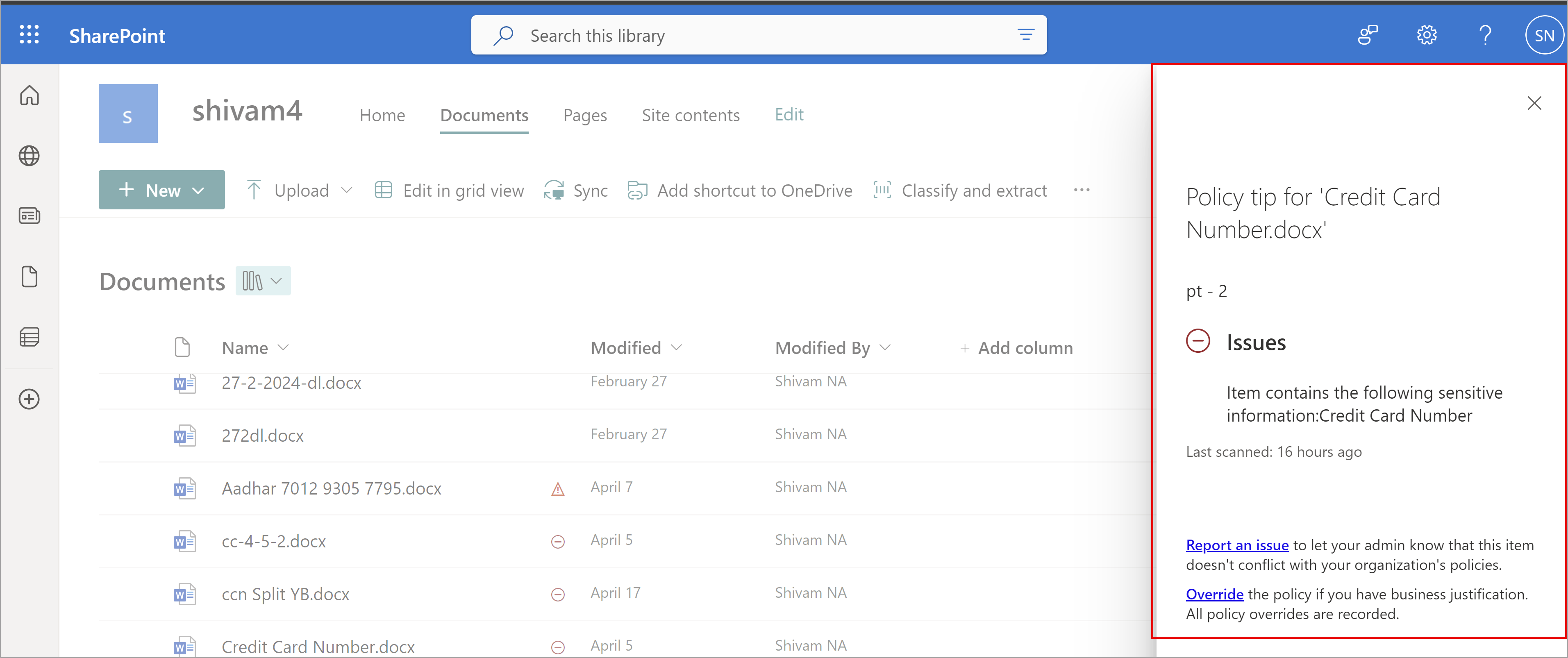
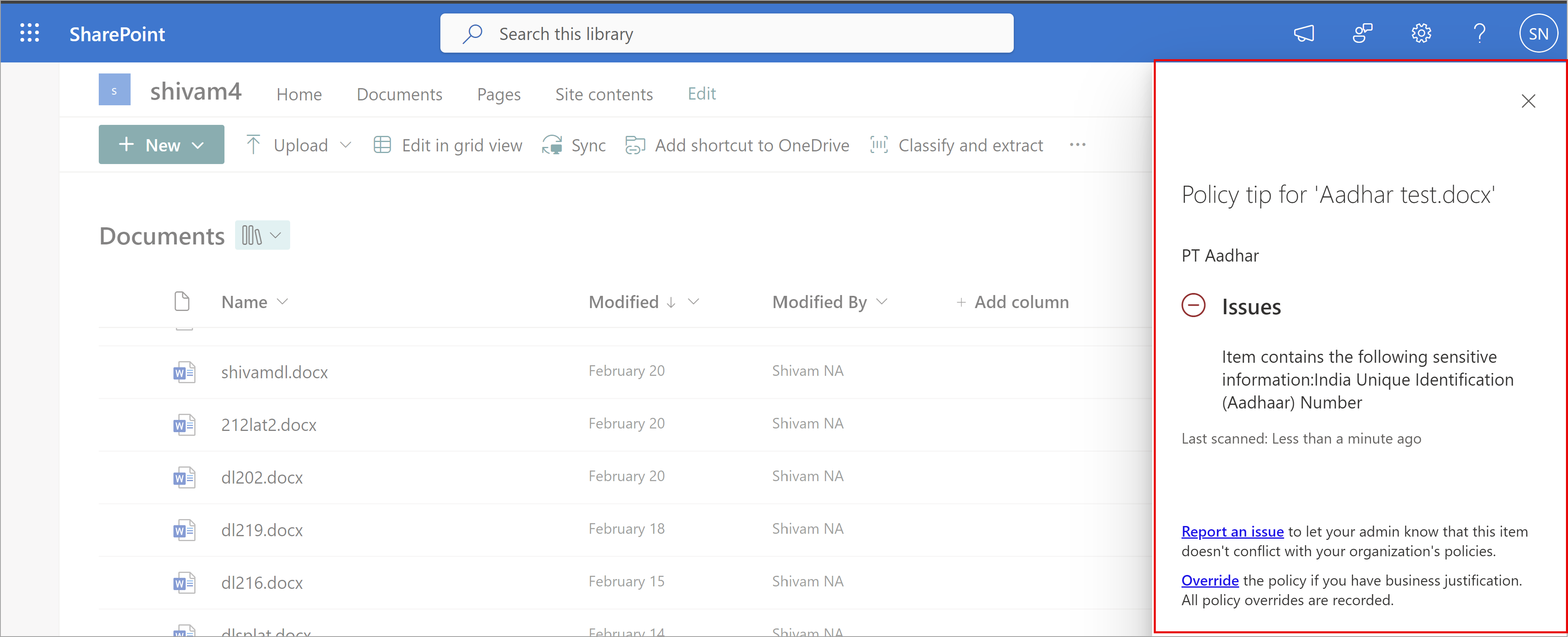
Rule 2: Configured to only trigger a policy tip:
Rule 3: Configured to trigger a user email notification and a policy tip:
What you need to do to prepare:
This rollout will happen automatically by the specified dates with no admin action required before the rollout. You may want to update any relevant documentation as appropriate.
Snapshot from Jun 14, 2024
Updated June 14, 2024: We have updated the rollout timeline below. Thank you for your patience.
Coming soon to Microsoft Purview | Data Loss Prevention: When an admin wants to enable user email notifications, policy tips also need to be enabled and vice versa. After this rollout, notifications and policy tips will be decoupled, and admins can configure the following rules to enable:
- Only a user email notification
- Only a policy tip
- A user email notification and a policy tip
- No policy tips or user email notifications
After this rollout, policy tips and user email notifications will align with the behavior currently available with Microsoft Exchange.
This message is associated with Microsoft 365 Roadmap ID 394279.
When this will happen:
Public Preview: We will begin rolling out early July 2024 (previously mid-May) and expect to complete by mid-August 2024 (previously late May).
General Availability Worldwide: We will begin rolling out mid-September 2024 (previously mid-June) and expect to complete by late September 2024 (previously late June).
How this will affect your organization:
After rollout, to configure policy tips and user email notifications, you can use PowerShell or Purview | Data Loss Prevention.
In PowerShell
After rollout, use the new parameter called -NotifyUserType with the cmdlets New-DlpComplianceRule and Set-DlpComplianceRule.
Use New-DlpComplianceRule to create a new rule. Use Set-DlpComplianceRule to update an existing rule.
- Default value:
NotSet - To enable a policy tip:
PolicyTip - To enable a user email notification:
Email - To enable a user email notification and a policy tip:
Email,PolicyTip
Example 1: New-DlpComplianceRule -Name "PT rule" -Policy "Policy Name" -ContentContainsSensitiveInformation @{Name="India Unique Identification (Aadhaar) Number"} -NotifyUserType PolicyTip -NotifyUser SiteAdmin,LastModifier,Owner
Example 2: Set-DlpComplianceRule -Identity "Rule Name" -NotifyUserType Email
To check that the value is set correctly, check the following and check the parameter value for NotifyUserType:
Get-DlpComplianceRule -Identity "Rule Name" | fl
In Data Loss Prevention (DLP)
Before rollout:

After rollout:

DLP examples
Rule 1: Configured to only trigger a user email notification:

Rule 2: Configured to only trigger a policy tip:

Rule 3: Configured to trigger a user email notification and a policy tip:


What you need to do to prepare:
This rollout will happen automatically by the specified dates with no admin action required before the rollout. You may want to update any relevant documentation as appropriate.