Back to latest version
You're viewing a historical snapshot from Jun 4, 2026. This is not the latest version.

Metadata at Jun 4, 2026

Last Updated

Jun 4, 2026

Published Apr 3, 2026

Service

Exchange Online

Tag

Updated message
Feature update
User impact

MC1269211 - Clearer RSVP selection in Outlook Mobile

Message Center

What changed since this version

removed textadded text

Updated June 4,July 10, 2026: We have updated the timeline. Thank you for your patience. 

Introduction

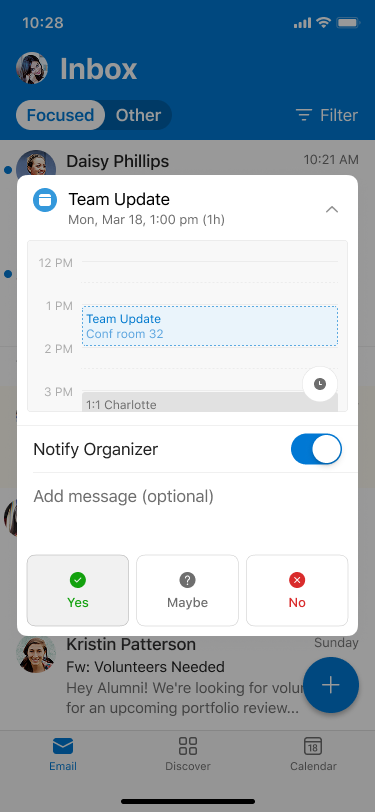
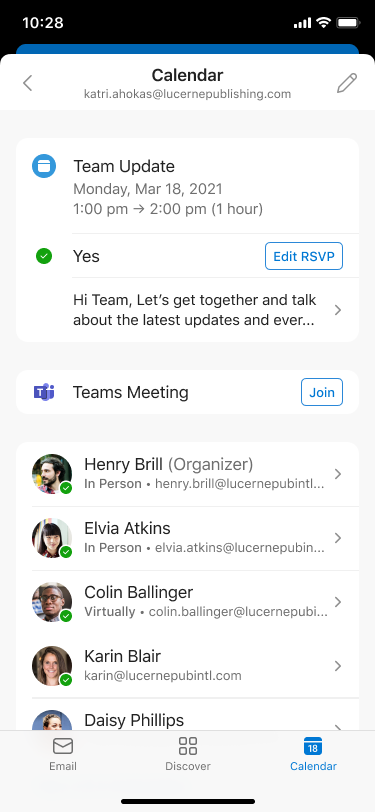
We’re improving the RSVP experience in Outlook Mobile by visually highlighting the response a user has selected (Yes, Maybe, or No). This makes it easier for users to quickly see how they’ve responded to a meeting invitation.

When this will happen:

General Availability (Worldwide, GCC, GCC High): Rollout begins August 2026 (previously end of June 2026 (previously early June) and is expected to complete byend of JulyAugust 2026 (previously end of June)July).

How this affects your organization:

Who is affected:

  • All users who access Outlook Mobile on iOS or Android
  • Applies to Worldwide, GCC, and GCC High tenants

What will happen:

  • The selected RSVP option (Yes, Maybe, or No) will be visually highlighted
  • user settings

  • Users can quickly confirm how they responded to a meeting invitation and edit as needed
  • user settings

  • The feature is enabled by default
  • No changes to existing meeting workflows or policies
  • No impact to Outlook on the web or Outlook desktop clients

What you can do to prepare:

  • No admin action is required; the update will roll out automatically
  • Consider notifying helpdesk staff of the visual change
  • Update internal documentation if needed

Compliance considerations:

No compliance considerations identified, review as appropriate for your organization.
Snapshot from Jun 4, 2026

Updated June 4, 2026: We have updated the timeline. Thank you for your patience. 

Introduction

We’re improving the RSVP experience in Outlook Mobile by visually highlighting the response a user has selected (Yes, Maybe, or No). This makes it easier for users to quickly see how they’ve responded to a meeting invitation.

When this will happen:

General Availability (Worldwide, GCC, GCC High): Rollout begins end of June 2026 (previously early June) and is expected to complete by end of July 2026 (previously end of June).

How this affects your organization:

Who is affected:

  • All users who access Outlook Mobile on iOS or Android
  • Applies to Worldwide, GCC, and GCC High tenants

What will happen:

  • The selected RSVP option (Yes, Maybe, or No) will be visually highlighted
  • user settings

  • Users can quickly confirm how they responded to a meeting invitation and edit as needed
  • user settings

  • The feature is enabled by default
  • No changes to existing meeting workflows or policies
  • No impact to Outlook on the web or Outlook desktop clients

What you can do to prepare:

  • No admin action is required; the update will roll out automatically
  • Consider notifying helpdesk staff of the visual change
  • Update internal documentation if needed

Compliance considerations:

No compliance considerations identified, review as appropriate for your organization.