MC1269211 - Clearer RSVP selection in Outlook Mobile

Message Center

Summary

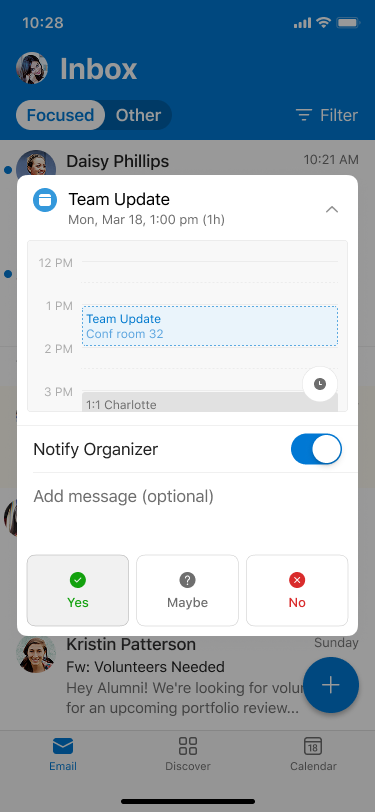
Outlook Mobile will visually highlight users' RSVP responses (Yes, Maybe, No) to meeting invites, improving clarity. This rollout begins early June 2026 and completes by end of June 2026, affecting all iOS and Android users worldwide, GCC, and GCC High tenants. No admin action needed; feature enabled by default.

Last Updated

Apr 29, 2026

Published Apr 3, 2026

View version history

Service

Exchange Online

Tag

Updated message
Feature update
User impact

More information
Updated April 29, 2026: We have updated the timeline. Thank you for your patience. 

Introduction

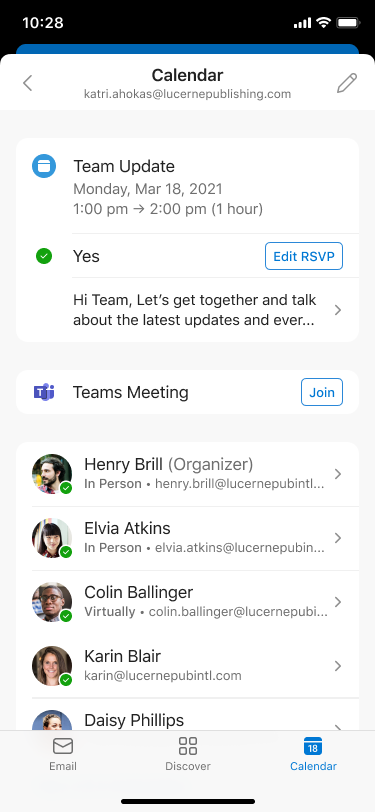
We’re improving the RSVP experience in Outlook Mobile by visually highlighting the response a user has selected (Yes, Maybe, or No). This makes it easier for users to quickly see how they’ve responded to a meeting invitation.

When this will happen:

General Availability (Worldwide, GCC, GCC High): Rollout begins in early June 2026 (previously late April) and is expected to complete by end of June 2026 (previously early June).

How this affects your organization:

Who is affected:

  • All users who access Outlook Mobile on iOS or Android
  • Applies to Worldwide, GCC, and GCC High tenants

What will happen:

  • The selected RSVP option (Yes, Maybe, or No) will be visually highlighted
  • user settings

  • Users can quickly confirm how they responded to a meeting invitation and edit as needed
  • user settings

  • The feature is enabled by default
  • No changes to existing meeting workflows or policies
  • No impact to Outlook on the web or Outlook desktop clients

What you can do to prepare:

  • No admin action is required; the update will roll out automatically
  • Consider notifying helpdesk staff of the visual change
  • Update internal documentation if needed

Compliance considerations:

No compliance considerations identified, review as appropriate for your organization.

Version history

2 versions tracked

Updated 1 time since Apr 3, 2026. Microsoft Message Center only ever shows the current version; this archive preserves the history.

Compare any two versions

From
To
  1. Apr 29, 2026 · 05:10 PMLatest · v2

    Changed: Body, Tags, End date

  2. Apr 3, 2026 · 05:13 AMOriginal · v1

    Changed: Initial version