Updated June 25, 2026: We have updated the content. Thank you for your patience.
Introduction
We are enhancing the Role groups experience in the Microsoft Purview compliance portal and Microsoft Defender portal to make it easier for admins to understand and validate permissions. Based on customer feedback, the updated user interface (UI) introduces new views that allow admins to quickly look up role group assignments by roles, members, or their own permissions, reducing time spent troubleshooting access and improving administrative clarity.
This message is associated with Roadmap ID 562033.
When this will happen:
- Public Preview (Worldwide): We will begin rolling out in mid-June 2026 and expect to complete by mid-July 2026.
- General Availability (Worldwide, GCC, GCC High, DoD): We will begin rolling out in mid-July 2026 and expect to complete by mid-August 2026.
How this affects your organization:
Who is affected:
- Admins who manage role groups in the Microsoft Purview compliance portal and Microsoft Defender portal.
What will happen:
- Admins will see additional views on the Role groups page in the Microsoft Purview Compliance portal and the Settings page in the Microsoft Defender portal.
Screenshot: Role groups page in the Microsoft Purview compliance portal showing new views for Roles, Members, and My permissions:
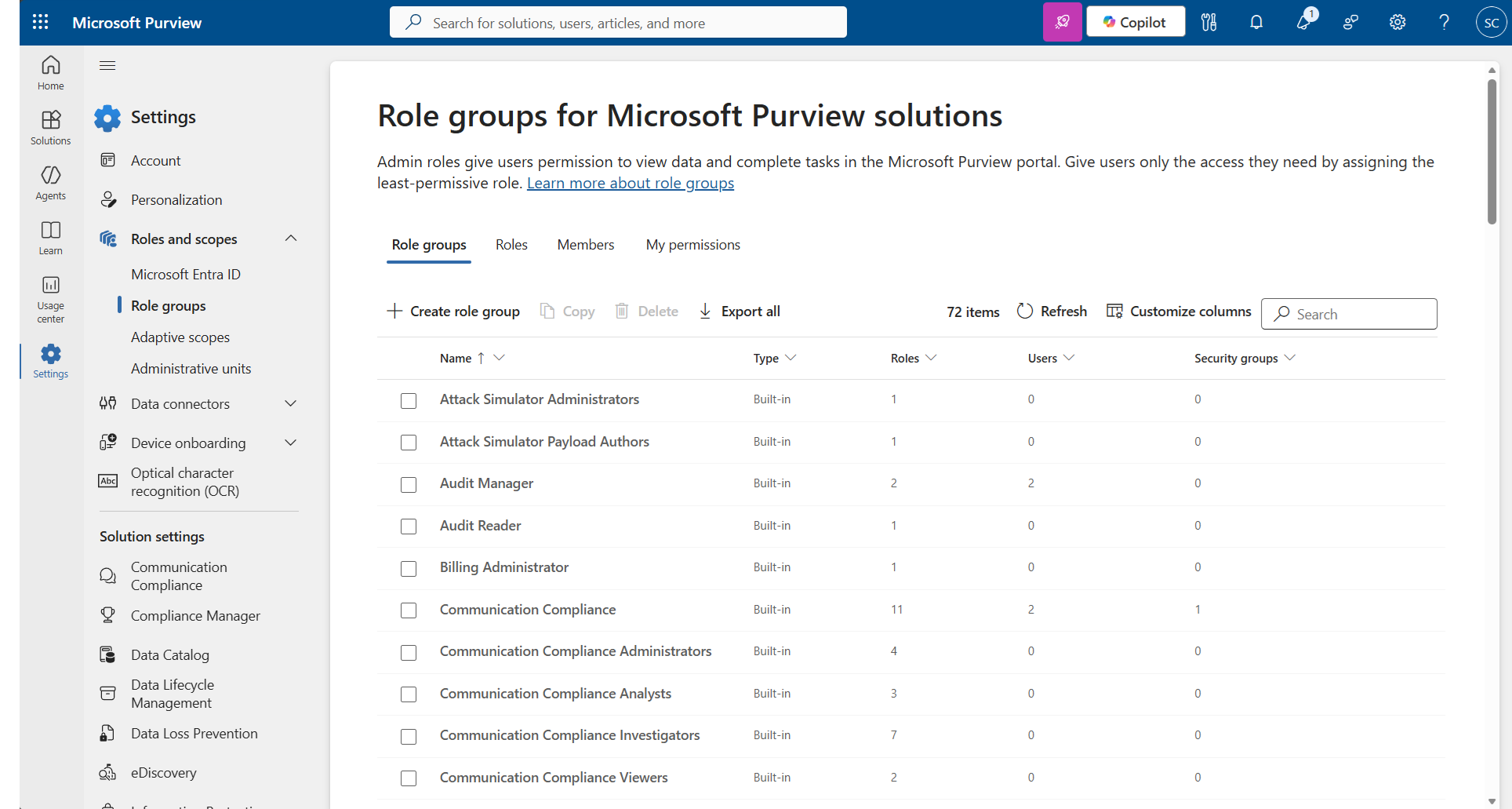
- Admins can look up role group assignments by:
- Role
- Member
- My permissions (to understand their own assigned roles)
- Existing role group assignments and permissions remain unchanged.
- The enhancement is enabled by default once deployed.
- There is no impact to user workflows.
What you can do to prepare:
- No action is required.
- Consider informing compliance and security admins about the new lookup views.
- Update internal documentation if it references the Role groups UI.
Learn more: Permissions in the Microsoft Purview portal | Microsoft Learn (will be updated before rollout)
Compliance considerations:
- This change enhances admins’ ability to review and validate role group assignments, improving visibility during compliance reviews and audits.