Updated September 14, 2026: We have updated the timeline. Thank you for your patience.
What and Why:
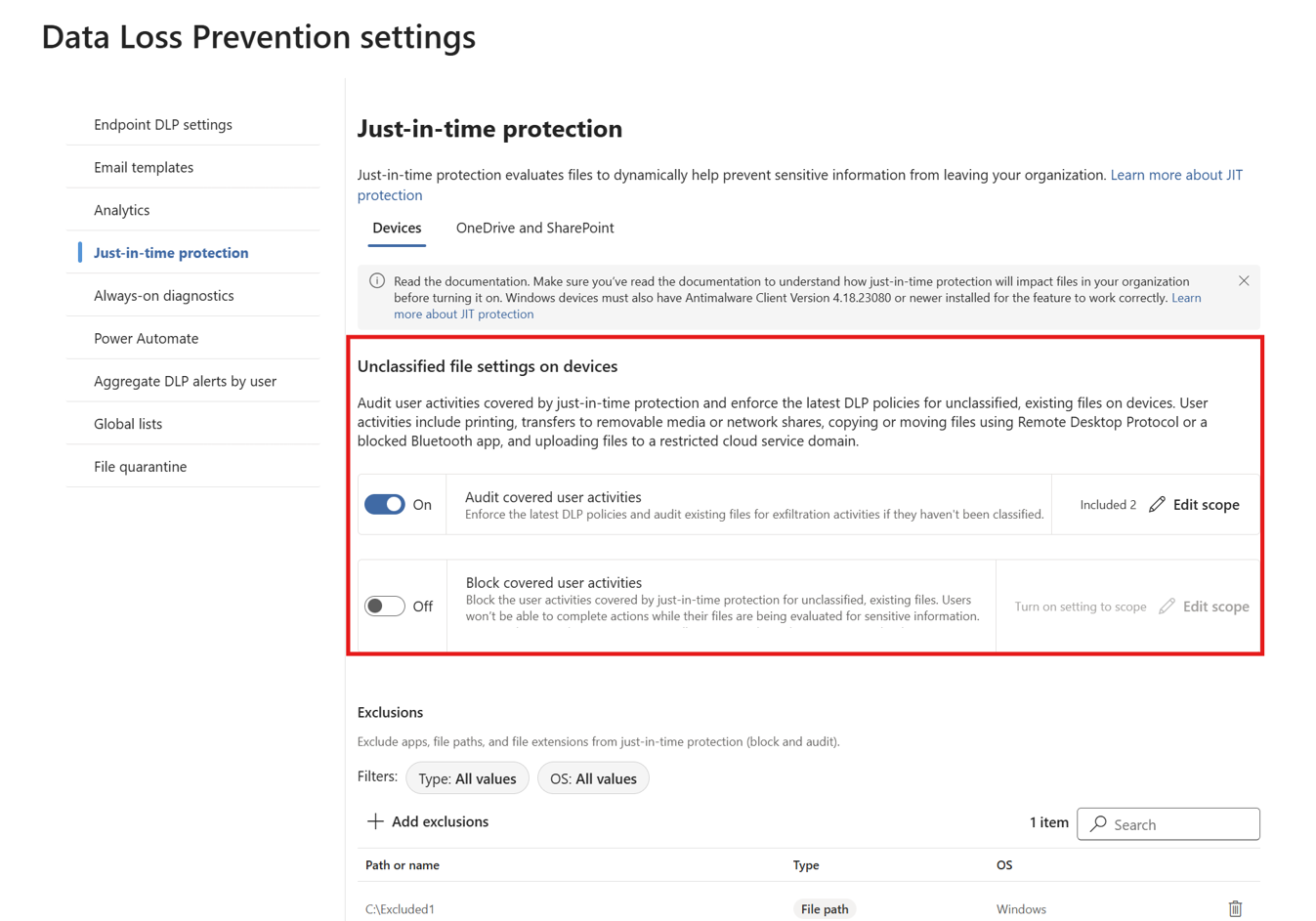
Admins can now scope which users and groups have their activities audited when Just-in-time protection is enabled in Microsoft Purview Endpoint Data Loss Prevention.
Previously, when Just-in-time protection was turned on, user activities were logged automatically for users who were not targeted by policies. With this update, audit logging must be explicitly configured so that only users or groups included in the audit scope have their activities logged. This change gives organizations greater control over audit signal collection and helps reduce unnecessary audit noise.
This message is associated with Microsoft 365 Roadmap ID 562991.
Rollout Schedule:
Global: We will begin rolling out in mid-December 2026 (previously mid-September) and expect to complete by end of December 2026 (previously end of September).
Impact on Your Organization:
Who is affected: Admins managing Microsoft Purview Endpoint Data Loss Prevention and Just-in-time protection settings.
Platforms/Services:
- Microsoft Purview
- Endpoint Data Loss Prevention
- Activity explorer.
What will happen:
Action Required / Recommendations:
- Deploy anti-malware client version 4.18.26060 or later before enabling this feature.
- Review your existing Just-in-time configuration to identify users currently generating audit events.
- Explicitly add all users or groups that should continue generating Just-in-time audit events to the audit scope.
- Validate your configuration to ensure expected activities appear in Activity explorer.
Learn more: Get started with Microsoft Purview Data Loss Prevention just-in-time protection | Microsoft Learn
Compliance considerations:
| Compliance area |
Impact |
| Audit logging capabilities |
Audit logging behavior changes from automatic to explicitly scoped, affecting which user activities are recorded for Just-in-time protection. |
| Admin compliance monitoring and reporting |
Admins must configure audit scope to maintain expected visibility of user activity in Activity explorer. |
| Purview reporting and compliance workflows |
The change alters how Just-in-time audit data is collected and reviewed for compliance and investigation workflows. |
| Admin controls and group-based configuration |
The feature introduces additional admin configuration controls for scoping audit behavior, which may be applied using user or group selection. |