Updated June 24, 2026: We have updated the timeline. Thank you for your patience.
What and Why
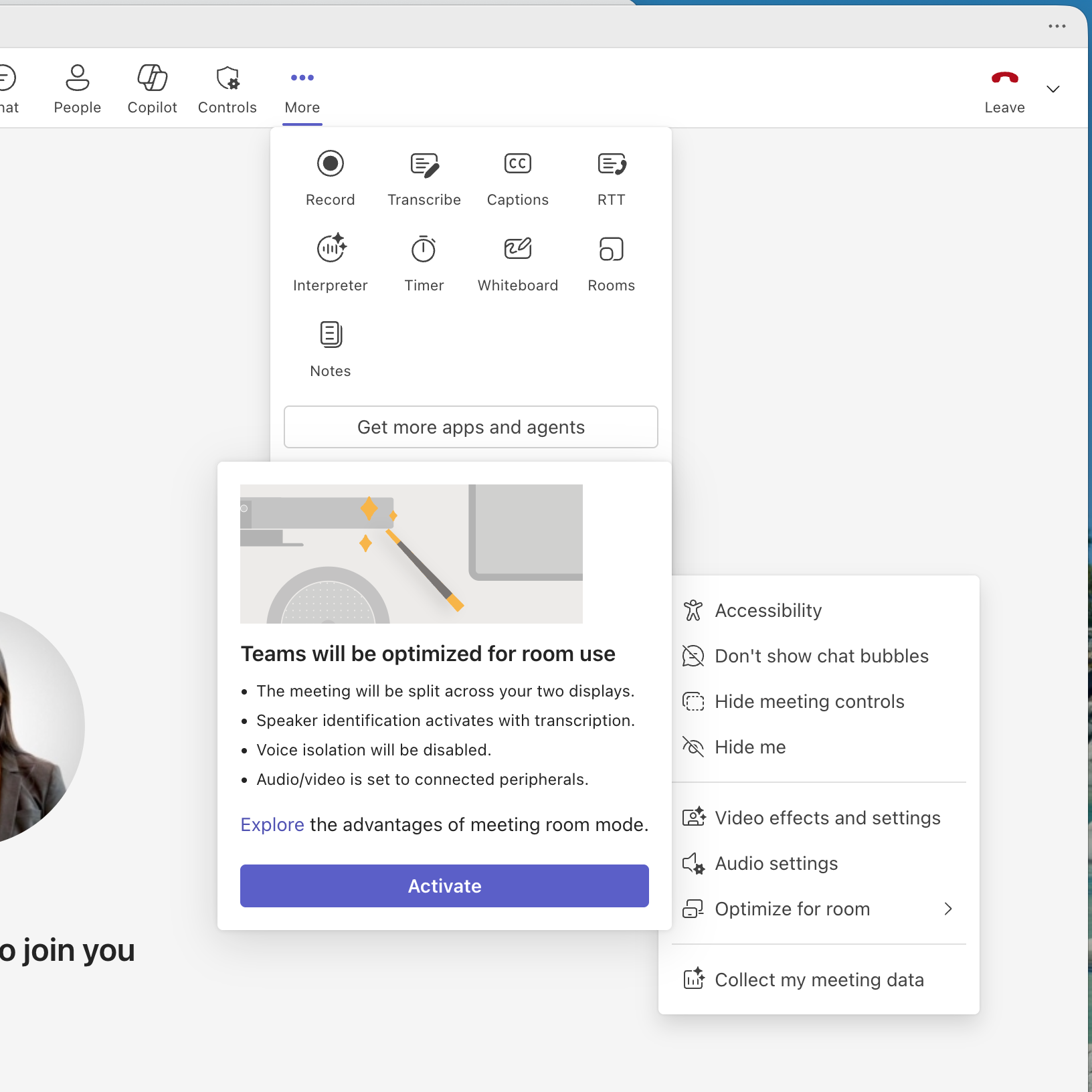
Microsoft Teams is updating the location and naming of the room optimization experience, previously called “add shared display,” to a context dependent “optimize for room” option. This change improves usability and helps users more easily configure Teams for shared and in-room meeting scenarios. The updated experience automatically optimizes audio, video, and display behavior to support more effective hybrid collaboration.
This message is associated with Microsoft 365 Roadmap ID 564912.
Rollout Schedule
- General Availability (Worldwide): Begins in early August 2026 (previously mid-July) and expected to complete by late August 2026 (previously late July).
Impact on Your Organization
Who is affected
- Users who run Microsoft Teams meetings on laptops connected to shared or room-based equipment, such as conference rooms or bring your own device meeting setups.
Platforms/Services
What will happen
- The "add shared display" option is renamed to "optimize for room."
- The option is moved to a context dependent location in the Teams interface.
- When enabled, Teams will optimize the meeting experience for room scenarios.
- Connected room peripherals, such as AV devices associated with a room, will be automatically selected instead of laptop audio and video devices.
- If an external display is connected, shared display mode will activate and split Teams into two windows.
- Voice isolation will be disabled so in room participants can be heard clearly.
- Voice recognition will be enabled if allowed by policy.
- A room node will appear in the meeting roster to represent in room participants.
- The feature is user initiated and is not enabled by default.
Action Required or Recommendations
No admin action is required.
Recommended actions:
- Inform users of the updated “optimize for room” terminology and where to find it.
- Update internal documentation that references “add shared display.”
- Communicate the change to support and helpdesk teams.
- Encourage users to adopt the feature for improved hybrid meeting experiences.
Compliance considerations
No compliance considerations identified, review as appropriate for your organization.