What and why
We are introducing shared call history in the Queues app on Microsoft Teams mobile, allowing authorized call queue representatives to view calls handled across their queue. This includes missed, answered, outgoing, and voicemail calls. By extending the existing desktop experience to mobile, we are helping teams coordinate customer follow-ups, avoid duplicate callbacks, and manage calls more efficiently while working away from their desks.
Rollout schedule
- General Availability (Worldwide): Rollout will begin in early December 2026 and is expected to complete by mid-December 2026.
Impact on your organization
Who is affected
- Representatives and supervisors with access to shared call history in the Queues app, which is included with a Teams Premium license.
Platforms and services
- Microsoft Teams mobile, Queues app
What will happen
- Authorized representatives can view shared call history across their call queue, including missed, answered, outgoing, and voicemail calls. Shared call history on mobile uses the same administrative settings as the desktop experience.
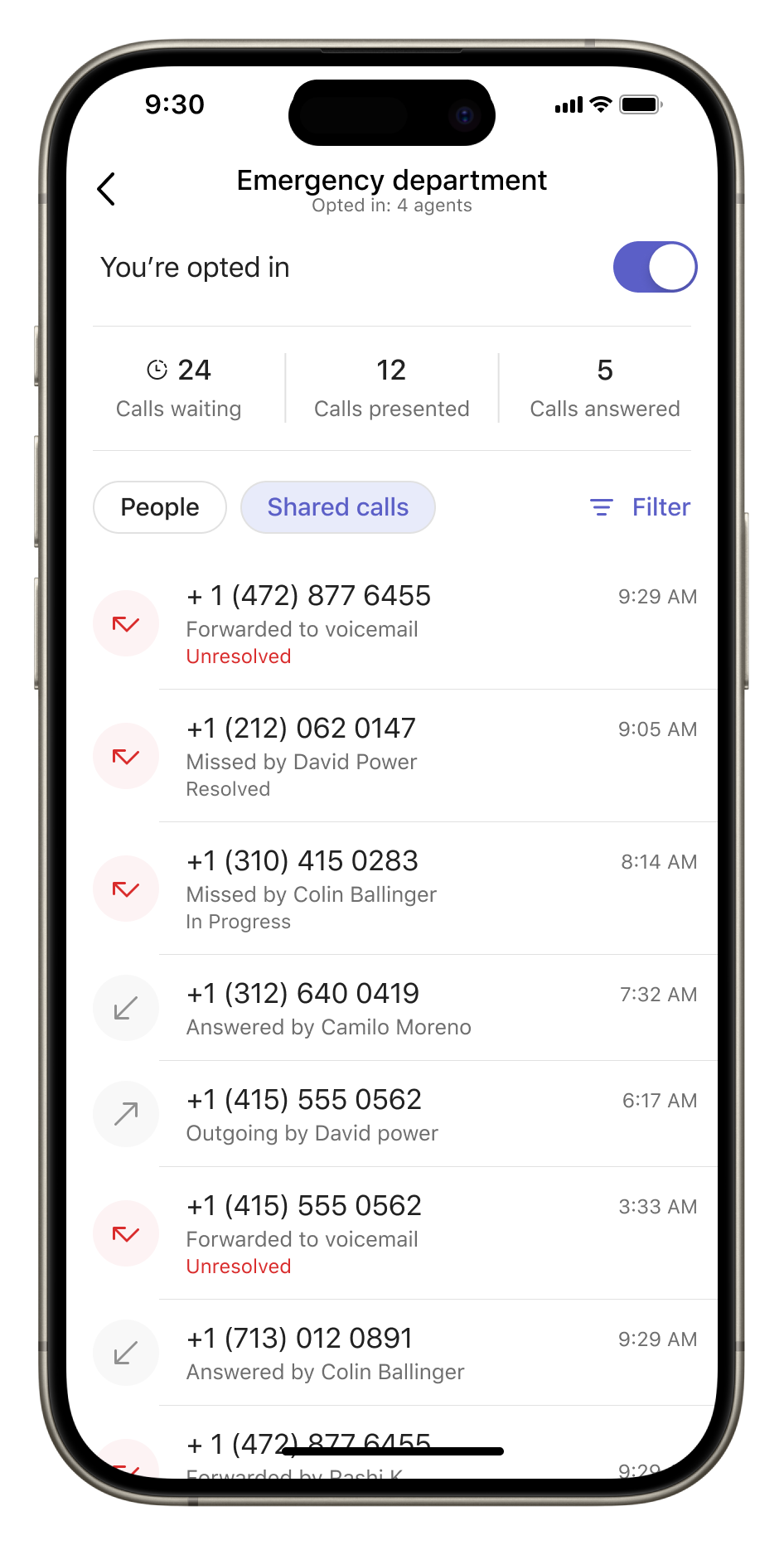
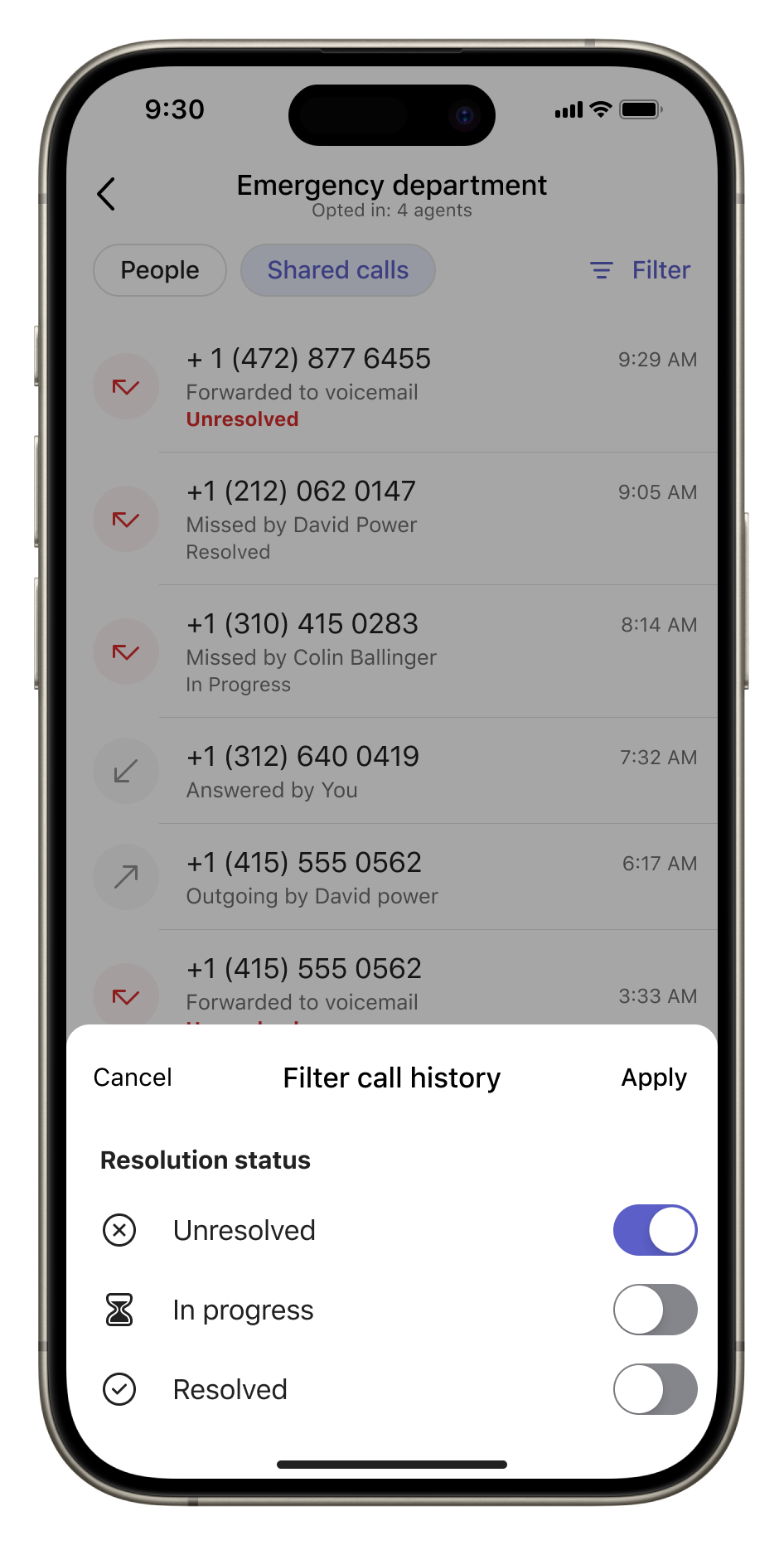
- Users can filter call history by resolution status to identify calls that need attention.
- Users can tap a call to view details, including the caller, call type, time, voicemail or forwarding information, and a timeline of the call's progression through the queue.
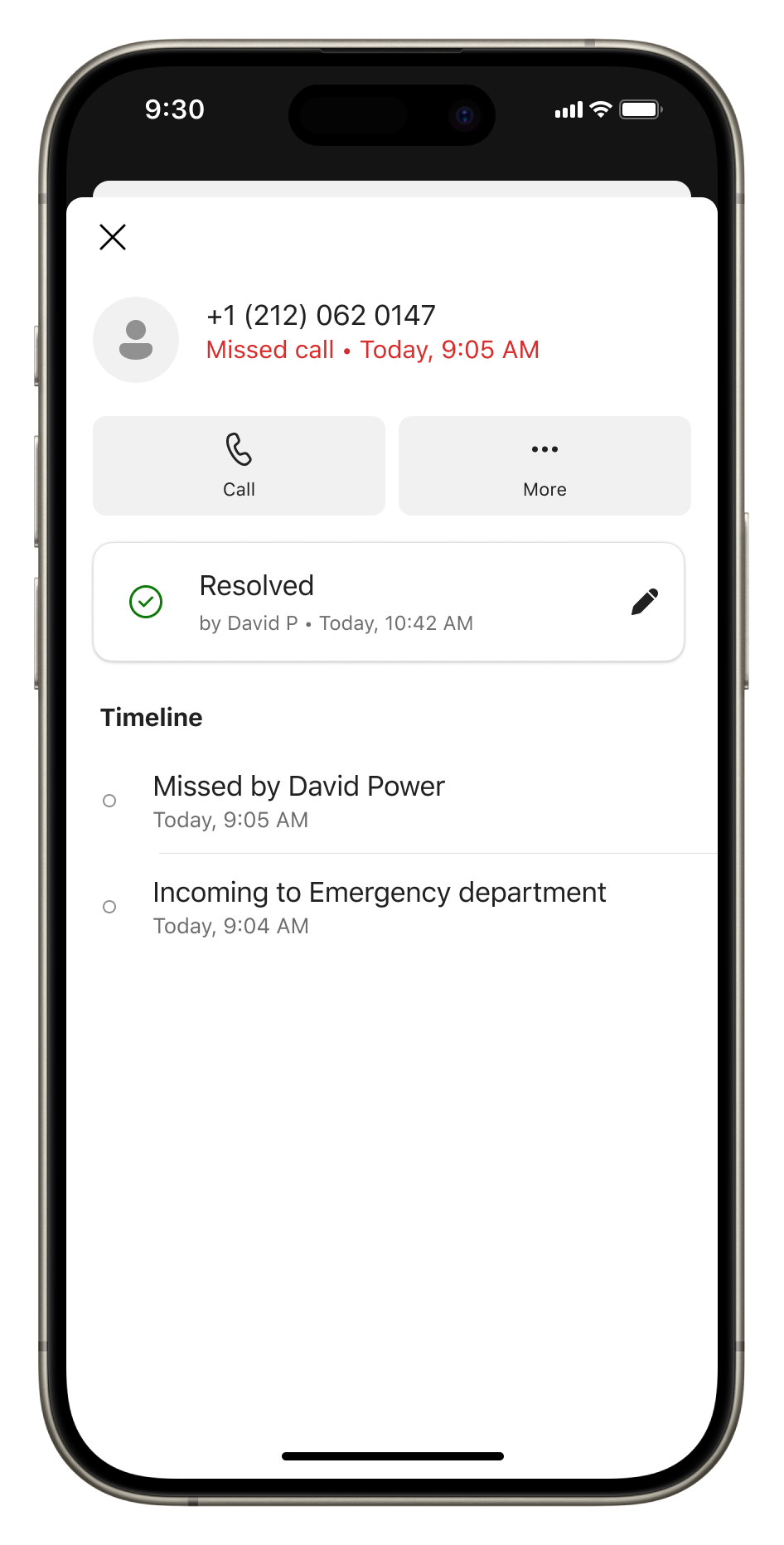
- The system automatically marks missed calls as Unresolved, allowing representatives to identify customers who need follow-up.
- Users can change missed call statuses to In progress or Resolved. All queue members with access to shared call history can see the updated status, who made the change, and when.
- Users without shared call history enabled will continue to see only their personal call history.
Action required and recommendations
No new administrative action is required for this rollout. We recommend that you inform call queue representatives about the new mobile experience, particularly how to update missed call statuses to avoid duplicate follow-ups.
- If your organization already uses shared call history, eligible users will automatically receive the mobile experience.
- If shared call history is not enabled, you can enable it in the Teams admin center by creating a Shared Call History template and assigning it to your call queues. You can grant access to all queue members or restrict access to authorized users.
Learn more
Compliance considerations
No compliance considerations identified. Review as appropriate for your organization.