Updated July 22,May 24, 2024: Moving forward please refer to MC798682We have updated the rollout timeline below. Thank you for updated information. You can safely disregard this post.your patience.
With the new sync window, users can choose how many days' worth of emails and attachments they want to download to their iOS or Android device so they can always access them even while offline.
Note: The emails/attachments will be stored internally as a cache since every time a user changes their sync window (decrease) we do a clean-up of all saved data. They cannot choose the location for that matter.
This message is associated with Microsoft 365 Roadmap ID: 189809
When thisPreview: We will happen:begin rolling out in late December 2023 and expect to complete by mid-January 2024.
Moving forward please referWorldwide: We will begin rolling out late May 2024 (previously mid-May) and expect to MC798682.complete by late June 2024 (previously mid-June).
How this will affect your organization:
This change will give users more control over what messages and attachments are being saved to their device. By choosing sync settings that better accommodate their necessities, they can use Outlook Mobile even while they're not connected to their cellular data or Wi-Fi.
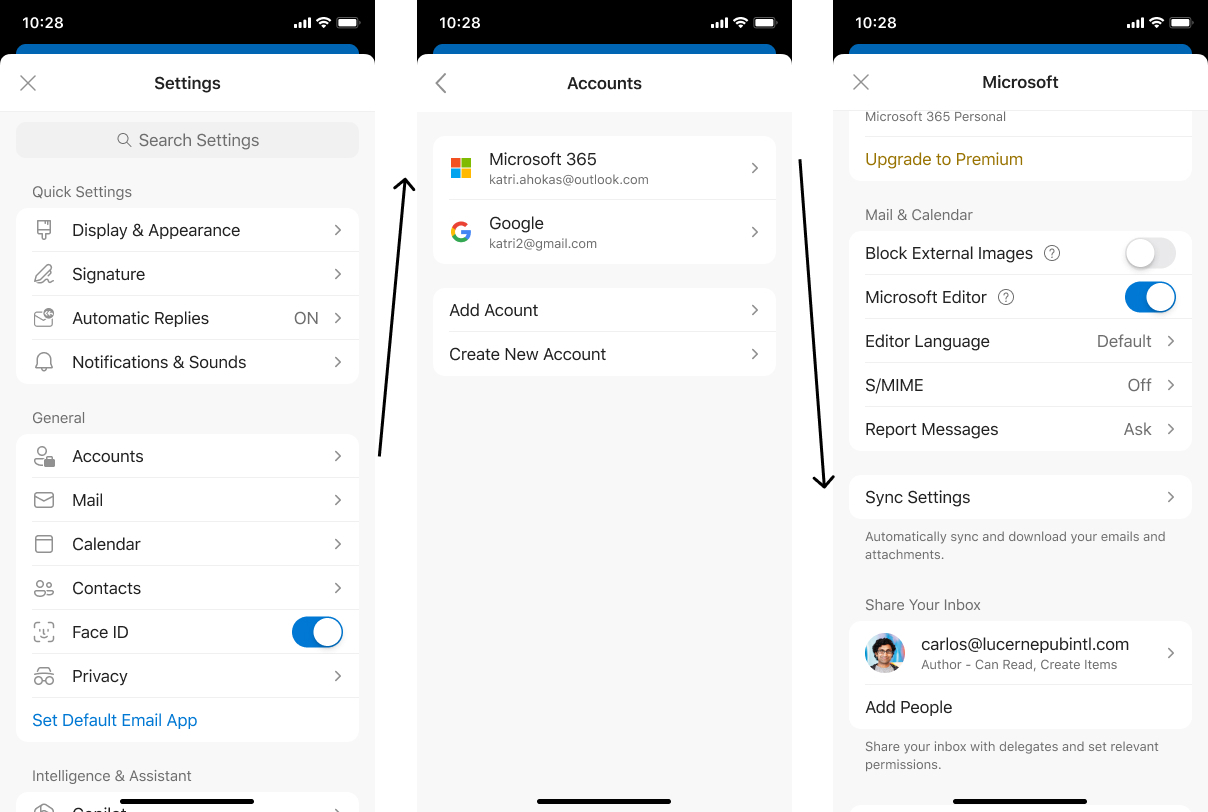
iOS:
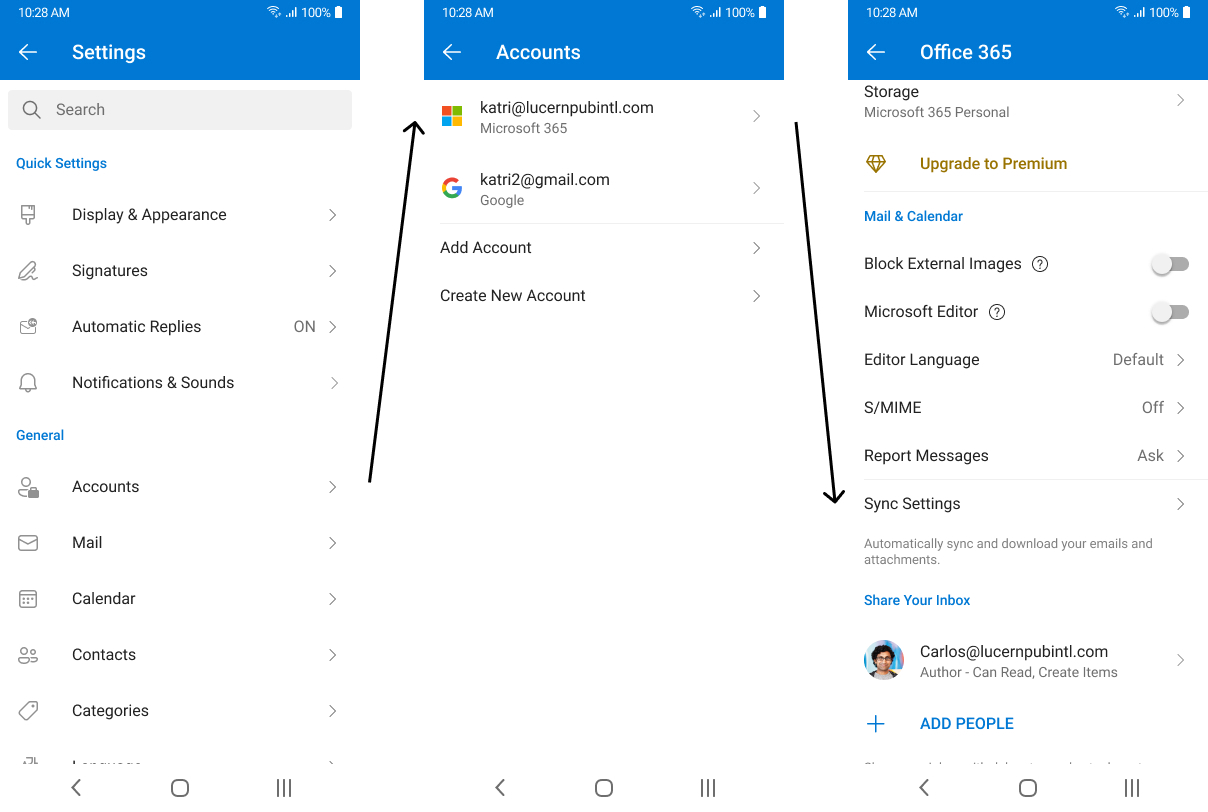
Android:
What you need to do to prepare:
Update training and documentation as appropriate so users can determine how many days they'd prefer to sync to their device; we currently provide a 90-day limit.