Updated April 2, 2024: We have updated the rollout timeline below. Thank you for your patience.
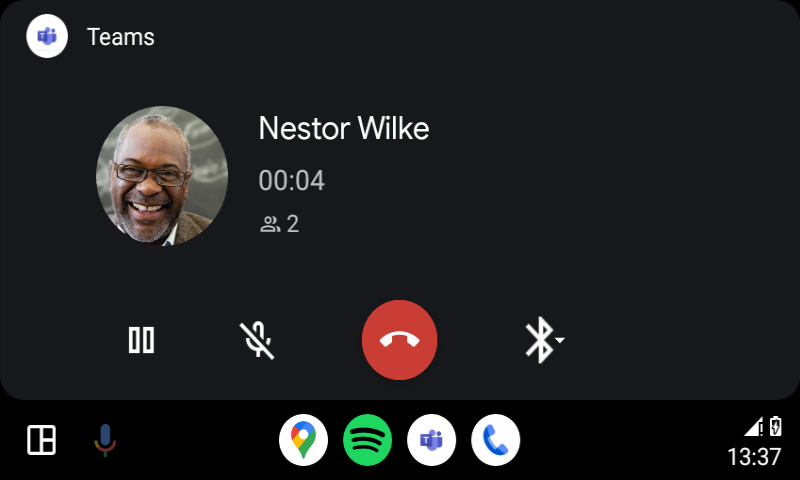
Users can now join meetings via the calendar view, easily call speed dial contacts, and get back to recent calls on Teams on Android Auto with Android phones.
This message is associated with Microsoft 365 Roadmap ID 375701
[When this will happen:]
Standard Release: We will begin rolling out late February 2024 and expect to complete by early AprilMarch 2024 (previously early March)
[How this will affect your organization:]
Users in your organization can join meetings and make calls via Teams for Android Auto.
To use this feature:
1. Connect the phone to a car that supports Android Auto.
2. Tap the Teams app icon to launch Teams.
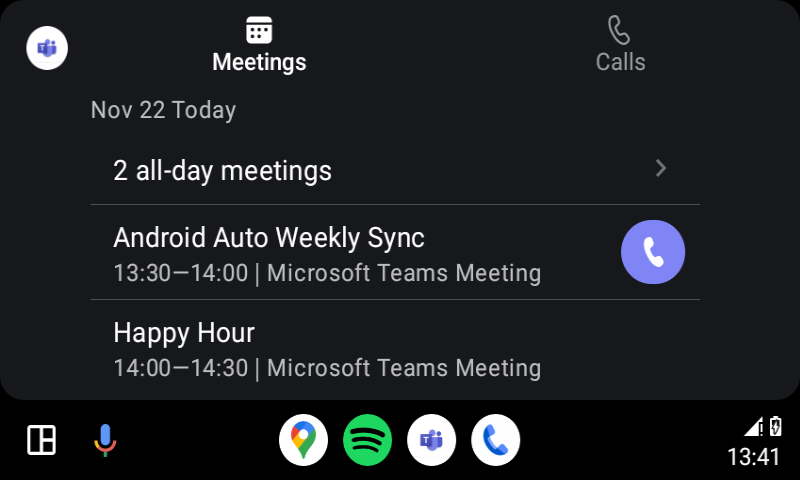
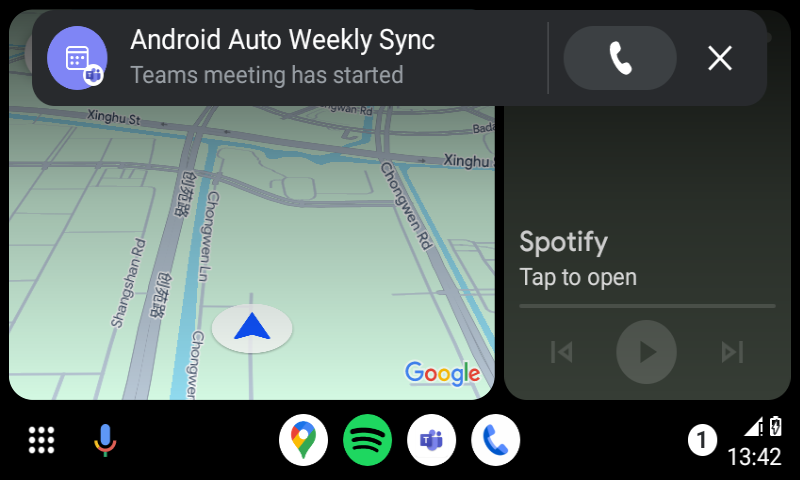
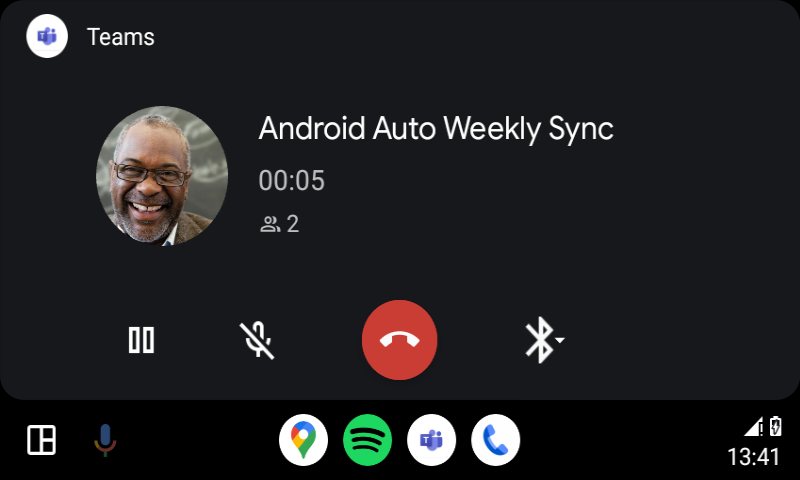
3. On the meetings tab, users will see the meetings for the day. There is an icon indicator on the right for ongoing meetings, and users can tap to join a Teams online meeting. Users can also join the meeting through the meeting started notification when other participants join the meeting if you've turned the notification option on in Teams on your phone.
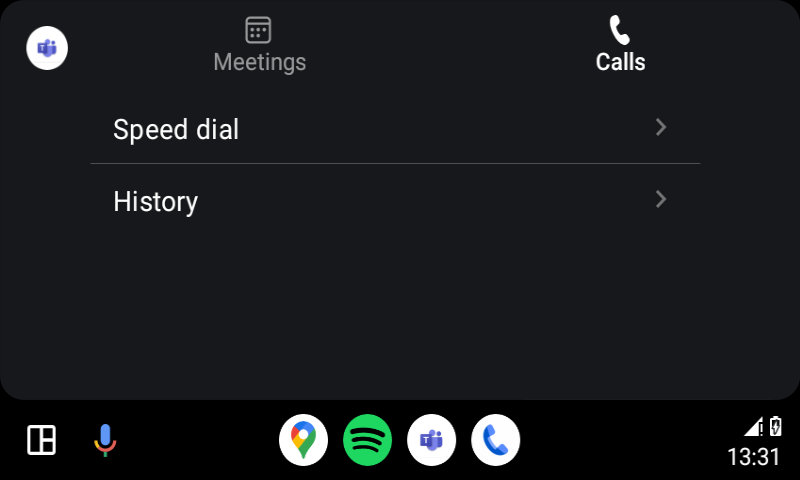
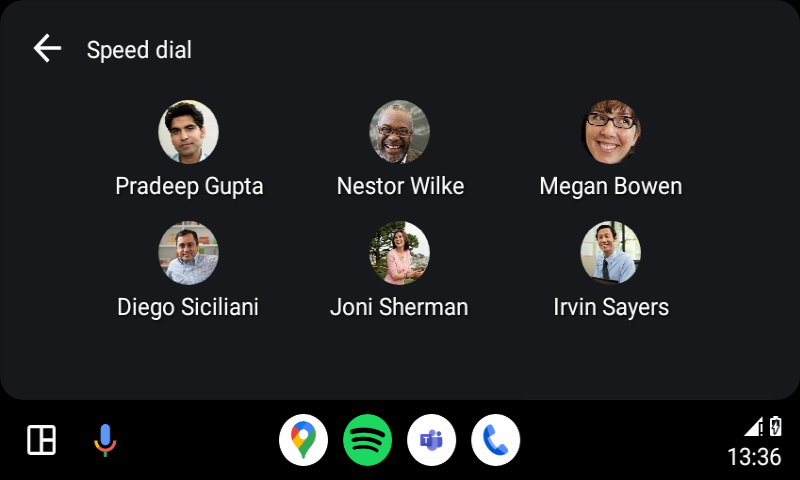
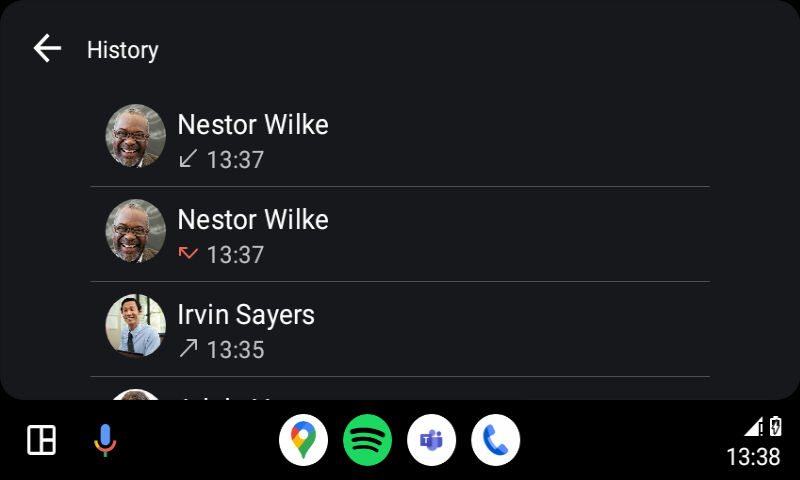
4. On the calls tab, there are two options to make calls - Speed dial and History.
Speed dial: users can tap to call their favorite contacts that are added on Teams Desktop or Mobile.
History: users can tap to resume their recent incoming, outgoing, or missed calls.
Known limitations:
- This feature is only available for Android phones running Android U.
- If Teams is installed in a Work Profile, users will not be able to use it until Android Auto supports Work Profile.
- Support for Xiaomi devices will come in a future update.
[What you need to do to prepare:]
There is no action needed to prepare for this change. You may want to notify your users about this change and update any relevant documentation as appropriate.