Back to latest version
You're viewing a historical snapshot from Jan 19, 2024. This is not the latest version.

Metadata at Jan 19, 2024

Published

Jan 19, 2024

Service

Microsoft 365 apps

Tag

Feature update
User impact

Platforms

Android
iOS

MC708338 - Microsoft Outlook mobile for iOS and Android toolbar updates

Message Center

What changed since this version

removed textadded text

Updated March 27, 2024: We have updated the rollout timeline below. Thank you for your patience.

The Compose toolbar in Microsoft Outlook mobile for iOS and Android will be updated to allow for more user customization.

This message is associated with Microsoft 365 Roadmap IDs 100696 (iOS) and 100692 (Android).

[When this will happen:]

Standard Release,Worldwide, GCC, GCCHigh,GCC High, DoD: We will begin rolling out late March 2024 (previously mid-February 2024March) and expect to complete by late April 2024 (previously mid-March 2024.April).

[How this will affect your organization:]

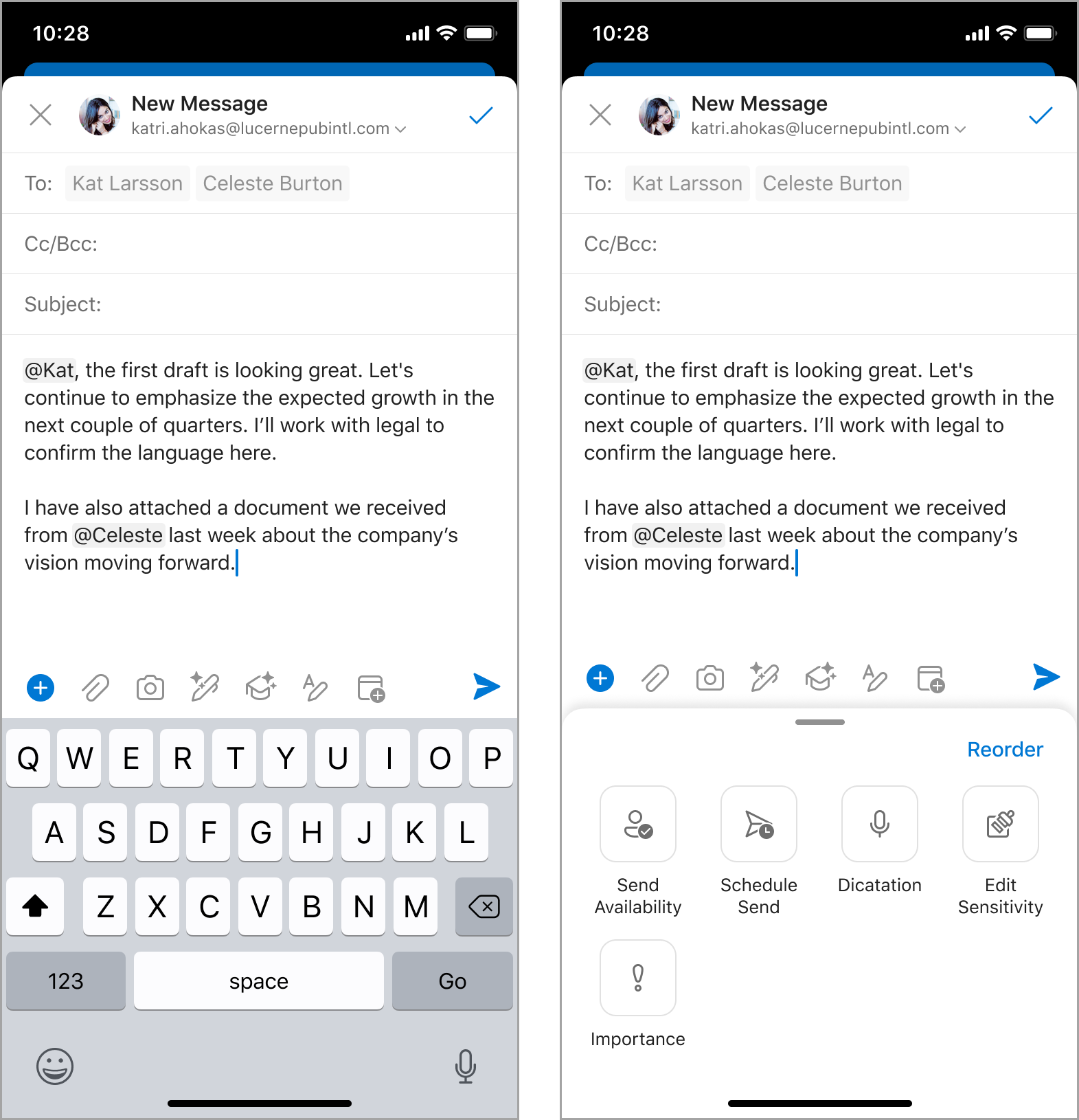
When this update rolls out, users will have the ability to reorder the items on the Compose toolbar of Outlook mobile. Users will see an update to the default ordering of the toolbar items. The new + icon points to additional actions and the capability to reorder.
[What you need to do to prepare:]

No action is needed to prepare for this change. You may want to notify your users about this change and update any relevant documentation as appropriate.


Snapshot from Jan 19, 2024

The Compose toolbar in Microsoft Outlook mobile for iOS and Android will be updated to allow for more user customization.

This message is associated with Microsoft 365 Roadmap IDs 100696 (iOS) and 100692 (Android).

[When this will happen:]

Standard Release, GCC, GCCHigh, DoD: We will begin rolling out mid-February 2024 and expect to complete by mid-March 2024.

[How this will affect your organization:]

When this update rolls out, users will have the ability to reorder the items on the Compose toolbar of Outlook mobile. Users will see an update to the default ordering of the toolbar items. The new + icon points to additional actions and the capability to reorder.

[What you need to do to prepare:]

No action is needed to prepare for this change. You may want to notify your users about this change and update any relevant documentation as appropriate.