Metadata at Mar 27, 2024
Last Updated
Published Mar 1, 2024
Service
Tag
Platforms
MC721853 - Microsoft SharePoint Online: New feedback button
Message Center
What changed since this version
Updated March 27,July 5, 2024: We have updated the rollout timeline below. Thank youWe have also specified that the Cloud Policy service includes controls for your patience.screenshots and logs submitted with feedback.
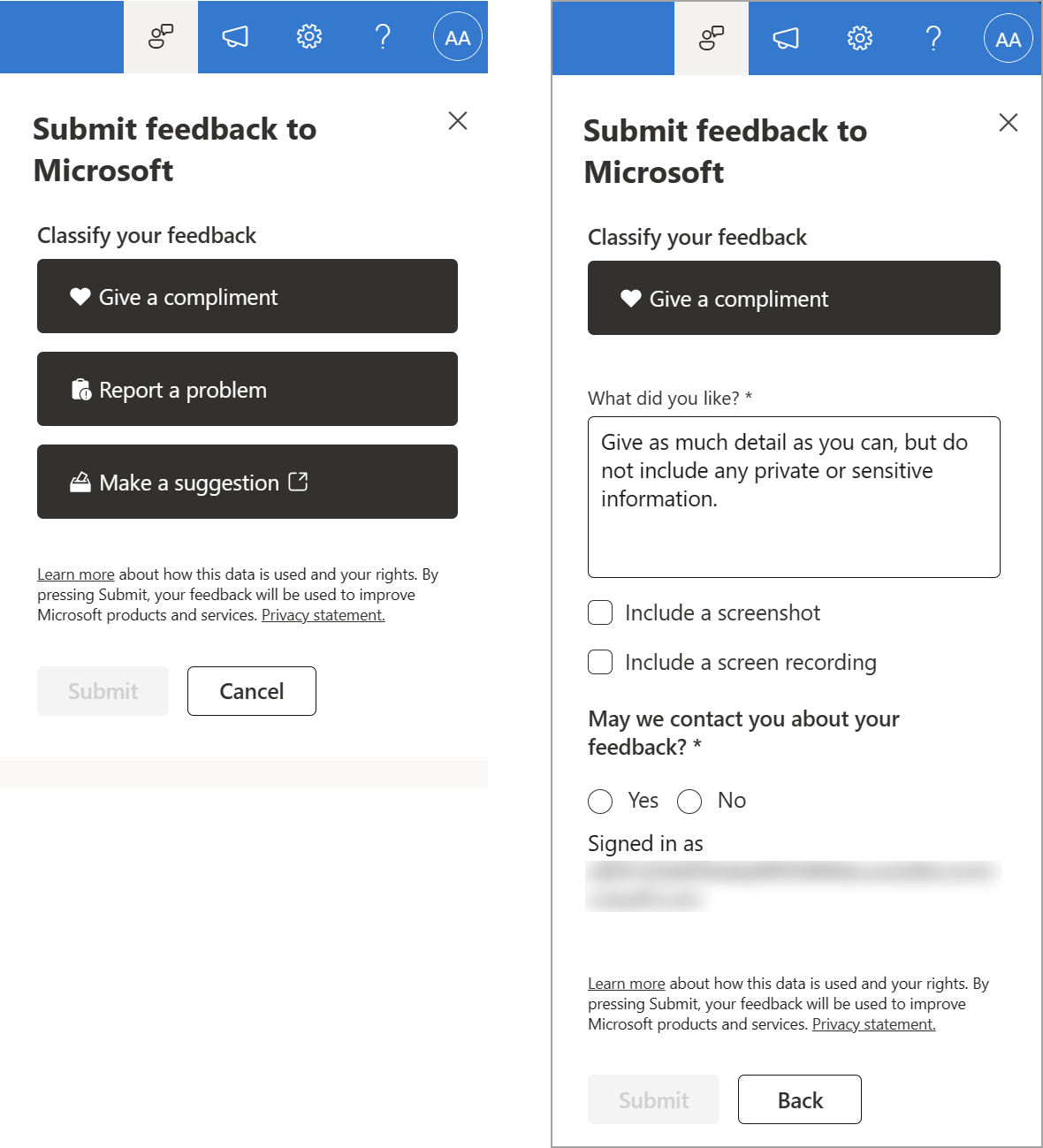
We are introducing a feedback button in Microsoft SharePoint Online, consistent with the rest of the Microsoft 365 Suite. Users can submit compliments, problems, or suggestions about SharePoint features and functionality to Microsoft.
This message is associated with Microsoft 365 Roadmap ID 383405.
When this will happen:
Targeted Release: We will begin rolling out late March 2024 (previously mid-March) and expect to complete by mid-April 2024 (previously early April).
General Availability: We will begin rolling out late AprilJune 2024 (previously mid-April)early June) and expect to complete by mid-May 2024 (previously early May).late June.
How this will affect your organization:
Your end users will see a feedback icon on their SharePoint sites (pages, document libraries, lists, and the SharePoint start page) accessible from the suite navigation.
Microsoft reviews all feedback submitted by customers and uses this feedback to improve products for users and troubleshooting product issues. The feedback we collect from your users is available in the Microsoft 365 Apps admin center if feedback is turned on.


What you need to do to prepare:
To turn off feedback collection,collection completely or to restrict users from including screenshots or service logs with their feedback, use the Cloud Policy service for Microsoft 365 in the Microsoft 365 Apps admin center. For more information, see Overview of Cloud Policy service for Microsoft 365 - Deploy Office | Microsoft Learn.
You can search for "feedback" or "survey" in the Cloud Policy service for Microsoft 365 to find and configure the policy settings.
Learn more
Learn about how to provide feedback to Microsoft - Microsoft 365 admin | Microsoft Learn
Manage Microsoft feedback for your organization - Microsoft 365 admin | Microsoft Learn
Overview of Cloud Policy service for Microsoft 365 - Deploy Office | Microsoft Learn
Snapshot from Mar 27, 2024
Updated March 27, 2024: We have updated the rollout timeline below. Thank you for your patience.
We are introducing a feedback button in Microsoft SharePoint Online, consistent with the rest of the Microsoft 365 Suite. Users can submit compliments, problems, or suggestions about SharePoint features and functionality to Microsoft.
This message is associated with Microsoft 365 Roadmap ID 383405.
When this will happen:
Targeted Release: We will begin rolling out late March 2024 (previously mid-March) and expect to complete by mid-April 2024 (previously early April).
General Availability: We will begin rolling out late April 2024 (previously mid-April) and expect to complete by mid-May 2024 (previously early May).
How this will affect your organization:
Your end users will see a feedback icon on their SharePoint sites (pages, document libraries, lists, and the SharePoint start page) accessible from the suite navigation.
Microsoft reviews all feedback submitted by customers and uses this feedback to improve products for users and troubleshooting product issues. The feedback we collect from your users is available in the Microsoft 365 Apps admin center if feedback is turned on.
What you need to do to prepare:
To turn off feedback collection, use the Cloud Policy service for Microsoft 365 in the Microsoft 365 Apps admin center. For more information, see Overview of Cloud Policy service for Microsoft 365 - Deploy Office | Microsoft Learn.
You can search for "feedback" or "survey" in the Cloud Policy service for Microsoft 365 to find and configure the policy settings.
Learn more
Learn about how to provide feedback to Microsoft - Microsoft 365 admin | Microsoft Learn
Manage Microsoft feedback for your organization - Microsoft 365 admin | Microsoft Learn
Overview of Cloud Policy service for Microsoft 365 - Deploy Office | Microsoft Learn