Updated September 12,July 26, 2024: To ensure the best customer experience weWe have decided not to proceed withupdated the rollout of this change at this time. We will communicate via Message center when we are ready to proceed. We apologize for any inconvenience this may have caused and thanktimeline below. Thank you for your patience.
Coming soon: For Microsoft Purview, we will release a tenant-wide Hold report in eDiscovery (Premium).
This message is associated with Microsoft 365 Roadmap ID 93268 and Roadmap ID 93269.
When this will happen:
General Availability (Worldwide): We will communicate via Message center when we are readybegin rolling out mid-August 2024 (previously mid-July) and expect to proceed.complete by early September 2024 (previously early August).
General Availability (GCC, GCCH, DoD): We will begin rolling out mid-September 2024 (previously mid-June) and expect to complete by early October 2024 (previously early September).
How this will affect your organization:
The Hold report in eDiscovery (Premium) will let users with eDiscovery Administrator and eDiscovery Manager permissions access a built-in report with information on all hold policies associated with eDiscovery cases in the Microsoft Purview compliance portal. This includes eDiscovery holds associated with eDiscovery (Standard) and eDiscovery (Premium) cases. The Hold report lists all locations that are part of a tenant's hold policies (whether enabled or disabled). The Hold report currently doesn't show custodian association for each data source but will show the location.
Your organization must have an organization subscription that supports Purview eDiscovery (Premium) to generate and access the Hold report. eDiscovery Managers can only view Hold reports related to the cases they are a member of.
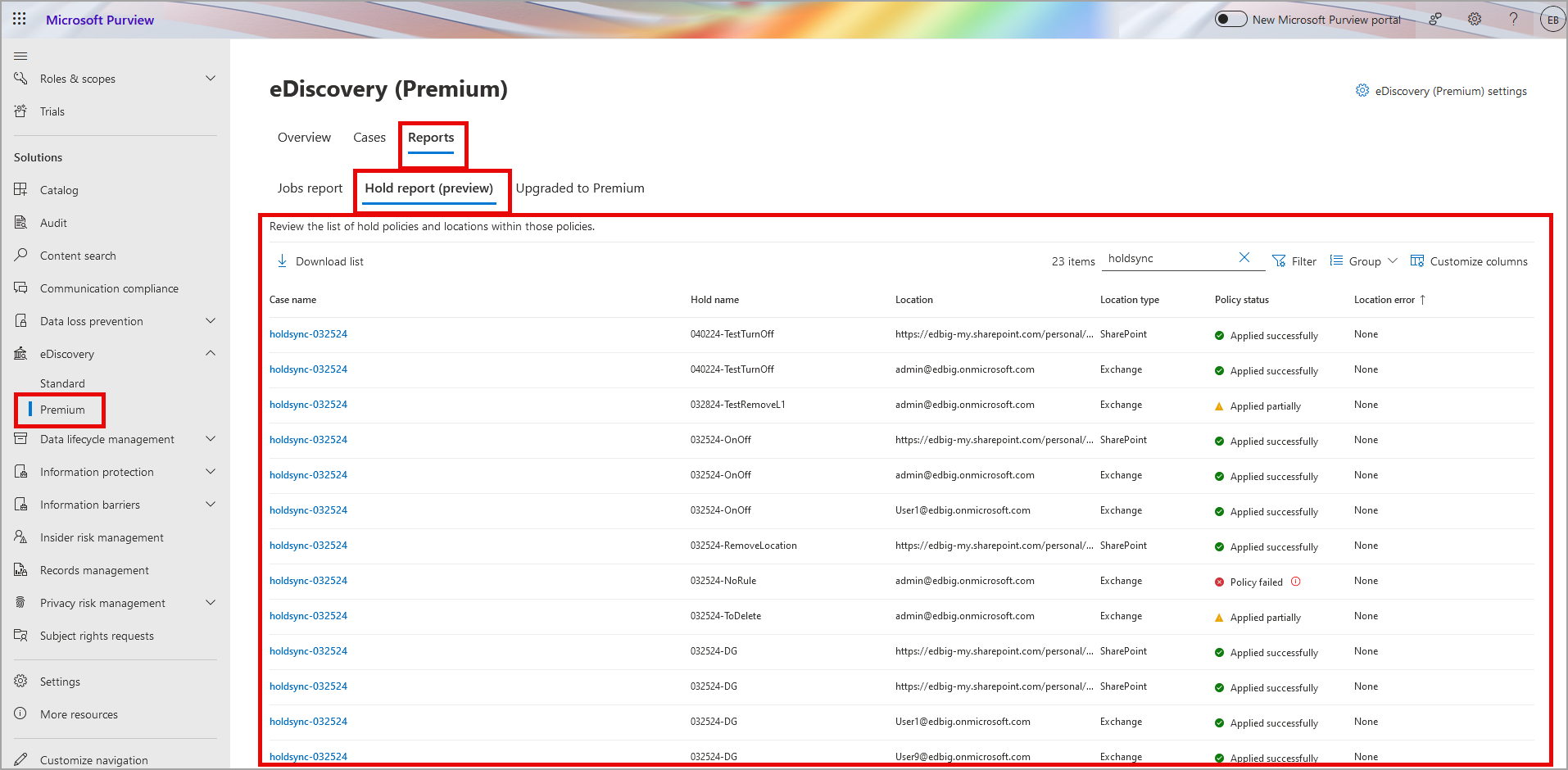
The Hold report will be available under the Reports tab in eDiscovery (Premium):
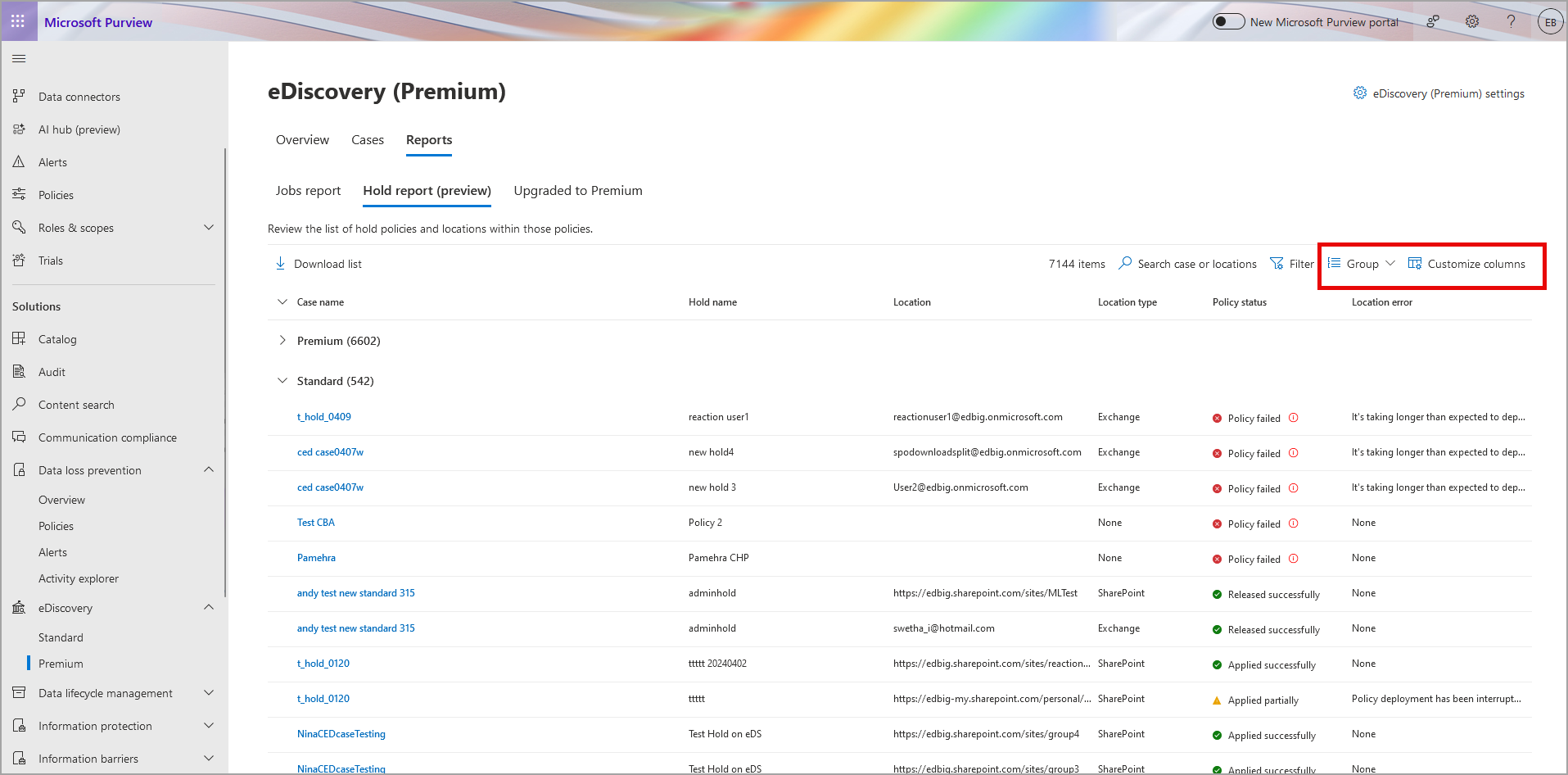
Use the Group option to group eDiscovery holds from eDiscovery (Standard) cases using group by Case Type. Use Customize options to select case type options and display Standard or Premium (case type column not shown here):
What you need to do to prepare:
- Assess if the rollout will change your organization’s eDiscovery workflow. If so, update internal documentation and provide training to all eDiscovery users in your organization.
Learn more