Updated March 28, 2025:September 23, 2026: We have updated the rollout timeline below.content. Thank you for your patience.
Coming soon for Microsoft Purview | Data Lifecycle Management: Admins will be ableEnable admins to apply a retention policy or retention label in Microsoft OneDrive and Microsoft SharePoint for files that have not been accessed by anyone in yourthe organization forafter a specified period of time. This message appliesIn this release, users will be able to retention for Microsoft 365set up delete policies based on Last Accessed Date of Office file types. We will support otherNon-office file types (non-Microsoft 365)are not supported in a future rollout.
this release.
This message is associated with Microsoft 365 Roadmap ID 472030.
When this will happen:
Public Preview: We will begin rolling out mid-February 2025late November 2026 (previously end of October) and expect to complete by late February 2025.
end of December 2026 (previously end of November)
General Availability (Worldwide): We will begin rolling out late September 2025early January 2027 (previously mid-March)end of December 2026) and expect to complete by late October 2025early February 2027 (previously late March).
end of January)
How this will affect your organization:
This feature will help delete obsolete data, which will improve the quality and relevance of Microsoft 365 Copilot responses.
This feature will be available by default.
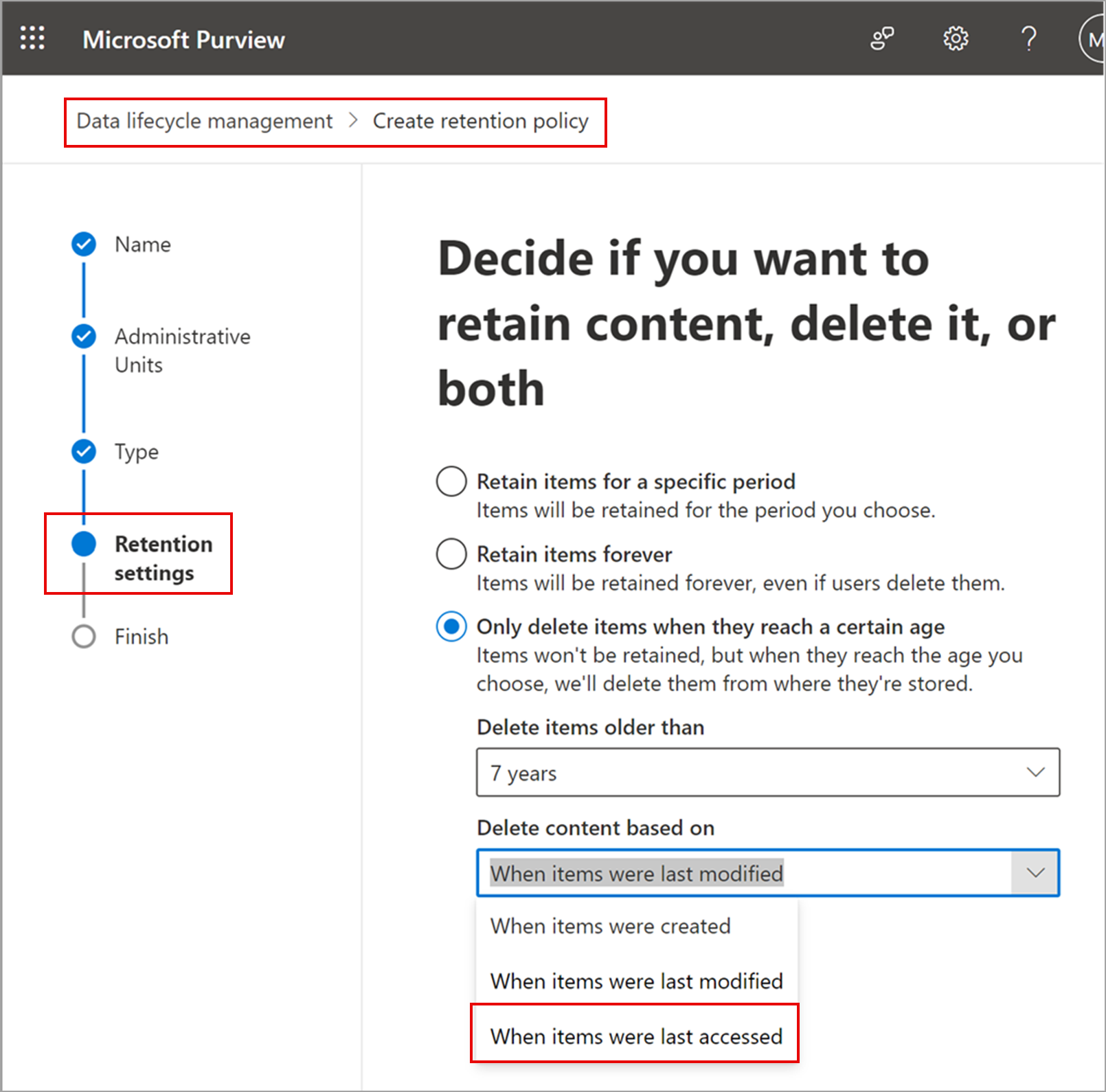
After the rollout, admins can use the retention control When items were last accessed when configuring labels and policies.
Retention settings page in Purview with the new “last accessed” option for retention policies:

What you need to do to prepare:
This rollout will happen automatically by the specified date with no admin action required before the rollout. Review your current configuration to determine the impact for your organization. You may want to notify your users about this change and update any relevant documentation.
Before rollout, we will update this post with new documentation.